HomeFeatured videos and new releasesBrowseLatest videos, playlists, and topicsCreatorsYouTube creators and their videosNewsHeadlines from publishers' feedsHistoryResume recently watched videos
Theme
Language
AccountAccountSign in
PrivacyCookiesTermsAboutContactRemovalMethodology
Account
Sign in
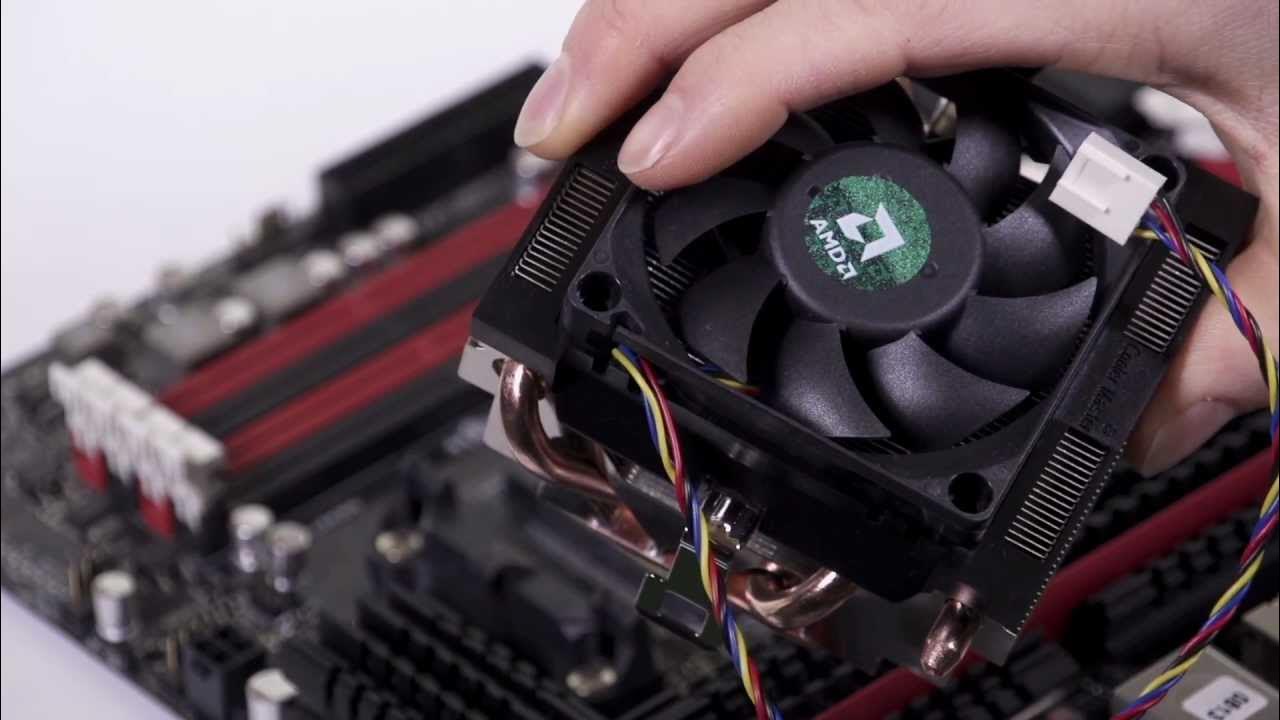
Install an AMD CPU Processor in About 2 Minutes
Video · 0:00

Install an AMD CPU Processor in About 2 Minutes

Techquickie@techquickie•256.7K views•Jan 17, 2013•2:05

Your rating

Rate this video from 1 to 5

Reactions

Reactions to this video

Share

WhatsAppXReddit
Source
YT
Views
256.7K
Subscribers
4.3M
vs. channel typical
0.6x
Likes per 100
2.7
Comments
387

AudioEnglish (original)Auto-dubbed: French, German, Spanish, Hindi, Indonesian, Italian, Portuguese

Description

Installing an AMD CPU can be simple if you follow the right steps. In this episode Linus demonstrates step-by-step how to get it done right! FORUM LINK: linustechtips.com

Start

AI Overview

This Tech Quickie video provides a concise, step by step guide to installing an AMD CPU in about two minutes. In under the first five minutes, Linus covers crucial prep and alignment actions: lifting the retention arm, aligning the triangle markers on the CPU and motherboard, and carefully setting the CPU into the socket with a small wiggle to ensure proper seating. He then moves to the heat sink included with the processor, noting that it arrives with thermal compound already applied and uses a tool free mounting mechanism that does not require special tools. Cable management tips are given, such as tying a knot in the fan cables to keep them clear of the blades, and guidance on connecting the fan header labeled CPU to optimize cooling. Finally, the mounting latch is locked in place to apply the correct pressure for thermal transfer, and Linus suggests a slight wiggle of the heatsink to help thermal paste settle. The video emphasizes safety and practicality, warning about fan wires getting caught and the importance of not obstructing the blades, while also inviting viewers to subscribe, share, and engage via the video description forum link for future Quickie episodes.

Topics · technology · tutorial · hardware

More from Techquickie

  • Why PlayStation Controllers Don’t Just Work On PC
    6:54

    Why PlayStation Controllers Don’t Just Work On PC

    303.6K views•3 days ago
  • What is Tailscale?
    9:16

    What is Tailscale?

    190.6K views•last week
  • Why Can’t Search Find My File?!
    9:22

    Why Can’t Search Find My File?!

    93.5K views•2 weeks ago
  • Why Is Your Monitor Set to 59.94 Hz?
    8:03

    Why Is Your Monitor Set to 59.94 Hz?

    96K views•4 weeks ago

Related videos

  • ULTIMATE Build a Better $1500 Gaming PC Computer "How To" Guide
    41:20

    ULTIMATE Build a Better $1500 Gaming PC Computer "How To" Guide

    3.1M views•14 years ago
  • Hacking Nvidia's Drivers! - Rescuing crypto GPUs from becoming e-waste
    16:23

    Hacking Nvidia's Drivers! - Rescuing crypto GPUs from becoming e-waste

    1.8M views•8 years ago
  • LGA 2011 Socket Pin Repair Vlog - Fix a "Dead" Motherboard
    6:01

    LGA 2011 Socket Pin Repair Vlog - Fix a "Dead" Motherboard

    441.3K views•12 years ago
  • Fastest Mac Mini in the World! [Part 3]
    2:45

    Fastest Mac Mini in the World! [Part 3]

    367.5K views•15 years ago
  • Kingston HyperX Blu 1600MHz DDR3 Overclocking Guide Tutorial Linus Tech Tips
    10:44

    Kingston HyperX Blu 1600MHz DDR3 Overclocking Guide Tutorial Linus Tech Tips

    342.9K views•16 years ago
  • LGA2011 Intel Core i7 CPU Installation Guide H100 Water Cooler Linus Tech Tips
    6:19

    LGA2011 Intel Core i7 CPU Installation Guide H100 Water Cooler Linus Tech Tips

    298.4K views•15 years ago