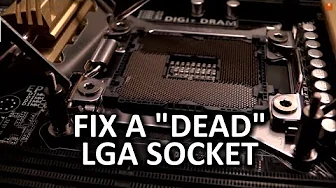
LGA 2011 Socket Pin Repair Vlog - Fix a "Dead" Motherboard
Your rating
Reactions
Description
Pin repair on an LGA socket is not a simple task... but it is doable!
Promos
Check out my method. (Warning: your mileage may vary, and you could kill your CPU or mobo in this process. I do not recommend trying this at home) Sponsor link: linustechtips.com Pricing & discussion: linustechtips.com Support us: linustechtips.com Join our community forum: bit.ly twitter.com @LinusTech Intro Screen Music Credit: Adhesive Wombat -
Channels and socials
Check out his channel here: youtube.com Outro Screen Music Credit: Approaching Nirvana - Sugar High youtube.com
AI Overview
The video starts with an impromptu late night vlog vibe, as the creator identifies an LGA 2011 CPU that is technically healthy but the motherboard refuses to boot due to a bent pin. The presenter quickly demonstrates the problem area with a magnifying glass, explaining that the LGA socket works differently from older pin-on-CPU configurations, which makes repairs notably trickier. He outlines the plan to attempt a delicate pin bend to restore contact, noting the risks of damaging adjacent pins or the CPU itself. The method relies on careful observation of the remaining pins and their reference patterns, using a fine needle pin, a magnifier, and strong lighting to guide the adjustment. He proceeds with a cautious but confident approach, bending the pin back into position while acknowledging this is not a guaranteed or recommended home repair for most users. After assembling a test bench and powering up the system, the moment of truth arrives when the CPU is posted successfully, confirming that the improvised repair worked on this engineering sample board. The video closes with a practical verdict: salvaging a motherboard can be significantly cheaper than a full replacement, though the technique carries real risk and should be attempted only by those who understand the hazards. Throughout, the creator emphasizes the balance between DIY salvage and warranty considerations, inviting viewers to share results and discuss future video ideas while pointing to sponsor and affiliate links in the description. The overall takeaway is that with careful tooling, light, and patience, a stubborn bent pin on an LGA 2011 socket can sometimes be coaxed back into functional alignment, restoring a working system rather than discarding costly hardware.
Topics · technology · computers · hardware · diy · repair · maker · tutorial
Questions answered
- What is the main repair approach demonstrated for the bent LGA 2011 pin?
- The video shows carefully bending the damaged pin back toward the contact pad on the CPU socket, using a fine pin, magnification, and strong light to guide the realignment and restore contact.
- Why is this repair considered risky or not recommended for home users?
- Because bending the wrong pin or applying force to adjacent pins can damage the socket or CPU, and there is no guaranteed outcome, making it a high-risk, technically demanding procedure.






