Mac Users Deserve Better – 7 Unacceptable Problems with MacOS
Your rating
Reactions
AudioEnglish (original)Auto-dubbed: Spanish, Indonesian, Italian
Promos
Try FreshBooks free, for 30 days, no credit card required at freshbooks.com Try Zoho One free for 30 days with no credit card required here: zoho.com Apple has a bigger presence at Linus Media Group than ever before: an increasing number of our staff are choosing their excellent M1 and M2 powered laptops as their work machine or use Macintosh systems at home. But this increased usage has led to more annoyances being discussed around the office… so we put together this list of some of the more noticeable omissions! Discuss on the forum: linustechtips.com Buy an Apple Magic Mouse 2: geni.us Buy a Logitech MX Master 3S for Mac: geni.us Buy a Plugable Laptop Docking Station: geni.us Buy an Apple Gift Card: geni.us Purchases made through some store links may provide some compensation to Linus Media Group. ► GET MERCH: lttstore.com ► SUPPORT US ON FLOATPLANE: floatplane.com ► AFFILIATES, SPONSORS & REFERRALS: lmg.gg ► PODCAST GEAR: lmg.gg FOLLOW US --------------------------------------------------- Twitter: twitter.com Facebook: @LinusTech Instagram: @linustech TikTok: @linustech Twitch: twitch.tv MUSIC CREDIT --------------------------------------------------- Intro: Laszlo - Supernova Video Link: youtube.com iTunes Download Link: itunes.apple.com Artist Link: soundcloud.com Outro: Approaching Nirvana - Sugar High Video Link: youtube.com Listen on Spotify: spoti.fi Artist Link: youtube.com Intro animation by MBarek Abdelwassaa @mbarek_abdel Monitor And Keyboard by vadimmihalkevich / CC BY 4.0 geni.us Mechanical RGB Keyboard by BigBrotherECE / CC BY 4.0 geni.us Mouse Gamer free Model By Oscar Creativo / CC BY 4.0 geni.us CHAPTERS --------------------------------------------------- 0:00 Intro 1:18 Corner Snapping 3:08 Full Screen is Weird 4:03 Traffic Light Inconsistencies 4:48 Scroll Direction Decoupling 5:22 Multi Monitor UI Issues 6:12 Multiple External Monitors 7:21 Volume Mixer MIA 8:05 Rapid Fire Points 8:33 A Difference in Philosophy 9:33 We DO Like macOS! 10:24 Conclusion
AI Overview
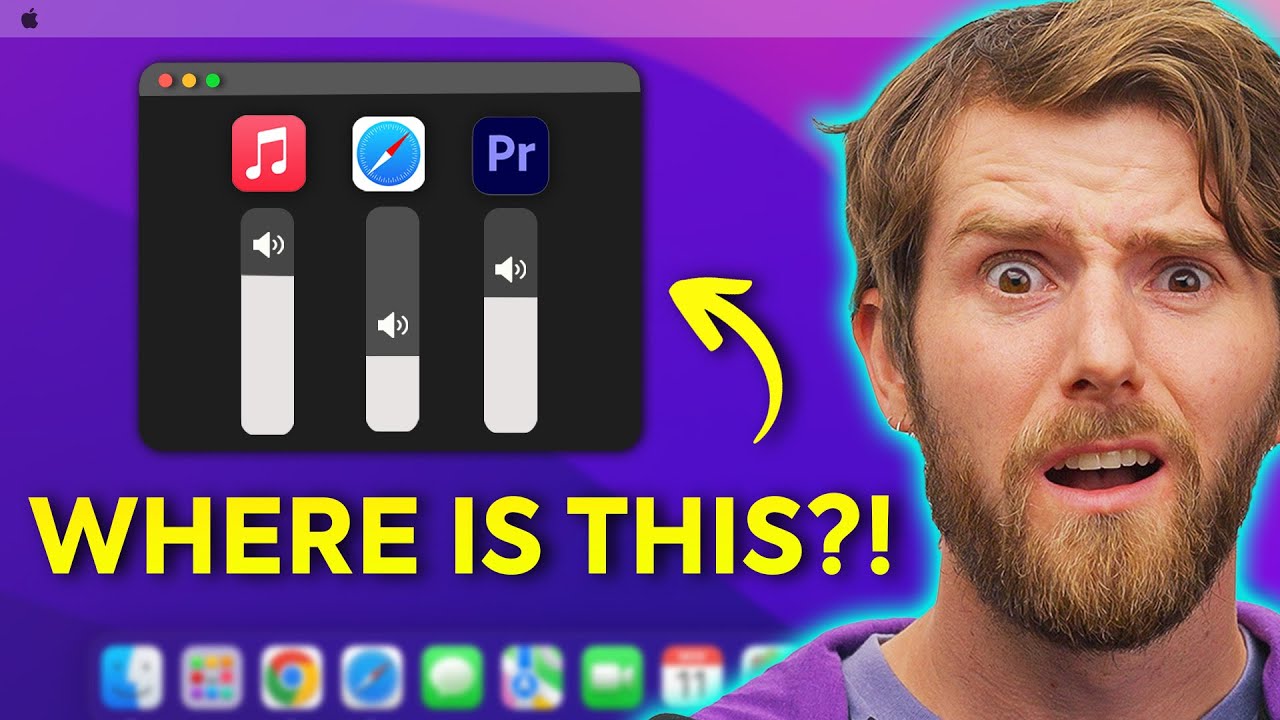
Mac OS has long prided itself on a clean, Apple-forward experience, yet in this detailed critique Linus and his team argue that MacOS falls short in several fundamental usability areas. The video opens by framing the discussion around real-world frustrations from a growing Mac user base within Linus Tech Tips, highlighting issues that many users encountered years ago on other platforms but which persist on MacOS. The first major point centers on window management, specifically corner snapping, explaining how macOS requires manual dragging or keyboard shortcuts to arrange windows, and how Windows offers seamless side-snapping and layouts via native features and PowerToys. The hosts compare the experience to Windows' first-party tools and emphasize how Stage Manager on Ventura still lacks the same level of control, leading viewers to consider third-party utilities like BetterSnapTool or Magnet, which add up in cost and complexity. The discussion then shifts to full screen behavior, critiquing inconsistent implementation of traffic lights and menu bars across applications, and proposing a uniform rule or an accessible setting to keep the menu bar visible when appropriate, as an example of unnecessary friction that hurts productivity. Following this, the video tackles input devices and scrolling, noting the unified scroll direction between trackpads and mice as a perennial annoyance, and suggesting decoupled options or alternative hardware configurations as viable workarounds rather than radical platform changes. The segment on multi-monitor setup expands the critique to hardware-software boundaries, arguing that Macs with base M1/M2 SKUs limit external displays due to artificial segmentation, and contrasting this withIntel-era behavior and other platforms, while questioning Apple’s market strategy. A later portion of the video covers audio controls, explaining the absence of per-application volume sliders in MacOS and the clunkiness of current workarounds, which stand in stark contrast to Windows and Linux. In rapid-fire sections, the hosts touch on file management limitations, ethernet visibility, and the desire for more universal, out-of-the-box capabilities without resorting to third-party hacks. The concluding thoughts acknowledge that no operating system is perfect, praising some of macOS’s strengths such as its compartmentalized app ecosystem and robust terminal, while underscoring that constructive feedback can drive improvements. The piece ends with a clear call to balance passion with practical feedback, encouraging Apple to address the highlighted omissions to better serve Mac users, and it plugs the sponsor, FreshBooks, as a practical business tool for freelancers. Overall, the video frames the criticisms as targeted, actionable, and grounded in genuine daily-use pain points, aiming to spark discussion about macOS improvements without dismissing the platform entirely.
Topics · technology · operating systems · hardware compatibility · software usability
Questions answered
- What is the main criticism about window management on macOS in this video?
- The video argues that macOS lacks a native, simple window snapping feature like Windows, making it harder to snap and arrange windows automatically across multiple monitors without third-party tools.
- Why do the hosts dislike the full screen handling in macOS?
- They point out inconsistent behavior across apps, with traffic lights and menu bars appearing differently, and a wonky rule set for when elements hide or show, which wastes screen real estate and hampers usability.
- What hardware limitation is highlighted for multi-monitor setups on baseline Macs?
- The hosts claim that base M1/M2 Macs limit external displays due to artificial segmentation, preventing easy multi-monitor setups compared to higher-end models or Intel-era Macs.






