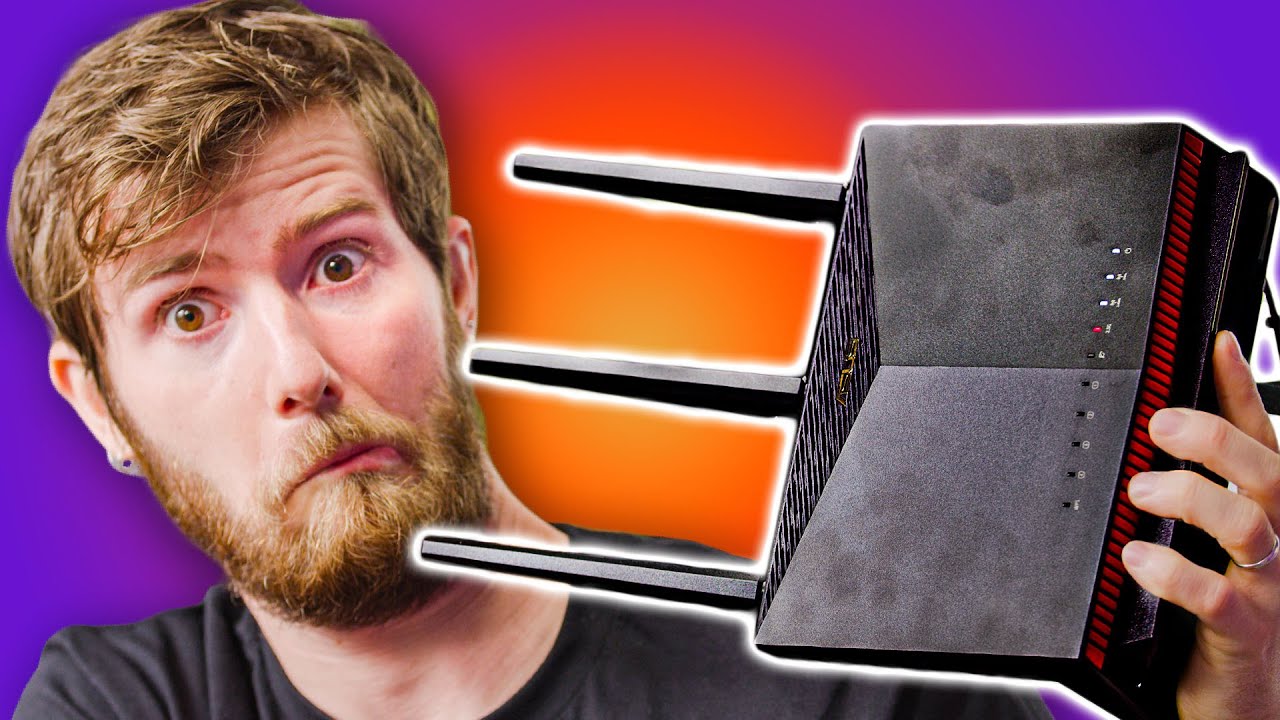
STOP using your ISP provided router! - ASUS RT-AX86U AX5700 WiFi 6 Router Showcase
Your rating
Reactions
Promos
Thanks to ASUS for sponsoring this video! The giveaway has ended, but you can buy this router on Amazon (PAID LINK) at geni.us It's been a wee bit since we unboxed a router at Linus Media Group, but it's fairly important to your home networking, especially if you're still using your ISP-provided router. Buy ASUS RT-AX86U AX5700 WiFi 6 Router On Amazon (PAID LINK): geni.us On NewEgg (PAID LINK): geni.us On BestBuy (PAID LINK): geni.us Buy DELL XPS 13 2-in-1 On Amazon (PAID LINK): geni.us On NewEgg (PAID LINK): geni.us On BHPhoto (PAID LINK): geni.us On BestBuy (PAID LINK): geni.us Purchases made through some store links may provide some compensation to Linus Media Group. ►GET MERCH: lttstore.com ►SUPPORT US ON FLOATPLANE: floatplane.com ►LTX EXPO: ltxexpo.com AFFILIATES & REFERRALS --------------------------------------------------- ►Affiliates, Sponsors & Referrals: lmg.gg ►Private Internet Access VPN: lmg.gg ►MK Keyboards: lmg.gg ►Nerd or Die Stream Overlays: lmg.gg ►NEEDforSEAT Gaming Chairs: lmg.gg ►Displate Metal Prints: lmg.gg ►Epic Games Store (LINUSMEDIAGROUP): lmg.gg ►Official Game Store: nexus.gg ►Amazon Prime: lmg.gg ►Audible Free Trial: lmg.gg ►Our Gear on Amazon: geni.us FOLLOW US ELSEWHERE --------------------------------------------------- Twitter: twitter.com Instagram: @shortcircuityt Facebook: @ShortCircuitYT FOLLOW OUR OTHER CHANNELS --------------------------------------------------- Linus Tech Tips: lmg.gg TechLinked: lmg.gg Techquickie: lmg.gg LMG Clips: lmg.gg Channel Super Fun: lmg.gg Carpool Critics: lmg.gg
AI Overview
The video provides a comprehensive hands-on showcase of the ASUS RT-AX86U AX5700 WiFi 6 router, emphasizing why upgrading away from an ISP-provided gateway can dramatically improve home networking. The host starts by highlighting the router’s hardware and features, noting Wi‑Fi 6 support and a theoretical aggregate speed of 5,700 Mbps, while tempering expectations about real-world speeds. He explains practical benefits of 160 MHz channels for high throughputs, though he acknowledges that client devices must also support such wide channels to realize the full advantage. The discussion then shifts to how AiMesh enables flexible, scalable wireless coverage using multiple ASUS routers as a unified system, with a focus on ease of setup and backward compatibility with older ASUS gear. Throughout, the host walks through physical setup, port options including dual WAN with two-and-a-half gigabits and a gigabit LAN, USB storage expandability, and the ability to control lighting on the device for stealth or aesthetics. He also covers software features like AiProtection with Trend Micro, QoS for traffic prioritization, and a user-friendly network map that helps identify and rename connected clients. In closing, the host argues that replacing an ISP router with a capable standalone unit like the RT‑AX86U can improve gaming, streaming, and in-home server scenarios, and he teases practical use cases such as local streaming to remote devices and modem‑only integration for certain setups. Overall, the video presents a balanced view of the device’s strengths, real-world caveats with 160 MHz channels, and practical steps for configuration and optimization, with Asus AiMesh as a standout feature for expanding coverage.
Topics · technology · networking · home networking · hardware review
Questions answered
- What makes the ASUS RT-AX86U AX5700 suitable for homes with many devices and heavy usage?
- The router supports Wi-Fi 6 with features like 160 MHz channels and AiMesh, enabling high throughput and seamless expansion for many devices. It also offers QoS for prioritizing gaming and a real-time network map for easy management.
- How does AiMesh simplify expanding wireless coverage compared to traditional mesh systems?
- AiMesh uses compatible ASUS routers as satellites, so you can reuse older ASUS gear without buying a dedicated proprietary satellite, creating a scalable, single-network experience.