HomeFeatured videos and new releasesBrowseLatest videos, playlists, and topicsCreatorsYouTube creators and their videosNewsHeadlines from publishers' feedsHistoryResume recently watched videos
Theme
Language
AccountAccountSign in
PrivacyCookiesTermsAboutContactRemovalMethodology
Account
Sign in
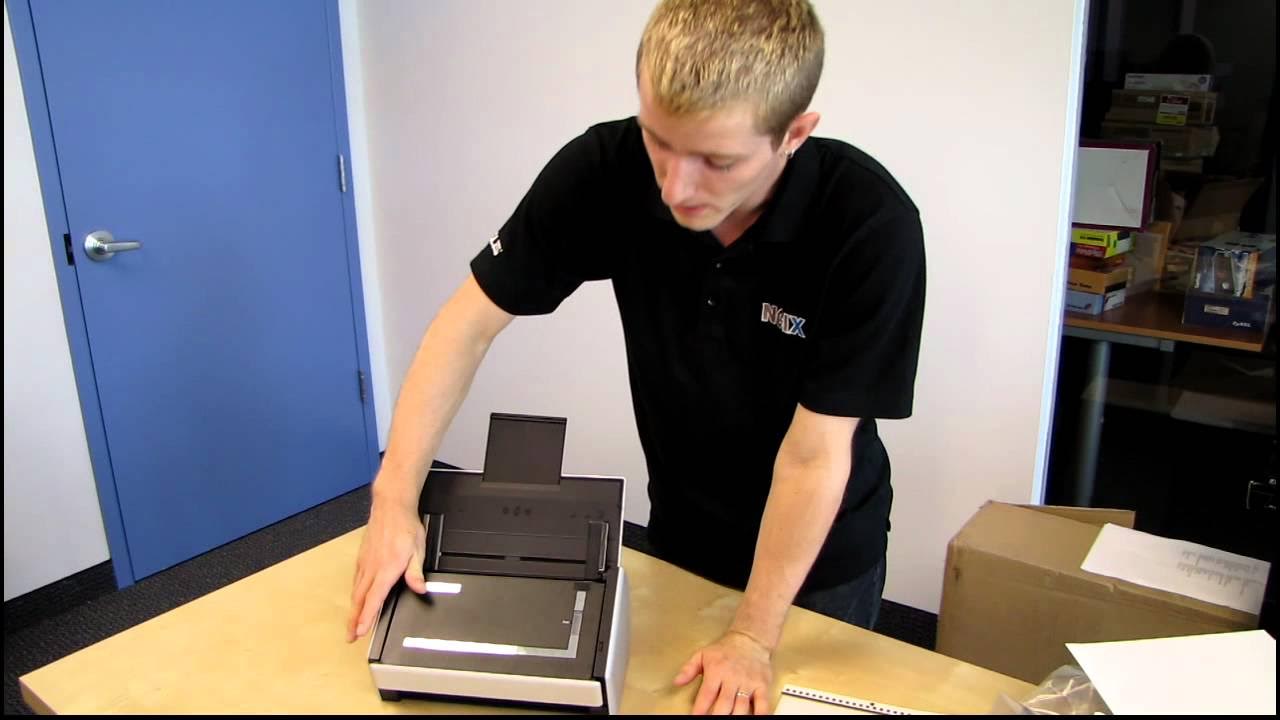
Fujitsu Scansnap S1500 Scanner & Personal Document Organizer Unboxing & First Look Linus Tech Tips
Video · 0:00

Fujitsu Scansnap S1500 Scanner & Personal Document Organizer Unboxing & First Look Linus Tech Tips

Linus Tech Tips@LinusTechTips•52.6K views•Jul 30, 2011•7:38

Your rating

Rate this video from 1 to 5

Reactions

Reactions to this video

Share

WhatsAppXReddit
Source
YT
Views
52.6K
Subscribers
16.9M
vs. channel typical
0.1x
Likes per 100
1.0
Comments
75

Description

ncix.com At the time of filming this unboxing I was going in pretty cold, but I've actually played around with it a little bit and this thing is COOL. I was even able to scan plastic cards like my driver's license. Embossed letters show up GREAT and it doesn't break the feeding mechanism!

Start

AI Overview

The video opens with Linus presenting an unboxing of the Fujitsu Scansnap S1500, noting its premium status and how it might still appeal to everyday users despite the high price. He methodically reveals the box contents, including the AC adapter, power and USB cables, a carrier sheet, and the setup DVD, while highlighting the physical design of the scanner and its compact footprint. Linus explains the carrier sheet and its用途, demonstrating how it can accommodate 11 by 17 inch sheets folded under the sheet to enable stitching in software. He emphasizes that the unit itself is not portable, but its form factor is desk-friendly, and he stresses the importance of reliable software for scanning quality. Throughout the unboxing, he previews the software-centric nature of the product, noting expectations about image quality, automatic cropping, and the ability to handle double-sided scanning with automatic page removal and alignment features. He also points out practical aspects like the need for PC-oriented software and the replaceable feeder components, which suggest long-term maintainability over a disposable, single-use device. By the end of the segment, Linus teases a future follow-up episode where he will dive deeper into hands-on testing, emphasizing that this is just the initial first look and set-up.

Topics · technology · unboxing · electronics · product-review · pc-software · hardware

More from Linus Tech Tips

  • The $40 GTA 6 Gaming Setup is MUCH Better Than You'd Think
    18:45

    The $40 GTA 6 Gaming Setup is MUCH Better Than You'd Think

    534K views•2 days ago
  • My Investment is on SALE
    1:42

    My Investment is on SALE

    305K views•2 days ago
  • You Were Right About my Braces
    15:09

    You Were Right About my Braces

    582.4K views•3 days ago
  • 3 DJI M5T Features That Work Together
    0:55

    3 DJI M5T Features That Work Together

    39K views•3 days ago

Related videos

  • Thin.... but not dumb! - ASUS Zenbook S 13 OLED
    16:17

    Thin.... but not dumb! - ASUS Zenbook S 13 OLED

    839.5K views•4 years ago
  • OnePlus cloned the iPad... - OnePlus Pad
    18:23

    OnePlus cloned the iPad... - OnePlus Pad

    829.5K views•4 years ago
  • They're FINALLY here!!!! - lttstore.com desk pads
    9:33

    They're FINALLY here!!!! - lttstore.com desk pads

    608.9K views•6 years ago
  • A gimmick worth buying - AM 65 'Less'
    14:54

    A gimmick worth buying - AM 65 'Less'

    387.6K views•4 years ago
  • They fit 100 keys into 64 spaces - Nics Hesper64 keyboard
    13:11

    They fit 100 keys into 64 spaces - Nics Hesper64 keyboard

    158.6K views•8 months ago
  • An everyday mechanical keyboard - Keychron K3 Ultra
    14:00

    An everyday mechanical keyboard - Keychron K3 Ultra

    111.5K views•7 months ago


