Your rating
Reactions
AudioEnglish (original)Auto-dubbed: French, German, Spanish, Hindi, Indonesian, Italian, Portuguese
Promos
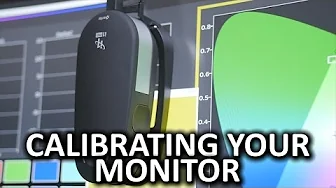
Many monitors don't have accurate colors out of the box. Fortunately, you can often correct this by calibrating your display. How do you do this, and do you necessarily need expensive hardware? Squarespace link: Visit squarespace.com and use offer code TECHQUICKIE to save 10% off your first order. Display calibration sites: lagom.nl displaycalibration.com Color profiles: tftcentral.co.uk Installing a color profile: geforce.com Follow: twitter.com Join the community: linustechtips.com
AI Overview
Monitor color accuracy is a common concern even on expensive displays, and this video walks viewers through practical calibration options starting from the simplest to more advanced methods. It begins by emphasizing that a monitor should be warmed up for at least 30 minutes before calibrating, to reach its typical brightness and color balance. The host then outlines four successive approaches: using built-in OS gamma controls for a quick, free adjustment; employing free online tests for more granular tuning; applying standard color profiles like sRGB or Adobe RGB, plus the possibility of vendor-specific ICC profiles; and finally investing in a hardware calibrator that interacts with specialized software to generate a precise color profile tailored to the individual monitor. Each method is presented with the trade-offs of accuracy, effort, and cost, from eyeballing image references to relying on professional-grade tools. The video also points out that even with calibration, small panel-to-panel variations can persist across units of the same model, underscoring the value of a personalized calibration routine for critical work like graphic design and photo editing. In addition to calibration techniques, the discussion briefly acknowledges external resources such as color test sites and installation guides, and it closes with a light note about the value of calibration for a visually consistent viewing experience across devices, including the mention of related services and links in the description. Overall, the content aims to empower viewers to improve color fidelity without immediately resorting to expensive gear, while clearly stating the scenarios where higher-end hardware or professional profiling may be warranted.
Topics · technology · computer-hardware · color-management · video-tutorial
Questions answered
- What is the minimum time you should leave a monitor on before calibrating it?
- Keep the monitor on for at least 30 minutes before starting calibration so it warms up and reaches its typical brightness and color balance.
- What is one low-cost method for adjusting gamma without extra hardware?
- Both Windows and Mac OS provide built-in tools to adjust gamma for quick, no-cost calibration.


