Your rating
Reactions
AudioEnglish (original)Auto-dubbed: French, German, Hindi, Indonesian, Italian, Portuguese
Promos
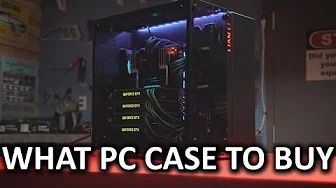
We've come a long way from the beige boxes of yesteryear! Learn how to select a computer case that will deliver a pleasant building experience, proper compatibility, and the features you need to get the most out of your components. Squarespace link: Visit squarespace.com and use offer code TECHQUICKIE to save 10% off your first order. Techquickie Merch Store: designbyhumans.com Techquickie Movie Poster: shop.crowdmade.com Follow: twitter.com Join the community: linustechtips.com Leave a comment with your ideas for future episodes, or tweet them here: twitter.com
AI Overview
The video opens by framing the modern PC case as a form of self-expression, contrasting it with the beige boxes of the 1990s and highlighting how the market now offers a wide variety of shapes and features. The first key decision the speaker emphasizes is the form factor, explaining the three main sizes that align with motherboard standards: ATX, Micro-ATX, and Mini-ITX. He notes that larger cases tend to be easier to build in and upgrade later, while smaller cases are better for apartment-living or frequent LAN parties, but cautions that not all cases within a given size can accommodate every component. The discussion moves into practical constraints found in the spec sheets, such as maximum GPU length, radiator support, and cooler clearance, stressing the importance of verifying compatibility beyond mere aesthetics. Modularity is presented as a major plus, with some cases offering removable drive cages and highly configurable interiors that let builders customize layouts for long GPUs or custom water cooling loops. The speaker also points out the importance of features like drive mounting options, dust filters, and cable management, including rubber grommets and clean-back-panel routing to keep builds tidy. He ends with tips on build quality, noting that cheaper cases may have sharp edges or flimsy materials, and encourages looking for robust finishes and padding to reduce vibrations and noise. Finally, the host teases additional value by mentioning tool-less installation and a CPU cooler access cutout on the motherboard tray, before briefly mentioning Squarespace as a sponsor and encouraging viewer feedback for future topics. The overall takeaway is a practical, feature-focused guide to choosing a PC case that balances form with function. Viewers are reminded to assess cooling potential, cable management options, and ease of assembly, not just looks. The video also reinforces that higher price does not always guarantee the best build experience, urging viewers to read specs and consider future expansion. In closing, the host encourages experimentation with interior layouts and invites the audience to suggest other case-related topics, aiming to help both newcomers and seasoned builders refine their buying decisions and build quality.
Topics · pc-building · hardware · technology
Questions answered
- What size case should I choose for my motherboard and future upgrades?
- Choose a form factor that matches your motherboard (ATX, Micro-ATX, or Mini-ITX) and consider how much room you anticipate needing for upgrades, cooling options, and cable management; larger cases generally offer easier building experiences and more expansion while smaller cases save space.
- What features matter most when picking a case?
- Key features include GPU length clearance, radiator and cooler compatibility, modular interiors, drive mounting options, dust filters, and effective cable management. Tool-less installation and a CPU cooler backplate cutout on the motherboard tray are also helpful for easier maintenance.


