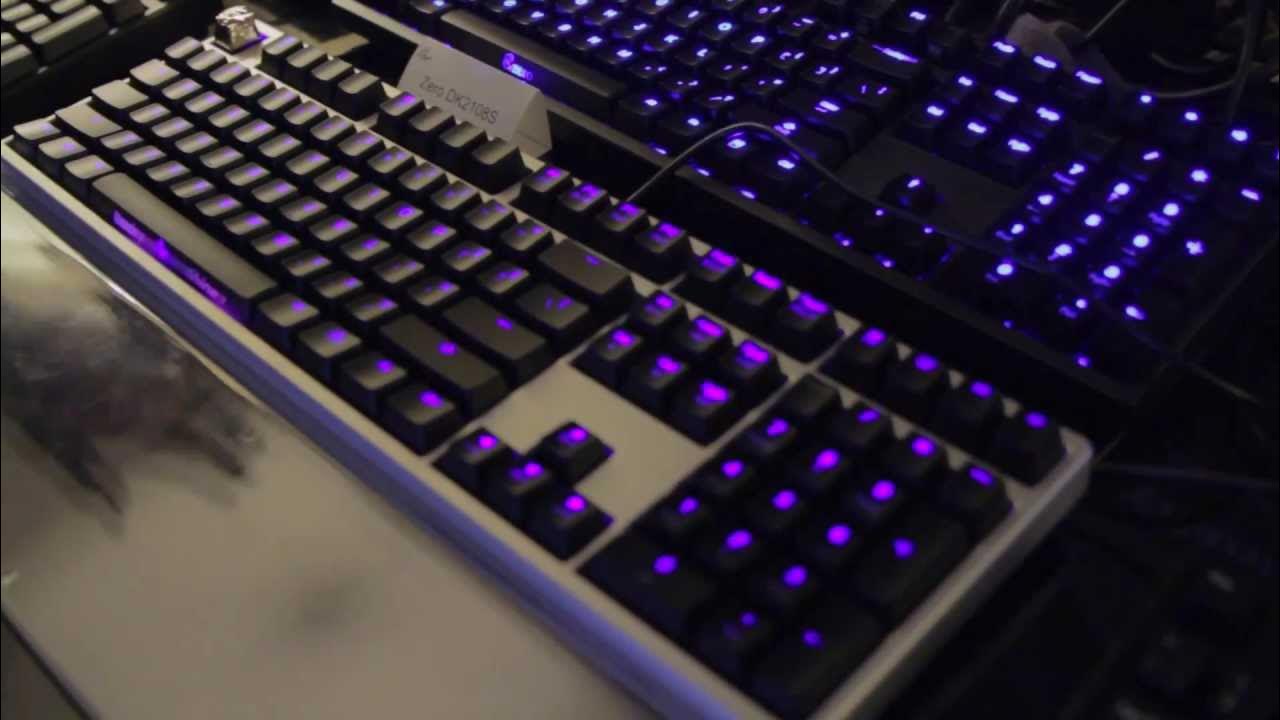
Ducky Shine 3, Year of the Snake, Mini, and Backlit Zero - Computex 2013
Your rating
Reactions
Promos
Ducky Shine 3, Year of the Snake, Mini, and Backlit Zero were all pleasant surprises. For the keyboard nerd in me Computex has been a totally awesome show - so far I have been to Topre, Ducky, and Cherry among others. WD is posting daily updates from the show to their landing page here: wdc.com Sponsor Link 1: 15% off internal hard drives until June 16th, 2013 (US & EU only) with promocode "COMPUTEX2013" - wdstore.com & bit.ly Sponsor Link 2: Corsair Vengenace gaming peripherals. Quality peripherals with legendary Corsair customer service - corsair.com Sponsor Link 3: NCIX is my favourite Canadian computer store. They're my bros (almost literally. I have family that works there). They also ship internationally now! - ncix.com Join our community forum: bit.ly twitter.com @LinusTech
AI Overview
Linus Tech Tips provides a hands-on look at Ducky's Computex 2013 booth, focusing on the Ducky Shine 3 family, the Ducky Mini, the Year of the Snake keycaps, and the new Zero backlit option. The presenter details early sample status and emphasizes the aluminum-bodied Shine 3 as a highly desirable option, inviting viewers to comment and press the company to pursue an aluminum version. He notes features like multiple backlight colors, a detachable cable on the Mini, and a broad set of lighting modes on the Shine 3, including off, 60 percent, full brightness, breathing, and reactive and wave patterns. Throughout the segment, he demonstrates the reactive typing mode and explains how it can be adjusted in software, while also praising the tactile weight and premium feel of the aluminum construction. The guide walks through the Year of the Snake space bars, describing several stylized options and encouraging audience engagement to vote on their preferred style via Facebook. The video covers practical considerations such as dip-switch programmability, potential upcoming wrist rest options, and a new Zero backlit variant available in blue and green for a lower price point than the fully backlit versions. By showcasing both the Shine 3 and its accessories, the presenter frames Ducky as delivering high-quality mechanical keyboards with a focus on customization, aesthetics, and enthusiast appeal. The overall takeaway is that Computex 2013 is delivering strong options for keyboard enthusiasts, with Ducky highlighting premium materials, expansive lighting capabilities, and a variety of form-factor choices that cater to portable users and desktop builds alike.
Topics · technology · hardware · peripherals · computex_coverage
Questions answered
- What are the key features of the Ducky Shine 3 that Linus highlights at Computex 2013?
- Key features include an aluminum body option, a detachable Mini version, multiple backlight colors, a full range of lighting modes (off, 60%, 100%, breathing, reactive typing, wave, and snake), dip-switch programmability, and the option for a zero backlit variant in blue and green.
- What does Linus suggest viewers do to influence product decisions for Ducky?
- He invites viewers to comment and hammer Ducky's Facebook page to express interest in an aluminum-bodied Shine 3 and to vote for preferred Year of the Snake space bar designs.






