Your rating
Reactions
Promos
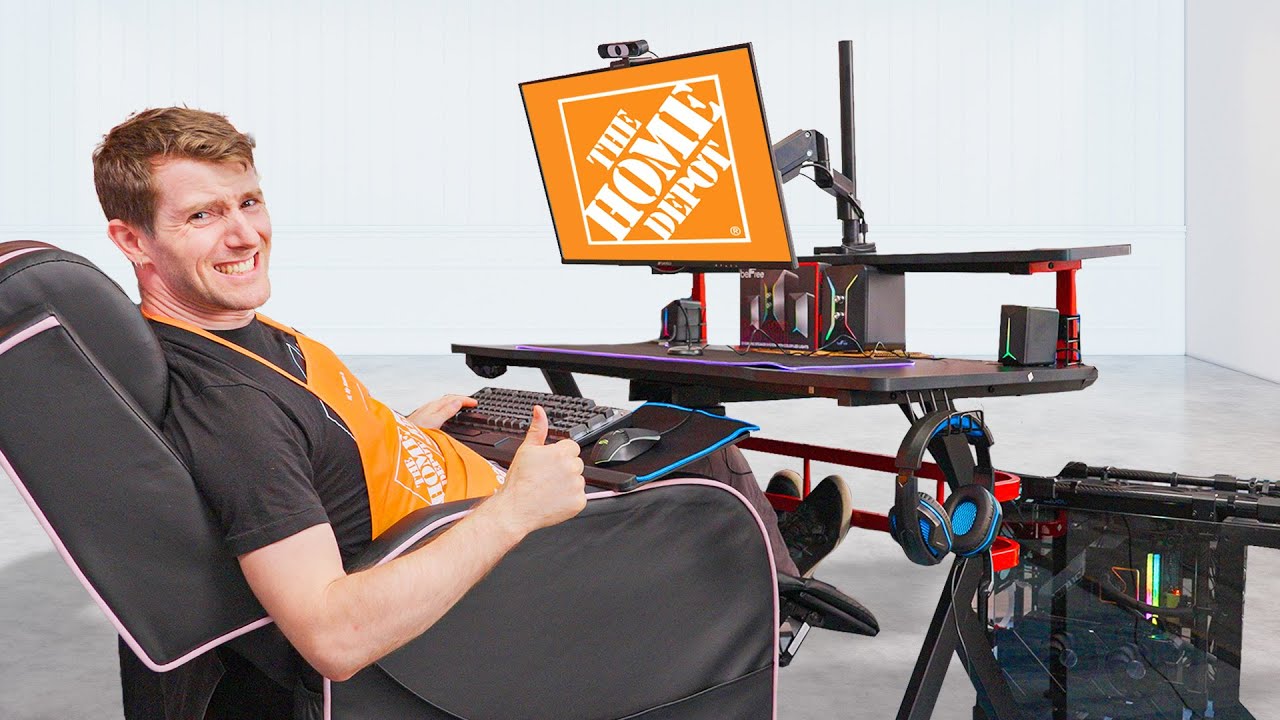
Visit squarespace.com and use offer code LTT for 10% off Save 10% and get Free Shipping at Ridge by using the code LINUS at ridge.com Get up to 60% off LTTStore.com products and find exclusive limited-quantity deals EVERY DAY from July 16-19 during LIME Day: lmg.gg Did you know you can buy gamer gear at the local Home Depot? Although Team Green and Team Red might be referring to Ryobi and Milwaukee within the walls of the depot, they DO carry all the accessories from RGB keyboards to desks to webcams. The quality, however, will leave you needing to make another trip back just to patch the holes in these shoddily made products. More like Home Depoo, amirite. Discuss on the forum: linustechtips.com
Check out the Alphacool Apex Pro Skeleton Carbon Case: lmg.gg Buy a Commercial Electric 6 ft. 6-Outlet RGB Surge Protector: lmg.gg Buy a ProMounts Single Desktop Monitor Mount: lmg.gg Buy a Goalmu Tree Wireless Wearable Finger Mouse: lmg.gg Buy an Audio-Techica ATGM1-USB Desktop Microphone: lmg.gg Purchases made through some store links may provide some compensation to Linus Media Group. ► GET MERCH: lttstore.com ► GET EXCLUSIVE CONTENT ON FLOATPLANE: lmg.gg ► GET A VPN: piavpn.com ► SPONSORS, AFFILIATES, AND PARTNERS: lmg.gg ► EQUIPMENT WE USE TO FILM LTT: lmg.gg ► OUR WAN PODCAST GEAR: lmg.gg FOLLOW US --------------------------------------------------- Twitter: twitter.com Facebook: @LinusTech Instagram: @linustech TikTok: @linustech Twitch: twitch.tv MUSIC CREDIT --------------------------------------------------- Intro: Laszlo - Supernova Video Link: youtube.com iTunes Download Link: itunes.apple.com Artist Link: soundcloud.com Outro: Approaching Nirvana - Sugar High Video Link: youtube.com Listen on Spotify: spoti.fi Artist Link: youtube.com Intro animation by MBarek Abdelwassaa @mbarek_abdel Monitor And Keyboard by vadimmihalkevich / CC BY 4.0 geni.us Mechanical RGB Keyboard by BigBrotherECE / CC BY 4.0 geni.us Mouse Gamer free Model By Oscar Creativo / CC BY 4.0 geni.us CHAPTERS --------------------------------------------------- 0:00 Intro 1:00 Gymax Pink Reclining Chair (for gamers) 3:00 Costway Faux Carbon Fiber Desk (for gamers) 4:00 Alphacool Apex Pro Skeleton Carbon Case (for gamers not at HD) 4:25 PEBKAC 4:42 Mount-it Keyboard Tray (for gamers) 5:14 3-in-1 iLive Gamer Bundle and CE Power Strip (for gamers) 8:25 Linus Drop Tips (for gamers) 8:33 ProMounts Monitor Arm (for gamers) 8:58 Sansui 24" Monitor (for gamers) 9:49 BeFree Computer Gaming 2.1 Speakers (for gamers) 10:46 Testing it all out (by gaming) 11:19 Goalmu Tree Wearable Pointing Device 12:52 Monster is back, in Webcam form 14:10 Let's get our game on, gamers!
AI Overview
The video explores a satirical and highly practical experiment: assembling a complete gaming setup using items sourced from Home Depot and similar retailers. It begins with a cheeky aside about the variety of hardware stores carrying surprisingly decent tech accessories, then pivots to trying a mix of desks, chairs, and peripherals branded as budget or generic. The hosts reveal early on that many of the cheaper furniture pieces are rebrands or gimmicks, such as a faux carbon fiber desk and a massager-equipped chair, and they discuss how these items actually feel when interacted with in person. They critique build quality, stability, and the ergonomic alignment of the whole rig, highlighting mismatches in desk and chair heights that force improvisation with a keyboard tray. Throughout, they test and compare peripherals like a monitor arm, a budget monitor, and a curious wearable pointing device, all while weaving in lighthearted commentary about the Home Depot shopping experience and the branding of consumer tech in big-box stores. The video also weaves in sponsor segments and time-bound deals from Lime Day, illustrating how influencer sponsorships intersect with product testing in a dynamic, real-world shopping context. In the end, the hosts reflect on the overall value of the collected items, noting what felt like a credible setup versus what felt like a loose assemblage of parts, and they tease further explorations in a potential follow-up that would tighten the build with more purpose-built tooling or furniture. The overarching takeaway is that while you can assemble a gaming setup from mainstream retailers, the result often hinges on careful selection, some clever modifications, and realistic expectations about price versus performance and ergonomics.
Topics · technology · hardware_reviews · pc_build · ergonomics
Questions answered
- What is the main objective of The All Home Depot Setup video and what does it conclude about budget PC furniture?
- The main objective is to test whether inexpensive items from Home Depot and similar retailers can be assembled into a functional gaming setup, and to critique build quality and ergonomics. The video concludes that while some budget components are usable, many items are questionable in terms of stability, ergonomics, and value, and that careful selection and modifications are often required to achieve a reasonable setup.
- Which hardware items were highlighted as standout budget finds and which were disappointing?
- Standout budget items include the ProMounts monitor arm and commercially branded RGB surge protector, which performed reasonably well within budget constraints. Disappointments include the faux carbon fiber desk and the low-end monitor with limited resolution and refresh rate, which did not justify the price and lacked ergonomic practicality.
- What ongoing promotion or sponsorship elements appear in the video and how are they presented?
- The video includes sponsor segments for Squarespace and Lime Day promotions from Linus Tech Tips, presented as integrated interludes that promote website building services and daily deals on LTT Store products, respectively. These sponsorships are woven into the narrative rather than treated as separate, interruptive blocks.






