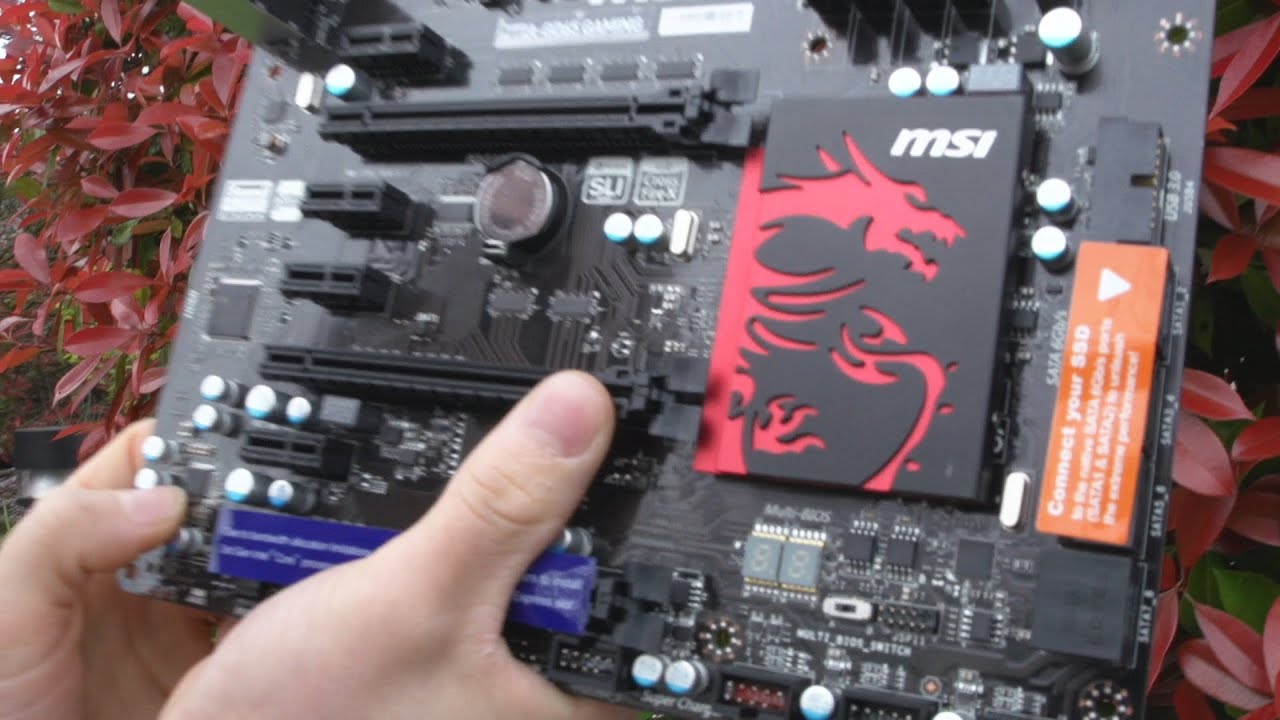
MSI Z77A-GD65 GAMING Motherboard Unboxing & Overview
Your rating
Reactions
Channels and socials
The Z77A-GD65 GAMING is based on the same DNA as the Z77A-GD65 as is plainly apparent from the layout of the PCB, but the features are more optimized for the gaming experience including enhanced audio and LAN functionality. Join our community forum: bit.ly twitter.com @LinusTech Buy it now at NCIX: ncix.com
AI Overview
The video presents an unboxing and overview of the MSI Z77A-GD65 GAMING motherboard, emphasizing how the GAMING variant builds on the standard GD65 with targeted enhancements for a gaming-focused experience. The presenter highlights the Killer E2200 game networking card on the front of the box, which offers network prioritization for games and software features to limit bandwidth for other applications, such as YouTube uploads. In addition to networking, the board features an upgraded cooling solution with a single heat pipe and dragon-themed heatsinks that look striking in person, along with a new red and black color scheme on the back panel. Inside the box, essentials are laid out, including four right-angle SATA cables, USB headers, and a door hanger, while the motherboard itself retains familiar GD65 DNA with an LGA 1155 socket, eight-pin CPU power, four DIMM slots, and multiple PCIe lanes configured for 3-way configurations only under specific processor conditions. The reviewer details the motherboard’s expanded features that matter to enthusiasts, such as one-button overclocking via OC Genie, eight-phase CPU power design indications, and onboard voltage checkpoints that let users measure voltages with a multimeter. The board includes useful conveniences like onboard power and reset buttons, a dedicated post-LED readout, and a right-angle USB 3 header for easier cable management. The commentary also covers practical implications of the PCIe layout for multi-GPU setups, notes on gaming-specific ports and 1,000 Hz polling for certain peripherals, and a software-based Sound Blaster Cinema implementation. Overall, the video positions the Z77A-GD65 GAMING as a refined GD65 with targeted gaming features, color options, and improved LAN and audio performance, concluding that the experiences are broadly similar across the GD65 family while offering meaningful upgrades for gamers.
Topics · technology · hardware
Questions answered
- What gaming features distinguish the MSI Z77A-GD65 GAMING from the standard GD65?
- The GAMING variant adds the Killer E2200 game networking with bandwidth prioritization, a software suite for managing network usage, an enhanced cooling solution with dragon-themed heatsinks, a red and black back-panel color scheme, onboard voltage checkpoints, on-board power and reset buttons, and a more refined Sound Blaster Cinema software integration for audio.
- Is three-way SLI or Crossfire recommended on this motherboard?
- No, three-way SLI or Crossfire is not recommended on this motherboard due to latency and bandwidth considerations, and the board is best used in 8x8 configurations when using multiple GPUs.






