HomeFeatured videos and new releasesBrowseLatest videos, playlists, and topicsCreatorsYouTube creators and their videosNewsHeadlines from publishers' feedsHistoryResume recently watched videos
Theme
Language
AccountAccountSign in
PrivacyCookiesTermsAboutContactRemovalMethodology
Account
Sign in
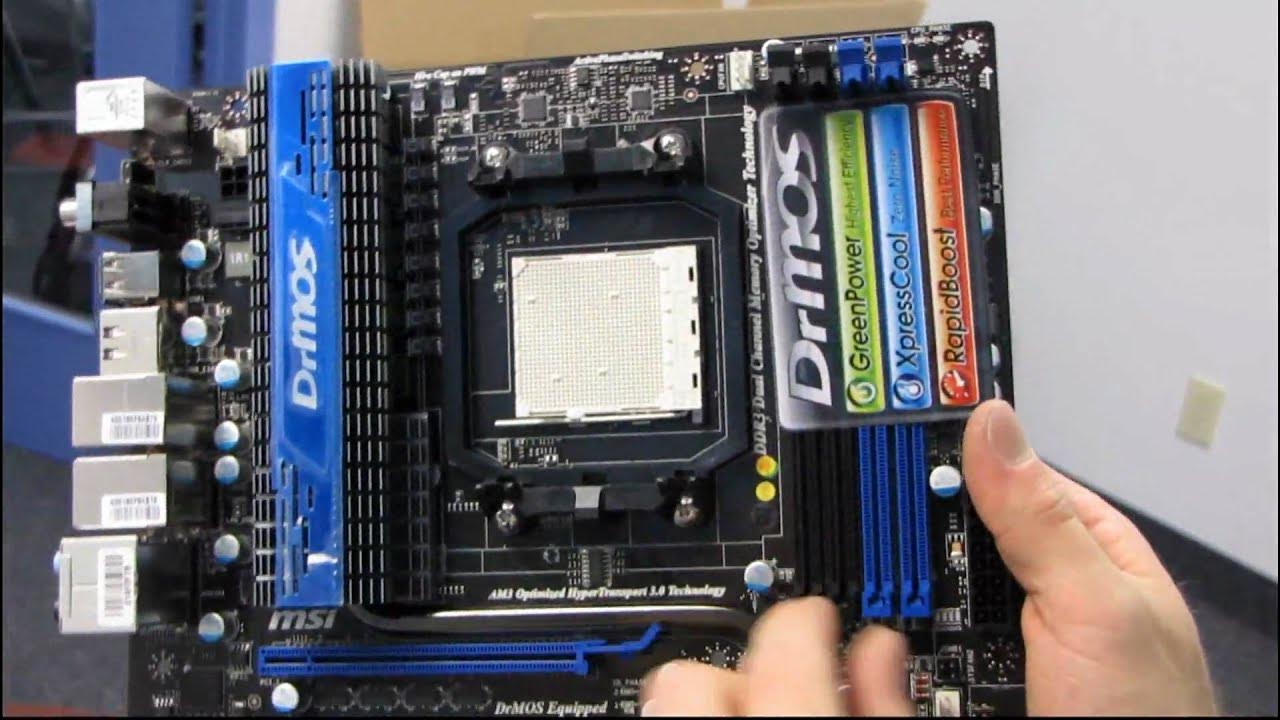
MSI 890FXA-GD70 Quad Crossfire Phenom II X6 Motherboard Unboxing & First Look Linus Tech Tips
Video · 0:00

MSI 890FXA-GD70 Quad Crossfire Phenom II X6 Motherboard Unboxing & First Look Linus Tech Tips

Linus Tech Tips@LinusTechTips•65.8K views•May 22, 2010•8:15

Your rating

Rate this video from 1 to 5

Reactions

Reactions to this video

Share

WhatsAppXReddit
Source
YT
Views
65.8K
Subscribers
16.9M
vs. channel typical
0.1x
Likes per 100
0.5
Comments
208

Description

ncix.com This is a very unique motherboard in that it allows the installation of 4 dual slot graphics cards in a standard ATX form factor. Wowee!

Start

AI Overview

The video opens with Linus presenting the MSI 890FXA-GD70 motherboard in a spotlight unboxing of MSI’s latest box design, highlighting the shiny 890 FXA lettering and the inclusion of USB 3.0 and SATA 6 Gbit/s support. Linus walks through the accessory bundle, pointing out the drivers and utilities DVD, a detailed user guide, and a concise installation guide that covers CPU installation, RAM, storage, and BIOS setup. He emphasizes MSI’s military-class components and the Dr. MOS power design, noting the claims of improved stability and longevity, as well as the flat heat pipe cooling solution for the MOSFETs and north bridge. The discussion then shifts to the board’s layout: the top-left 8-pin power connector, the 24-pin main power, the six SATA 3 ports from the SB850, and the back IO cluster with USB 3.0 and 7.1 audio. Linus teases the quad Crossfire capability, explaining that the board is a standard ATX size that can run four dual-slot graphics cards, a feature he dubs an engineering coup by MSI. The segment moves into hands-on exploration of the board’s BIOS and overclocking tools, including the OC Genie, dual-control inputs like the OC dial, and the single-sided memory installation method. He comments on practical details like RAM voltage checkpoints, cooling considerations, and the notable backplate design, before concluding with a tour of the full back panel and a final nod to the board’s potential for GPU-heavy setups.

Topics · technology · computer_hardware · unboxing · hardware_overclocking · graphics_cards

More from Linus Tech Tips

  • I am One Failure Away From Data Loss
    22:44

    I am One Failure Away From Data Loss

    56.2K views•19 hours ago
  • The $40 GTA 6 Gaming Setup is MUCH Better Than You'd Think
    18:45

    The $40 GTA 6 Gaming Setup is MUCH Better Than You'd Think

    534K views•2 days ago
  • My Investment is on SALE
    1:42

    My Investment is on SALE

    305K views•2 days ago
  • You Were Right About my Braces
    15:09

    You Were Right About my Braces

    582.4K views•3 days ago

Related videos

  • I've never held so much graphics POWAHHH - NVIDIA RTX 3080
    8:39

    I've never held so much graphics POWAHHH - NVIDIA RTX 3080

    1.8M views•6 years ago
  • RGB is DEAD. Long Live Holograms! - Coolify Holo Fans
    9:20

    RGB is DEAD. Long Live Holograms! - Coolify Holo Fans

    488K views•2 years ago
  • AMD Fires Back! - Radeon RX 6000
    4:50

    AMD Fires Back! - Radeon RX 6000

    486.1K views•6 years ago
  • The MEME fan
    0:44

    The MEME fan

    167K views•2 years ago
  • The PC I WISH I Had - Retro98
    17:17

    The PC I WISH I Had - Retro98

    161.6K views•9 months ago
  • Samsung Galaxy Fold Unboxing: Magnets!
    5:04

    Samsung Galaxy Fold Unboxing: Magnets!

    23.5M views•8 years ago


