HomeFeatured videos and new releasesBrowseLatest videos, playlists, and topicsCreatorsYouTube creators and their videosNewsHeadlines from publishers' feedsHistoryResume recently watched videos
Theme
Language
AccountAccountSign in
PrivacyCookiesTermsAboutContactRemovalMethodology
Account
Sign in
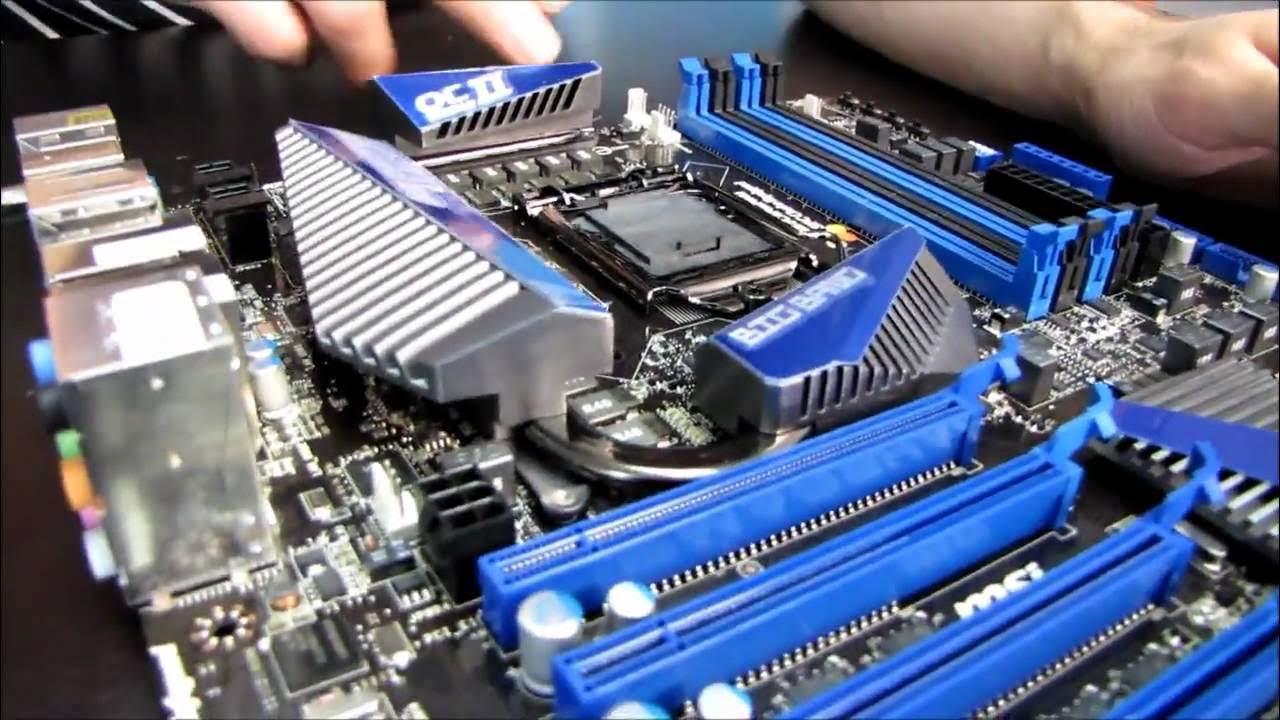
MSI Big Bang Marshal Gaming Motherboard Unboxing & First Look Linus Tech Tips
Video · 0:00

MSI Big Bang Marshal Gaming Motherboard Unboxing & First Look Linus Tech Tips

Linus Tech Tips@LinusTechTips•57.9K views•Apr 11, 2011•12:27

Your rating

Rate this video from 1 to 5

Reactions

Reactions to this video

Share

WhatsAppXReddit
Source
YT
Views
57.9K
Subscribers
16.9M
vs. channel typical
0.1x
Likes per 100
1.4
Comments
335

Description

ncix.com I've been eager to unbox this since I first laid eyes on it at CES 2011!

Start

AI Overview

The MSI Big Bang Marshal gaming motherboard unboxing begins with Linus introducing the Big Bang Marshall as a high-end P67 board built for extreme gaming setups. He highlights the Military Class II components, including solid capacitors and highly conductive tantalum core capacitors, and points out features such as four-way graphics support through SLI and Crossfire, USB 3.0, and SATA 6 Gbps. The host emphasizes the board’s massive size, noting its XL-ATX form factor and the need for a special case to accommodate it, as well as the dual eight-pin CPU power connectors for abundant power delivery. Throughout the first segment, Linus walks through the packaging contents, including the OC dashboard, a quick installation guide, cables, an ESATA addon, and a driver/utilities disk, while calling out productive details like the multiBIOS, PCIe ceasefire switches, and 24-phase PWM design. He also showcases the backplate, the robust heatsinks, and the distinctive Super Pipe cooling system, pairing visual admiration with practical commentary about potential cooling clearance. The unboxing closes with a guided tour of the motherboard layout, from the LG 1155 socket and memory slots to the front panel connectors, power controls, and the extensive PCIe lane configuration, reinforcing the board’s intended role as a high-end, feature-rich platform for enthusiasts. Linus ends by recounting the strong feature set and encouraging viewers to subscribe for more Linus Tech Tips content, unboxings, and reviews.

Topics · hardware · unboxing · motherboard · pc-gaming · tech-review

More from Linus Tech Tips

  • I am One Failure Away From Data Loss
    22:44

    I am One Failure Away From Data Loss

    56.2K views•19 hours ago
  • The $40 GTA 6 Gaming Setup is MUCH Better Than You'd Think
    18:45

    The $40 GTA 6 Gaming Setup is MUCH Better Than You'd Think

    534K views•2 days ago
  • My Investment is on SALE
    1:42

    My Investment is on SALE

    305K views•2 days ago
  • You Were Right About my Braces
    15:09

    You Were Right About my Braces

    582.4K views•3 days ago

Related videos

  • This solves the Raspberry Pi’s BIGGEST problem - Pineboards POE+
    11:38

    This solves the Raspberry Pi’s BIGGEST problem - Pineboards POE+

    669.1K views•2 years ago
  • This Mini PC Might be the Best Value YET - X+ Rival
    16:09

    This Mini PC Might be the Best Value YET - X+ Rival

    302.7K views•last year
  • Only buy this when on sale - AceMagic M1A Pro+
    11:09

    Only buy this when on sale - AceMagic M1A Pro+

    131.1K views•8 months ago
  • Samson MD5 Desktop Microphone Stand [HD]
    3:56

    Samson MD5 Desktop Microphone Stand [HD]

    17.9K views•17 years ago
  • Mac Pro Unboxing & Second Impressions: The Power is Back!
    11:33

    Mac Pro Unboxing & Second Impressions: The Power is Back!

    5.1M views•7 years ago
  • Google Pixel Unboxing! (Best Android 7.1 Features)
    6:25

    Google Pixel Unboxing! (Best Android 7.1 Features)

    3M views•10 years ago


