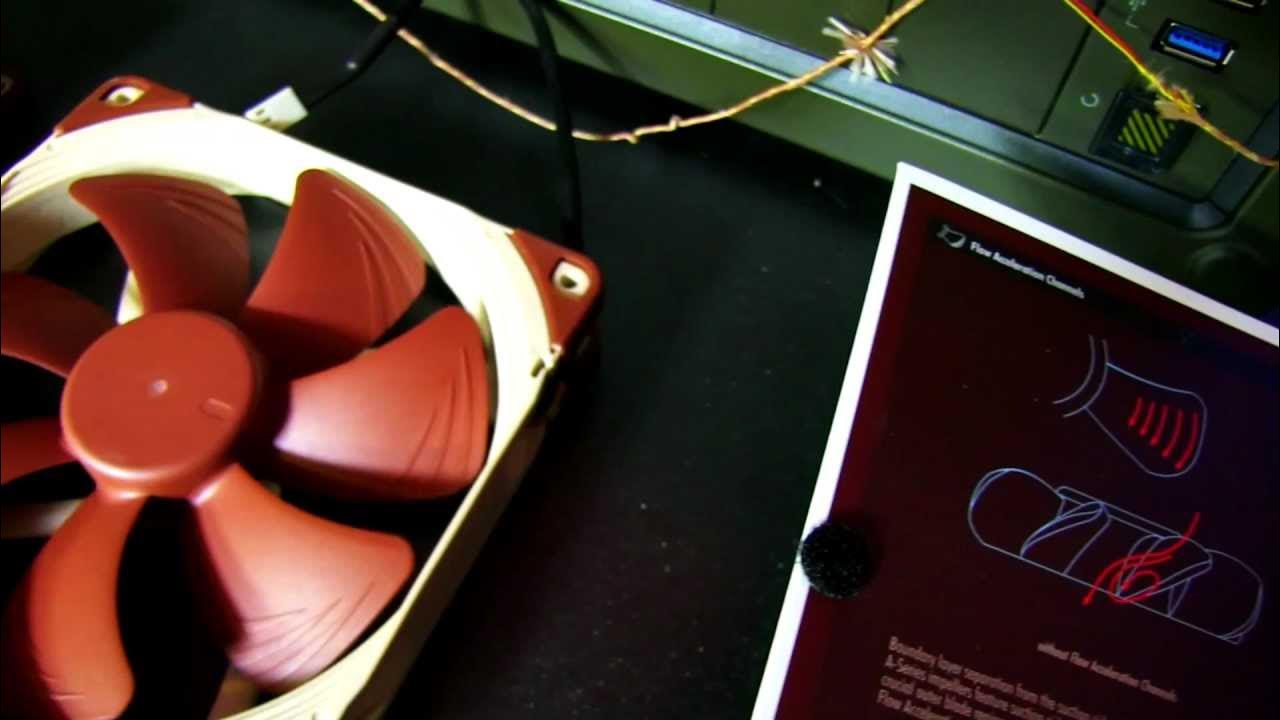
Noctua NF A15 PWM 140mm Heatsink Optimized Cooling Fan Unboxing & First Look Linus Tech Tips
Your rating
Reactions
Description
Noctua fans are the best. This one is optimized for heatsinks that have 120mm mounting holes & big fins to benefit from 140mm fan blades! CA/International: ncix.com US: us.ncix.com
AI Overview
Linus Tech Tips presents a concise unboxing and first look at the Noctua NF A15 PWM 140mm fan, focusing on its design, mounting compatibility, and technology that aims to maximize cooling efficiency while minimizing noise. The host explains that the NF A15 uses a 140 mm frame with 120 mm mounting holes, enabling compatibility with coolers that have 120 mm hole patterns while benefiting from the larger blade area of a 140 mm unit. He highlights Noctua’s design innovations such as flow acceleration channels, the AO frame, stepped inlet, inner surface microructures, and integrated anti vibration pads, all claimed to improve static pressure and reduce noise. The video covers the included accessories, including a Y-splitter, a extension cable, low-noise adapters, and mounting hardware, and notes the unique rubber anti vibration mounts that allow isolation from the heatsink. Throughout, the presenter compares the A15 to prior Noctua models like the NF-A14 and NF-F12, emphasizing improvements in PWM circuitry, bearing quality, and overall engineering that Noctua is known for, while previewing how the fan may perform in real-world heatsink cooling scenarios. The host wraps with impressions on installation practicality, the potential noise vs. performance trade-offs at 12,200 RPM, and confirms the A15 as ideal for heatsink applications, inviting viewers to subscribe for more unboxings and reviews. The video balances technical detail with personal enthusiasm, repeatedly tying the product’s high-end features to tangible outcomes such as quieter operation and better cooling performance in dense heatsink environments. Viewers gain a sense of Noctua’s branding emphasis on meticulous engineering, from micro texture finishes to anti vibration solutions, and the host’s confidence in the technology is reinforced by hands-on discussion of setup, accessories, and mounting considerations. In sum, the NF A15 is presented as a premium, high-performance cooling option for enthusiasts who demand strong airflow with minimal noise, especially when used on heat sinks that benefit from the larger blade geometry while preserving 120 mm mounting compatibility.
Topics · unboxing · hardware · pc_cooling · technology · review · builds · consumer_electronics · computers
Questions answered
- What mounting compatibility does the Noctua NF A15 offer and why is it useful?
- The NF A15 uses a 140 mm frame with 120 mm mounting holes, allowing it to mount on coolers designed for 120 mm holes while benefiting from the larger blade area for better airflow and cooling.
- What are some key design features that Noctua claims improve efficiency and reduce noise?
- Key features include flow acceleration channels, an AO frame, stepped inlets, inner surface microructures, integrated anti vibration pads, and a high quality PWM IC with SEDD, all aimed at higher efficiency and quieter operation.
- What accessories are included with the NF A15?
- Included accessories are an extension cable, a Y-splitter for dual PWM signaling, low-noise adapters, mounting screws, and rubber anti vibration mounts for vibration isolation.






