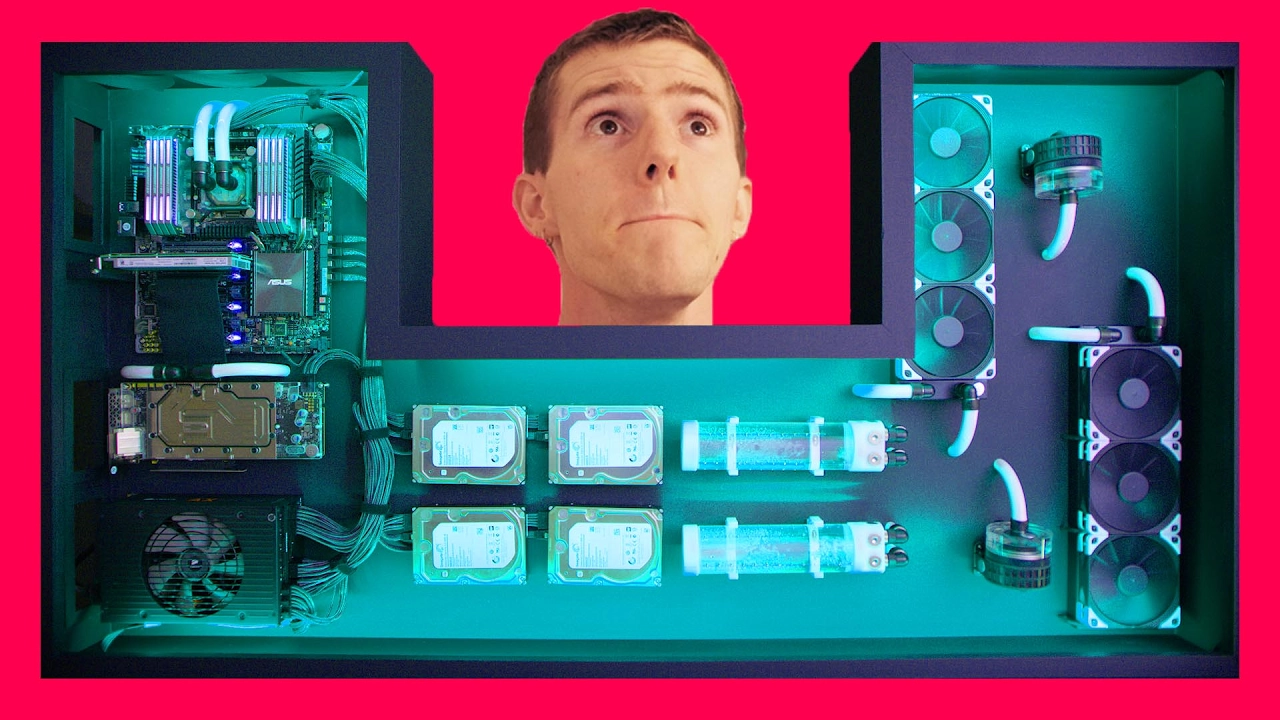
Ultimate DIY Desk PC FINAL INSTALLATION In Glorious 8K
Your rating
Reactions
AudioEnglish (original)Auto-dubbed: German, Spanish, Indonesian, Italian, Portuguese, Telugu
Description
You wanted more footage of the DIY Desk PC, and we brought it. The REAL finale is here :D TunnelBear message: TunnelBear is the easy-to-use VPN app for mobile and desktop. Visit tunnelbear.com to try it free and save 10% when you sign up for unlimited TunnelBear data Feenix Autore Backlit keyboard: geni.us Buy RGB lighting on Amazon: geni.us Discuss on the forum: linustechtips.com Our Affiliates, Referral Programs, and Sponsors: linustechtips.com
Promos
Check out our Linus Tech Tips posters at crowdmade.com twitter.com @LinusTech Intro Screen Music Credit: Title: Laszlo - Supernova Video Link: youtube.com iTunes Download Link: itunes.apple.com Artist Link: soundcloud.com Title: PYLOT - Caine iTunes Download Link: itunes.apple.com Listen on Spotify: open.spotify.com Video Link: youtube.com Outro Screen Music Credit: Approaching Nirvana - Sugar High youtube.com Sound effects provided by freesfx.co.uk
AI Overview
The opening segment recaps the reception of the DIY Desk PC project and addresses two major viewer concerns raised across previous videos: how the oversized desk will be moved upstairs and why the final video would not just be glamorous footage but also show the full process. The team details the plan to disassemble and relocate the desk setup, taking special care to avoid further scratches by removing the glass and handling fragile frames with gloves and helpers. They describe using a wider stair area due to their server room layout, and they narrate a step by step sequence for safely lifting and rotating the desk through a narrow doorway, including the discovery that the middle cutout helps with rotation. The video documents the actual move, the near misses during the descent, and the moment when the office space finally transitions from a draft of a project to what looks like a complete workspace, setting the stage for the final installation reveal. The narrative then shifts to the installation phase, where they position the desk against a wall, implement airflow management using blue furnace filters, and prepare the environment for optimal cooling, airflow, and cable management. In parallel, the video teases a climactic 8K reveal with a hint of behind the scenes polish, culminating in the official debut footage shot in 8K, followed by a sponsored mention of TunnelBear. The closing notes emphasize the importance of clean, organized presentation and the benefits of high-resolution capture for showcasing the final build, while providing viewers with sponsor information and a call to explore the project forum for details and discussions.
Topics · technology · diy · hardware
Questions answered
- What was the main challenge in moving the desk PC to the office, and how was it solved?
- The main challenge was maneuvering a large, glass-topped desk through a stairwell and door without scratching surfaces. It was solved by removing the glass, using gloves, assessing the route for clearance, and leveraging the middle cutout to rotate the desk through the doorway with careful coordination.
- How is airflow managed for the DIY Desk PC build?
- Airflow is managed by installing blue furnace filters at the side openings to filter incoming air, positioning the desk so air flows across and down into the case, and ensuring careful placement relative to the wall to avoid obstructing intakes.
- What is highlighted about the final reveal in 8K?
- The final reveal emphasizes high-resolution capture to showcase the complete desk PC setup, with the 8K footage presented as a climactic payoff after months of planning, building, and moving the setup into the office space.






