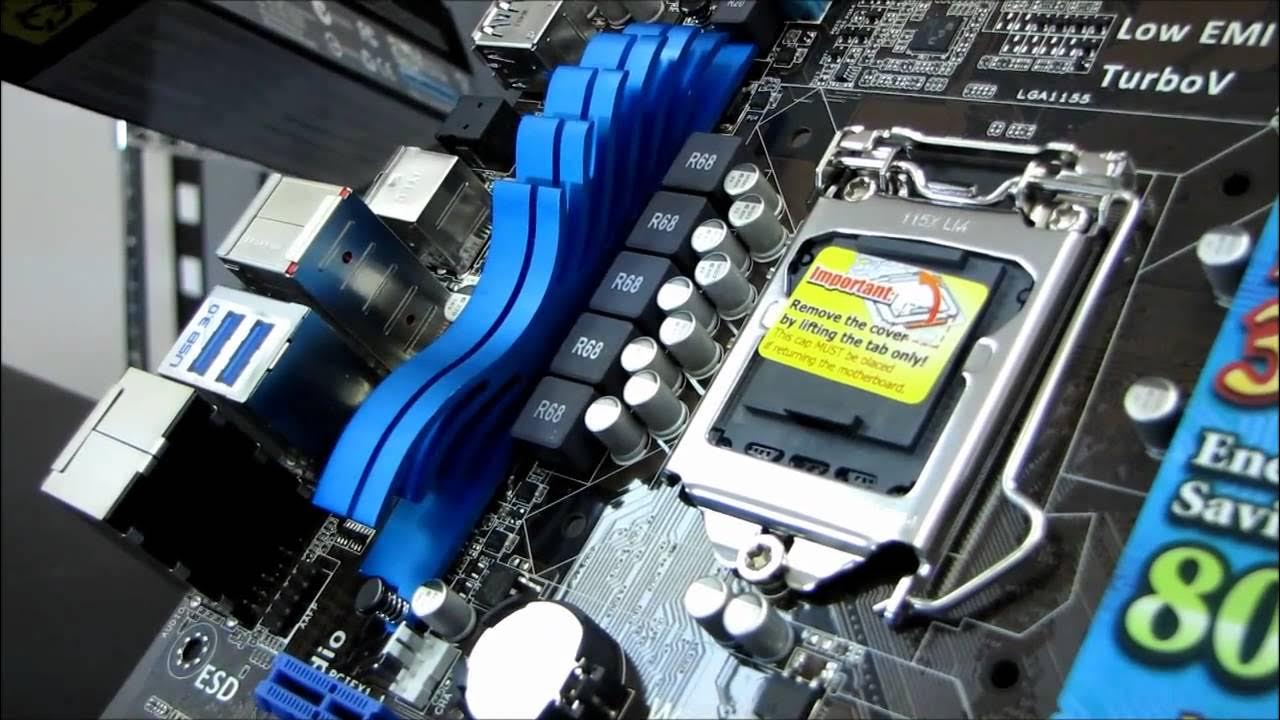
ASUS P8P67 LE P67 Core i7 Crossfire Sandy Bridge Motherboard Unboxing & First Look Linus Tech Tips
Your rating
Reactions
Description
ncix.com This is a pretty solid looking value board from ASUS build on the P67 platform.
AI Overview
The video provides an in-depth unboxing and first-look at the ASUS P8P67 LE motherboard built on the Sandy Bridge P67 platform. It opens with an overview of the packaging and the included accessories, highlighting the Memo_K button as a notable feature for memory compatibility and BIOS access. The presenter then digs into the board itself, identifying key components such as the LGA 1155 CPU socket, space for up to four DDR3 slots, and the PCIe layout that supports Crossfire configurations. He notes the 8-pin CPU power connector placement, the memory slots, and the IDE port, emphasizing the LE package’s more modest accessory bundle. Throughout, the discussion touches on the EFI BIOS, AI Suite functionality, fan profiles, and the Turbo Processing Unit feature, framing how these features impact overclocking, energy efficiency, and system monitoring. He also comments on physical build details like the wave-style MOSFET cooler and spring-mounted screws, offering practical impressions on layout, expansion slots, and IO connectivity, including USB 3.0, SATA 6 Gbps, and FireWire. The unboxing ends with the presenter's verdict on the board as a value-oriented option for users who need Crossfire support without premium features, and he invites viewers to subscribe for more unboxings and reviews.
Topics · technology · hardware · computers · unboxing
Questions answered
- What CPU socket does the ASUS P8P67 LE motherboard use and which CPUs are supported on this platform?
- The motherboard uses the LGA 1155 socket and supports Core i5 and Core i7 CPUs on the P67 platform.
- Does the P8P67 LE board support Crossfire and how many PCIe slots are available for expansion?
- Yes, it supports Crossfire. The board provides two PCIe slots (one x16 and one x8 or similar configuration) and two PCI slots, enabling multi-GPU setups while still allowing some legacy PCI devices.
- Is there an IDE port on this motherboard and how is the included accessory package described?
- Yes, there is an IDE port. The accessory package is described as fairly limited for an LE board, including items such as an IDE cable, SATA cables, IO shield, user guide, support DVD, and other basic components.






