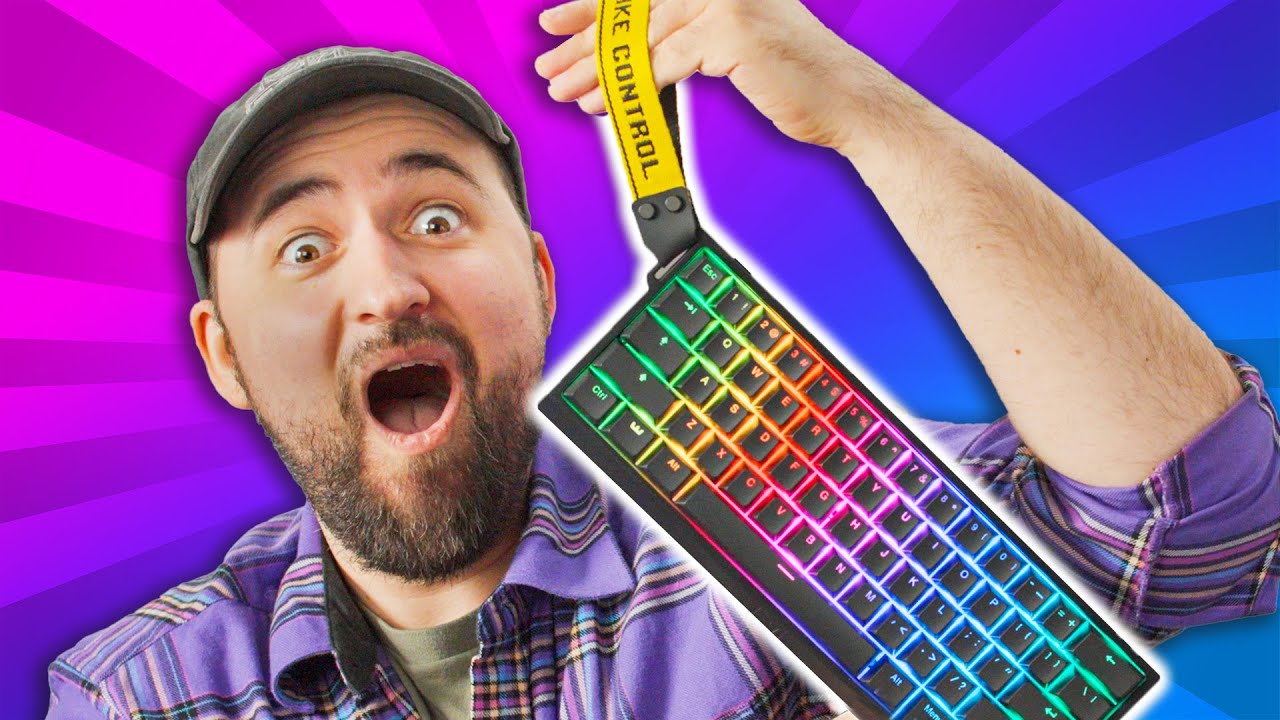
The gaming keyboard you should actually buy - Wooting 60HE
Your rating
Reactions
Description
Check out Corsair’s Xeneon Flex 45WQHD240 OLED Bendable Monitor at lmg.gg Plouffe's first video on ShortCircuit was the Wooting two HE Analog and now almost two years later, we have the Wooting 60HE. With magnetic Lekker switches, a crazy fast response time, and a reasonable price, is this the gaming keyboard to get?
Promos
Check out the Wooting 60HE Mechanical Keyboard: lmg.gg Purchases made through some store links may provide some compensation to Linus Media Group. Want us to unbox something? Make a suggestion at lmg.gg ► GET MERCH: lttstore.com ► LTX 2023 TICKETS AVAILABLE NOW: lmg.gg ► GET EXCLUSIVE CONTENT ON FLOATPLANE: lmg.gg ► SPONSORS, AFFILIATES, AND PARTNERS: lmg.gg ► PRODUCTS WE USE ON THE SHORTCIRCUIT SET: lmg.gg FOLLOW US ELSEWHERE --------------------------------------------------- Twitter: twitter.com Instagram: @shortcircuityt TikTok: @linustech Facebook: @ShortCircuitYT CHAPTERS --------------------------------------------------- 0:00 Plouffe is a fighter 0:29 Unboxing 1:58 What's a Lekker switch? 2:24 Design impressions 5:05 Sponsor - Corsair 5:36 Wootility software and RGB 9:19 Typing impressions 10:58 Gaming impressions - Forza Horizon 5 12:05 Pricing and overall thoughts 12:50 Outro
AI Overview
The video opens with an unboxing of the Wooting 60HE, highlighting the box contents, the Lekker analog switches, and the key feature that sets this keyboard apart: full hardware analog input through Lekker switches. The host explains the concept of hot-swappability, the included extras like spare switches, and the wrist rest attachment hardware. He notes the 60% form factor, the compact footprint, and the steel plate inside despite the plastic shell, emphasizing portability and modern, space-saving layouts that remain popular for gaming setups. Throughout the unboxing, the host comments on the aesthetic options, such as the black and yellow colorway and the Wooting crown logo, while acknowledging a wrist strap that some users may choose to forego. A sponsor segment later introduces Corsair’s Xeneon Flex OLED monitor and then returns to software with Wootility, which is described as capable of per-key actuation and bright RGB control. The video then dives into hands-on impressions, showing typing tests and quick gameplay across racing and shooting scenarios, before a final verdict on value, performance, and who should consider this keyboard at its price point. Finally, the host compares the 60HE with other compact keyboards, discusses upgrades, and reiterates that analog switches are a unique selling point that makes the Wooting 60HE a compelling option for enthusiasts seeking rapid, nuanced key input.
Topics · technology · hardware reviews · gaming peripherals · mechanical keyboards · pc gaming
Questions answered
- What makes the Lekker switches on the Wooting 60HE unusual compared to standard mechanical switches?
- The Lekker switches use a Hall effect sensor instead of traditional leafs or pins, enabling analog input and smoother actuation dynamics, which allows partial presses and per-key actuation points.
- Can the Wooting 60HE be used as a full-size keyboard, or is it limited to 60% layouts?
- The Wooting 60HE is a 60% keyboard, which means it omits a dedicated number pad and F-row, but it supports a function layer for additional keys and can accept a separate number pad if needed.
- What software features are highlighted for customizing the keyboard on the Wooting 60HE?
- Wootility software lets you adjust RGB, brightness, and per-key actuation points, save profiles onboard, and switch between Digital and Analog profiles as well as performance modes like Tachyon for speed focused input.