FINALLY I got what I wanted - CriCut Maker 3
Your rating
Reactions
Promos
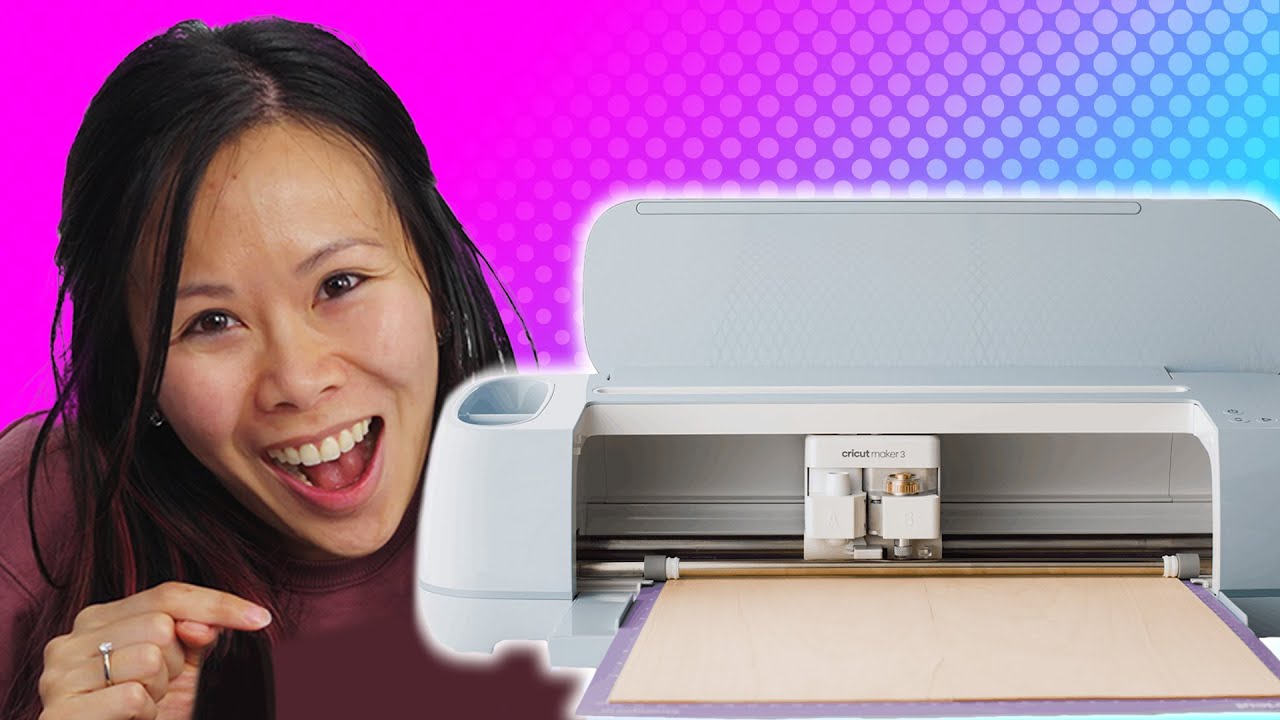
Get 10% off all Jackery products with code LinusTechTips at jackery.com It can cut, slash, emboss, and even draw! It's not an infomercial, but it's the CriCut 3. Yvonne is really excited that she can finally buy something high-end for herself to satisfy her arts and crafts after-work hobby, maybe she'll take it even further. Buy a Cricut Maker 3: geni.us Purchases made through some store links may provide some compensation to Linus Media Group. Want us to unbox something specifically for a video? Make a suggestion at lmg.gg ► GET MERCH: lttstore.com ► AFFILIATES, SPONSORS & REFERRALS: lmg.gg ► PODCAST GEAR: lmg.gg ► SUPPORT US ON FLOATPLANE: floatplane.com FOLLOW US ELSEWHERE --------------------------------------------------- Twitter: twitter.com Instagram: @shortcircuityt TikTok: @linustech Facebook: @ShortCircuitYT CHAPTERS --------------------------------------------------- 0:00 - It's not just Linus 0:30 - Unboxing and overview 1:42 - What it can do and extra tools 3:20 - What we made so far 4:30 - Sponsor - Jackery 5:05 - What is Cricut's design space software? 6:13 - Let's make something! 9:26 - Making stickers 13:35 - Peace offering for TechLinked 14:53 - Price 15:30 - Final thoughts
AI Overview
The video unfolds with an enthusiastic unboxing and hands on exploration of the Cricut Maker 3, focusing on versatility and ease of use for crafting enthusiasts. Early segments emphasize that the Maker 3 is a commercial-grade, multifunction device capable of cutting, embossing, drawing, and more, while still being approachable for hobbyists. The presenters discuss why they chose the Maker 3, highlighting its ability to handle a variety of materials and their desire for maximum flexibility for future projects. They compare it to other, less capable machines, outline the included accessories, and demonstrate swapping blades and tips to accommodate different tasks like leather engraving and sticker making. Throughout, they showcase real projects such as custom vinyl decals, a wedding scrapbook element, and personalized laptop designs, while detailing the software Design Space and the ecosystem surrounding Cricut projects. The segment also touches on practical considerations like mat usage, transfer paper, color management, and the occasional software hiccup, offering a balanced view of the user experience. In closing, the hosts reflect on the value of the Maker 3 as a long-term hobby investment, acknowledging price but asserting the return through ongoing, customizable projects and personal satisfaction. The narrative is structured around practical demonstrations: unboxing and setup, tool switching and material handling, design-space workflows, and live cutting sessions. Viewers see how the team uploads SVGs, removes backgrounds for cutting, and organizes color workflows to prepare multiple designs on a single mat. The video moves from general capabilities to concrete outcomes, such as making personalized signs, laptop decals, and a test cut using holographic vinyl, followed by attempts at transfer paper workflows and troubleshooting. They also compare the Maker 3 to older Cricut models to explain why the upgrade matters for more advanced tasks like embossing and thicker materials. Subtle humor and dynamic banter keep the tutorial accessible, while the host commentary offers practical tips and cautions about reliance on proprietary software Design Space. The result is a detailed, hands-on primer that blends product evaluation with creative project ideas, helping viewers decide if the Maker 3 fits their crafting ambitions. The tutorial emphasizes practical value and learning curves: how to choose the right blade or pen, how to load mats and tools, and how to manage project planning from SVG import to final transfer. Concrete examples illustrate the payoff of investing time into mastering the machine, including leather accents for a scrapbook and multi-color vinyl compositions for channel branding. They discuss cost considerations, with a transparent breakdown of the Essentials bundle price and the longer-term justification through saved materials and personalized outcomes. The session includes a candid look at challenges, such as occasional design-space hiccups or transfer-paper mishaps, and offers corrective steps to prevent repeats. Viewers are left with actionable guidance on evaluating Cricut’s ecosystem, deciding whether a high-end model is necessary, and envisioning future projects they could tackle with greater tooling flexibility. Overall, the video blends a personal unboxing narrative with practical demonstrations, emphasizing the Maker 3 as both a capable production tool and a creative outlet. It invites viewers to consider how such a device could fit into their own after-work hobbies or small-business ventures, while also nudging them to explore the broader Cricut community for inspiration. The tone remains values-driven, celebrating handmade craftsmanship and customization, while acknowledging price considerations and the learning process involved in achieving polished results. By the end, the audience gains a clear sense of what the Maker 3 can accomplish, what it takes to operate effectively, and the potential for ongoing, self-directed projects that justify the investment.
Topics · Technology · Crafts and DIY · Product Reviews · Personal Technology · Creative Tools
Questions answered
- What makes the Cricut Maker 3 appealing for hobbyists and small projects?
- The Maker 3 offers versatility across materials, interchangeable tools, and the ability to cut, engrave, and draw, enabling a wide range of DIY projects from vinyl decals to leather accents.