Project Zero Cables - The Cleanest Desk Setup EVER
Your rating
Reactions
AudioEnglish (original)Auto-dubbed: Dutch, French, German, Spanish, Arabic, Bangla, Hebrew, Hindi, Indonesian, Italian+10 more
Promos
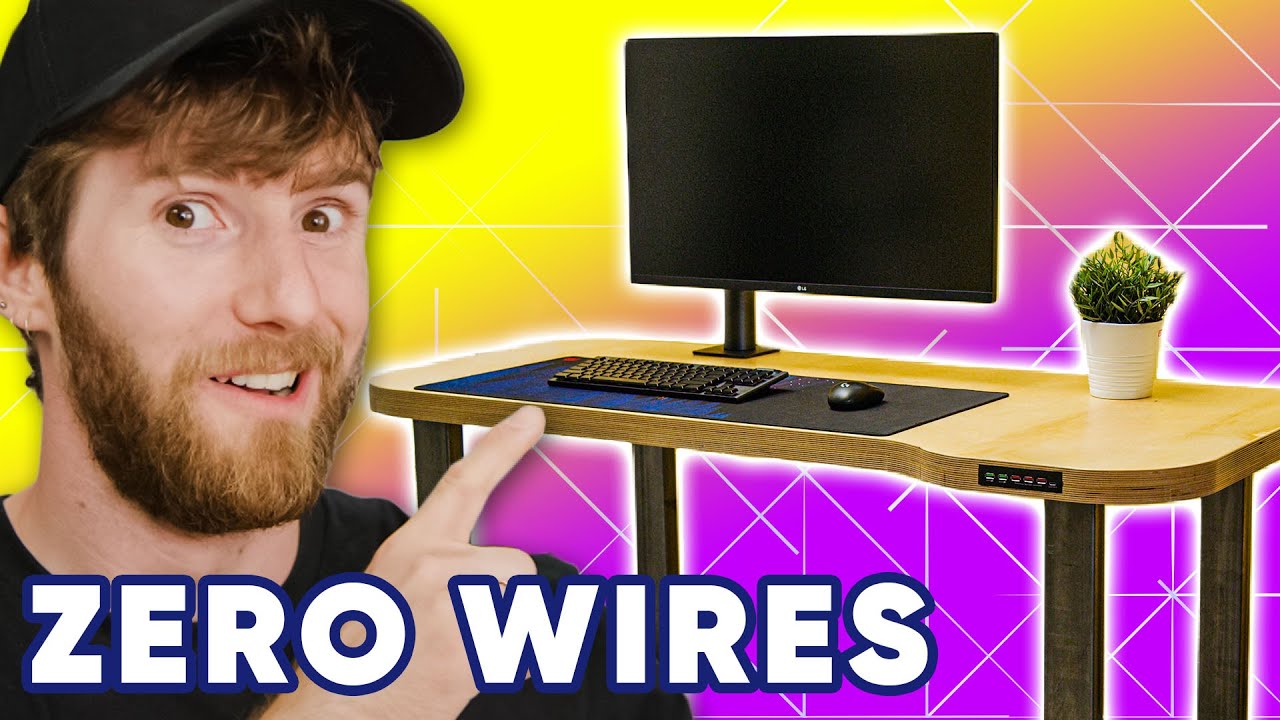
Thanks to LG for sponsoring this video! Learn more about the Ergo monitor at LG.com: bit.ly Our process from start to finish on how we scratch built our cleanest desk build yet. Incorporating a flush mount USB 3 hub, widen wireless charger, and well hidden cable management. With the LG UltraFine Ergo 32in sitting on top. It might just be the cleanest desk ever. Plans: lmg.gg Buy Anker wireless charger Amazon: geni.us Newegg: geni.us Buy USB C Coupler Amazon: geni.us Newegg: geni.us Buy EZDIY-FAB 5.25in 10Gbps USB 3.1 Gen2 HUB Amazon: geni.us Buy USB gen 3.2 C to A Optical cable On Mouser.com: lmg.gg Table legs: lmg.gg Purchases made through some store links may provide some compensation to Linus Media Group. Discuss on the forum: lmg.gg ► GET MERCH: lttstore.com ► AFFILIATES, SPONSORS & REFERRALS: lmg.gg ► PODCAST GEAR: lmg.gg ► SUPPORT US ON FLOATPLANE: floatplane.com FOLLOW US ELSEWHERE --------------------------------------------------- Twitter: twitter.com Facebook: @LinusTech Instagram: @linustech TikTok: @linustech Twitch: twitch.tv MUSIC CREDIT --------------------------------------------------- Intro: Laszlo - Supernova Video Link: youtube.com iTunes Download Link: itunes.apple.com Artist Link: soundcloud.com Outro: Approaching Nirvana - Sugar High Video Link: youtube.com Listen on Spotify: spoti.fi Artist Link: youtube.com Intro animation by MBarek Abdelwassaa @mbarek_abdel Monitor And Keyboard by vadimmihalkevich / CC BY 4.0 geni.us Mechanical RGB Keyboard by BigBrotherECE / CC BY 4.0 geni.us Mouse Gamer free Model By Oscar Creativo / CC BY 4.0 geni.us
AI Overview
Project Zero Cables presents Linus Tech Tips’ latest DIY desk project, a scratch-built work surface designed to be the cleanest desk setup ever. The video opens by framing a problem most desk dwellers know well: unruly cables, visible wires, and clutter under the desk. LG sponsors the segment and the Ergo 32 inch 4K monitor is showcased as the centerpiece, with a compact clamp-based arm that allows flexible positioning. The team emphasizes that the design goal is not only a minimalist look, but also functional work space with an integrated USB hub and a hidden cable pathway. Throughout, the emphasis is on a deliberate aesthetic choice: a single bump desk with a flush cable management system that visually disappears from the user’s perspective. The narration walks through why the Baltic birch plywood was chosen for its light color and strength, and how the dimensions of five feet by 28 inches were settled to balance usability and seating comfort, aided by the Ergo monitor’s depth. By the end of the section, the project is framed as a complete, usable system rather than a cosmetic shell, with ample room for hobbies like drawing and model building. A major portion of the video dives into the core innovation: invisible cable management. The team describes routing channels on the underside of the table to tuck cables away, and selecting hollow legs to keep both the desktop and floor uncluttered. The central hub is embedded within a desk hump to avoid bulky side holes and maintain a clean line. They detail the specific hardware choices, including a five and a quarter inch USB 3.1 Gen 2 hub, SATA-powered, with a long USB 3.2 Gen 2 cable and a faceplate inlay to make the mount flush. The left side is allocated for wireless charging to maximize usable space, with cautions about keeping the pad securely in place using scrap metal brackets. The segment also covers the skirt addition, providing a visually thick edge while preserving a light, movable frame, and outlines the approach for flush-trimming to avoid undercuts that would break the seamless look. The discussion ends with considerations for future upgrades and possible circuitry routing enhancements that could push the concept even further toward a fully integrated, wire-free experience. The build process is laid out step by step, with practical woodworking techniques shown in detail. They start with planing, marking, and cutting to establish the main silhouette, then move to routing the cable channels with a mix of freehand passes and straight-edge guides. A key build choice is the use of threaded wood inserts for the legs to enable easy assembly and disassembly without wearing screw holes. They remove most of the hub housing material to create a flush faceplate, then reinsert and test fit to ensure clearance for leg cables and channel routing. Finishing touches include sanding from 120 to 220 grit, applying satin varnish, and addressing grain rise with light sanding between coats. The final assembly demonstrates the claimed benefits: cables hidden from view, ample legroom, and a desk that coordinates with the LG Ergo monitor for a sleek, modern aesthetic. Overall, the video closes with a practical evaluation of performance, noting the limits of hub-based high-speed connections but affirming that typical peripherals will function smoothly, and invites viewers to explore the linked materials and future variations of the concept.
Topics · diy · technology · furniture · desksetup · cablemanagement
Questions answered
- What is the main feature of the LG UltraFine Ergo display that influenced the desk design?
- The Ergo display uses a compact desk clamp instead of a large base, allowing the monitor to move up to 180 millimeters from the stand and swivel up to 280 degrees, which enables a cleaner, more flexible layout.
- How is the desk’s cable management achieved without visible wires?
- Cable channels are routed along the underside of the desk, and hollow legs house the pathways. A USB 3 hub is embedded in a desk hump, with a flush-mounted faceplate to keep the surface clean and uncluttered.
- What finishing steps are used to achieve the smooth, clean look?
- The table is sanded through progressively finer grits, wiped down, and coated with satin varnish in multiple coats, with light sanding between coats to prevent grain rise and ensure a smooth finish.