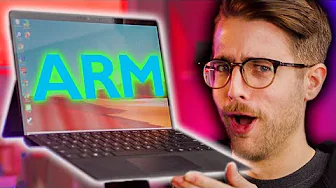
The Beginning of the End – Surface Pro X Review
Your rating
Reactions
AudioEnglish (original)Auto-dubbed: Dutch, French, German, Spanish, Arabic, Bangla, Hebrew, Hindi, Indonesian, Italian+9 more
Promos
Use code LINUS to get $6 off your first box at lmg.gg
Check out NVIDIA GeForce RTX Powered ORIGIN PC's at bit.ly The Surface Pro X represents the best of what Windows 10 on Arm has to offer. Unfortunately, the best needs to get better. Buy Surface Pro X: On Amazon: geni.us On Microsoft Store: geni.us Purchases made through some store links may provide some compensation to Linus Media Group. Discuss on the forum: linustechtips.com Our Affiliates, Referral Programs, and Sponsors: lmg.gg Get a Displate Metal Print at lmg.gg Get a 30-day free trial of Amazon Prime at lmg.gg Linus Tech Tips merchandise at lttstore.com Our Test Benches on Amazon: amazon.com Our production gear: geni.us Twitter - twitter.com Facebook - @LinusTech Instagram - @linustech Twitch - twitch.tv Intro Screen Music Credit: Title: Laszlo - Supernova Video Link: youtube.com iTunes Download Link: itunes.apple.com Artist Link: soundcloud.com Outro Screen Music Credit: Approaching Nirvana - Sugar High youtube.com
AI Overview
The video opens with a bold critique of Intel-based laptops, framing the Surface Pro X as a bold leap toward a future dominated by ARM in mobile computing. It documents the design shift that makes the device incredibly thin and fanless, featuring curved edges, minimal bezels, and a high density 13-inch display, all while claiming a long all-day battery life. The host introduces the SQ1, a collaboration between Microsoft and Qualcomm, as a tweaked Snapdragon 855 aimed at delivering solid productivity on Windows 10 on ARM, with built-in LTE for always-on connectivity. The discussion then pivots to the core trade-off: ARM promises efficiency and portability but struggles with native support for 64-bit desktop apps, requiring emulation for x86 software and creating a mixed, sometimes uneven, performance profile. The review carefully explains how Windows 10 on ARM enables 32-bit x86 apps to run through emulation, yet notes noticeable hiccups and slower performance with mainstream desktop software, while browsers and lighter tools fare better. It also covers practical realities such as the lack of a headphone jack, the removable SSD being discouraged for user handling, and the reliance on dongles for full desktop functionality, all while comparing the Pro X to higher-end Intel rivals and the broader ARM-powered laptop trend. In closing, the host assesses value and use cases, acknowledging that the Pro X represents a design and concept triumph even if it falls short of being a flawless all-in-one solution, and points out that the decision to adopt ARM hinges on software ecosystem and emulation progress over 2021 and beyond.
Topics · technology · hardware · reviews · computing
Questions answered
- Can the Surface Pro X run 64-bit desktop applications natively?
- No, 64-bit x86 desktop applications do not run natively on the Surface Pro X. Windows 10 on ARM provides emulation for 32-bit x86 apps, but 64-bit x86 apps won’t run and may require alternative workflows or native ARM versions.
- What is the SQ1 processor in the Surface Pro X?
- The SQ1 is a custom ARM SoC developed in collaboration with Qualcomm, essentially a tweaked Snapdragon 855 aimed at delivering better performance per watt for Windows 10 on ARM.
- What are the key trade-offs of using the Surface Pro X for productivity?
- Key trade-offs include excellent portability and battery life, but limited native 64-bit app support and uneven performance with emulated desktop software, plus peripheral dongle dependence and lack of a headphone jack.
- Is the Surface Pro X worth buying compared to Intel-based rivals?
- It depends on needs. If you prioritize ultra-thin design, long battery life, and LTE connectivity and can work around software limitations, it can be compelling. If you rely heavily on native 64-bit desktop apps, a traditional Intel-based laptop may offer a smoother experience.






