I can't believe the price! - Cooler Master GM34-CWQ
Your rating
Reactions
AudioEnglish (original)Auto-dubbed: Dutch, French, German, Spanish, Bangla, Hebrew, Hindi, Italian, Japanese, Korean+5 more
Promos
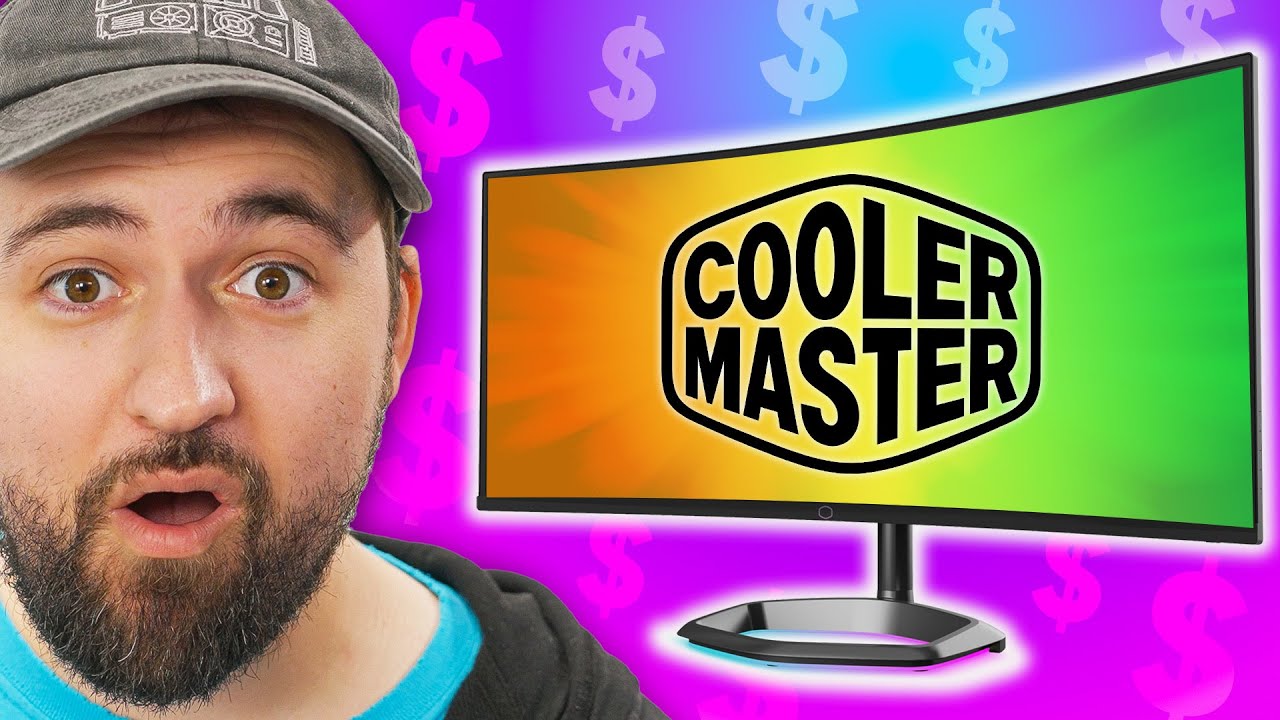
Get 30% off UGREEN's Nexode 140W charger with code 20UGREEN20 at: amzn.to or bit.ly Cooler Master is challenging the monitor market with a new display that has competitive pricing, fun gimmicks, and solid specs... but is it actually any good?
Check out Cooler Master's GM34-CWQ ARGB Monitor: coolermaster.com Buy a Cooler Master GM34-CWQA: geni.us Purchases made through some store links may provide some compensation to Linus Media Group. Want us to unbox something? Make a suggestion at lmg.gg ► SUBSCRIBE ON FLOATPLANE: floatplane.com ► GET MERCH: lttstore.com ► AFFILIATES, SPONSORS & REFERRALS: lmg.gg ► PODCAST GEAR: lmg.gg ► SUPPORT US ON FLOATPLANE: floatplane.com FOLLOW US ELSEWHERE --------------------------------------------------- Twitter: twitter.com Instagram: @shortcircuityt TikTok: @linustech Facebook: @ShortCircuitYT CHAPTERS --------------------------------------------------- 0:00 Does your search end here? 0:09 Specs 1:03 Unboxing and setup 2:40 What's on the back? 3:17 Some stand impressions 4:11 Ports/IO 4:41 More in-depth stand impressions 5:11 Sponsor - UGREEN 5:39 RGB impressions 7:14 Initial display impressions 7:48 Cooler Master software impressions 8:57 Monitor OSD/settings impressions 10:20 HDR impressions 11:27 Speaker impressions 11:52 Motion clarity test 12:41 Gaming impressions 13:43 Overall thoughts 14:51 Outro
AI Overview
The video opens with a strong positioning question for potential buyers: is Cooler Master’s GM34-CWQ ARGB worth it at its price point for an ultrawide gaming monitor? The presenter lists the core specs up front: 34 inch ultrawide, 3440x1440 resolution, 144 Hz refresh rate, VA panel with a 1500R curvature, HDR 400, and a claim of 98 percent DCI-P3 coverage thanks to quantum dots. The unboxing and initial physical impressions follow, focusing on the stand, cable options, and the diffusion RGB bar. The reviewer notes the unusual choice of connectors, particularly micro USB, and highlights the monitor’s I/O: DP 1.4, HDMI 2.0, USB-C with DisplayPort and Power Delivery, plus USB-A and a couple of audio features. Throughout, practical concerns surface, including an objectively light stand spring affecting height adjustment and the overall build stability, which influence the perceived value for price. The segment then explores RGB features via Cooler Master’s MasterPlus+ software, where the lighting is customizable but limited to lighting control rather than full OSD integration, leaving the reviewer curious about software depth. In the HDR and color management portion, the panel’s HDR400 capability is tested against real-world content, with remarks about black levels, lack of local dimming, and the general SDR-like performance despite the advertised gamut. The reviewer tests motion clarity with a UFO test and discusses image quality, viewing angles, and color shifts from VA panels, concluding that the GM34-CWQ is competitive at the price but not exceptional, particularly for HDR enthusiasts. In the final verdict, the video emphasizes the monitor as a compelling option for gamers who want ultrawide, high refresh rate at a mid-range price, acknowledging quirks in height adjustment and HDR performance while praising the broad color gamut and 144 Hz capability. The reviewer recommends shopping around to compare with rivals and leaves the door open for future firmware tweaks and a better HDR experience, wrapping up with a verdict that the GM34-CWQ is “pretty decent” given its cost and feature set.
Topics · gaming · monitors · hardware_reviews · display_tech · rgb
Questions answered
- What display type does the Cooler Master GM34-CWQ use and what are the key specs?
- The GM34-CWQ uses a VA panel with a 34 inch ultrawide 3440x1440 resolution, 1500R curvature, and 144 Hz refresh rate, with HDR 400 support and 98 percent DCI-P3 coverage via quantum dots.
- Does the monitor offer good height adjustability and why does that matter?
- The reviewer notes the height adjustment spring is very light, making mid-range positioning unstable and suggesting the stand may require being set fully up or down, which can affect ergonomics during long gaming sessions.
- What are the notable connectivity options and their usefulness?
- The GM34-CWQ provides DisplayPort 1.4, HDMI 2.0, USB-C with DisplayPort and Power Delivery, USB-A, a headphone jack, and a Kensington lock, which enables flexible setup and laptop charging through a single cable in some configurations.
- Is the HDR performance strong on this monitor?
- HDR performance is limited by HDR400 and lack of local dimming; the reviewer describes it as SDR-like in practice, with black levels not dramatically deep and overall HDR experience not being outstanding.