HomeFeatured videos and new releasesBrowseLatest videos, playlists, and topicsCreatorsYouTube creators and their videosNewsHeadlines from publishers' feedsHistoryResume recently watched videos
Theme
Language
AccountAccountSign in
PrivacyCookiesTermsAboutContactRemovalMethodology
Account
Sign in
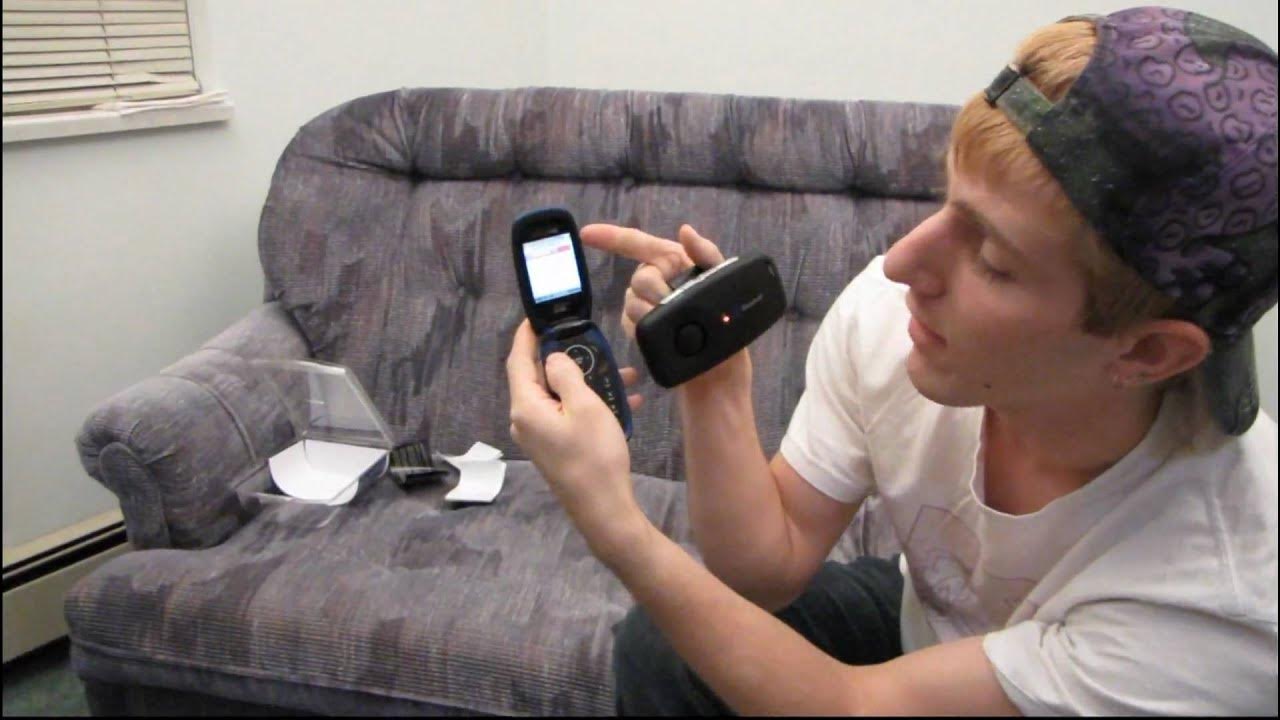
BlueAnt S1 Bluetooth Handsfree Car Kit Setup Video Linus Tech Tips
Video · 0:00

BlueAnt S1 Bluetooth Handsfree Car Kit Setup Video Linus Tech Tips

Linus Tech Tips@LinusTechTips•60K views•Dec 28, 2009•2:01

Your rating

Rate this video from 1 to 5

Reactions

Reactions to this video

Share

WhatsAppXReddit
Source
YT
Views
60K
Subscribers
16.9M
vs. channel typical
0.1x
Likes per 100
0.3
Comments
31

Description

Thought I'd do a quick video on how to actually pair the BlueAnt S1 to your phone. It takes only a couple of minutes and it's quite easy to do.

Start

AI Overview

The video provides a concise setup guide for pairing the BlueAnt S1 Bluetooth Handsfree Car Kit with a mobile phone. It begins by instructing users to enable Bluetooth on their phone, then to put the S1 into pairing mode by holding the on/off switch for about five seconds until the indicator light flashes red and blue. Once pairing mode is active, the user should add a new trusted device on their phone and search for the BlueAnt S1, select it from the list, and enter the default PIN 000000 to complete pairing. After pairing, the video demonstrates how to assign a unique name to the device for easier identification in multi-car setups, and then shows a connection to the S1 so that calls can be made through the kit. The narrator tests the setup in a car-like scenario, noting that sound is routed through the device and that the kit appears to operate correctly, before concluding the quick guide. The description also mentions that the process is straightforward and intended to help viewers who will need to pair the device in the near future. The clip ends with a practical reminder about verification of call functionality and a closing thank you to viewers who watched the setup guide for the BlueAnt S1, reinforcing its ease and usefulness for in-car handsfree use.

Topics · technology · how-to · computing · consumer_electronics · automotive

Questions answered

How do you put the BlueAnt S1 into pairing mode?
Hold the on/off switch for about five seconds until the indicator light flashes red and blue, signaling pairing mode.
What is the default pairing PIN for the BlueAnt S1?
The default PIN is 000000.

More from Linus Tech Tips

  • The $40 GTA 6 Gaming Setup is MUCH Better Than You'd Think
    18:45

    The $40 GTA 6 Gaming Setup is MUCH Better Than You'd Think

    534K views•yesterday
  • My Investment is on SALE
    1:42

    My Investment is on SALE

    305K views•yesterday
  • You Were Right About my Braces
    15:09

    You Were Right About my Braces

    582.4K views•2 days ago
  • 3 DJI M5T Features That Work Together
    0:55

    3 DJI M5T Features That Work Together

    39K views•2 days ago

Related videos

  • M2 MacBook Air Impressions: Midnight Madness!
    7:51

    M2 MacBook Air Impressions: Midnight Madness!

    5.8M views•4 years ago
  • What Happens If You Don't Shut Down Your Computer Properly?
    5:49

    What Happens If You Don't Shut Down Your Computer Properly?

    4.5M views•9 years ago
  • Apple Silicon Explained in 56 seconds
    0:57

    Apple Silicon Explained in 56 seconds

    2.7M views•2 years ago
  • Install an Intel LGA1150 or LGA1155 CPU Processor as Fast As Possible
    3:22

    Install an Intel LGA1150 or LGA1155 CPU Processor as Fast As Possible

    1.6M views•14 years ago
  • What Dashcam Should You Buy?
    4:53

    What Dashcam Should You Buy?

    796.4K views•10 years ago
  • Features You Pay For But Can't Use
    4:59

    Features You Pay For But Can't Use

    708.5K views•6 years ago



