This Keyboard Wants to Replace Your Mouse - Naya Create
0 up · 0 down · 0 ratings
Description
Thanks to UGREEN for sponsoring this video!
Check out their Nexode Air lineup and more below: UGREEN Nexode Air 65w Charger (25% OFF) amzn.to UGREEN MagFlow Air Power Bank (25% OFF) amzn.to UGREEN Nexode Air & MagFlow Air (up to 28% OFF) amzn.to Hardcore creators have a hard to find finding an ergonomic keyboard that makes your job easier, not just easier on the wrists. The Naya Create looks to bridge those two gaps.
Channels and socials
Check out the Naya Create Split Modular Keyboard: lmg.gg Want us to unbox something? Make a suggestion at lmg.gg Thanks to our channel partner Secretlab! - Grab a TITAN Evo ergonomic gaming chair: lmg.gg - Grab a MAGNUS Pro sit/stand gaming table: lmg.gg ► SHOP OUR PRODUCTS: lttstore.com ► GET A VPN: piavpn.com ► GET EXCLUSIVE CONTENT ON FLOATPLANE: lmg.gg ► DIVE DEEPER ON THE LTT LABS WEBSITE: lmg.gg ► SPONSORS, AFFILIATES, AND PARTNERS: lmg.gg Purchases made through some store links may provide some compensation to Linus Media Group. Affiliate links powered in part by affilimate.com Studio lighting by Aputure: aputure.com Linus Sebastian is an investor in Framework Computer, Inc and HexOS by Eshtek. CHAPTERS --------------------------------------------------- 0:00 What's in the box 1:30 The modules 2:55 Bending 3:58 Sponsor 4:42 Customizing with software 7:41 Trackball vs Touchpad 12:00 Watch another LMG video 8:51 Editing test 11:12 Pricing breakdown
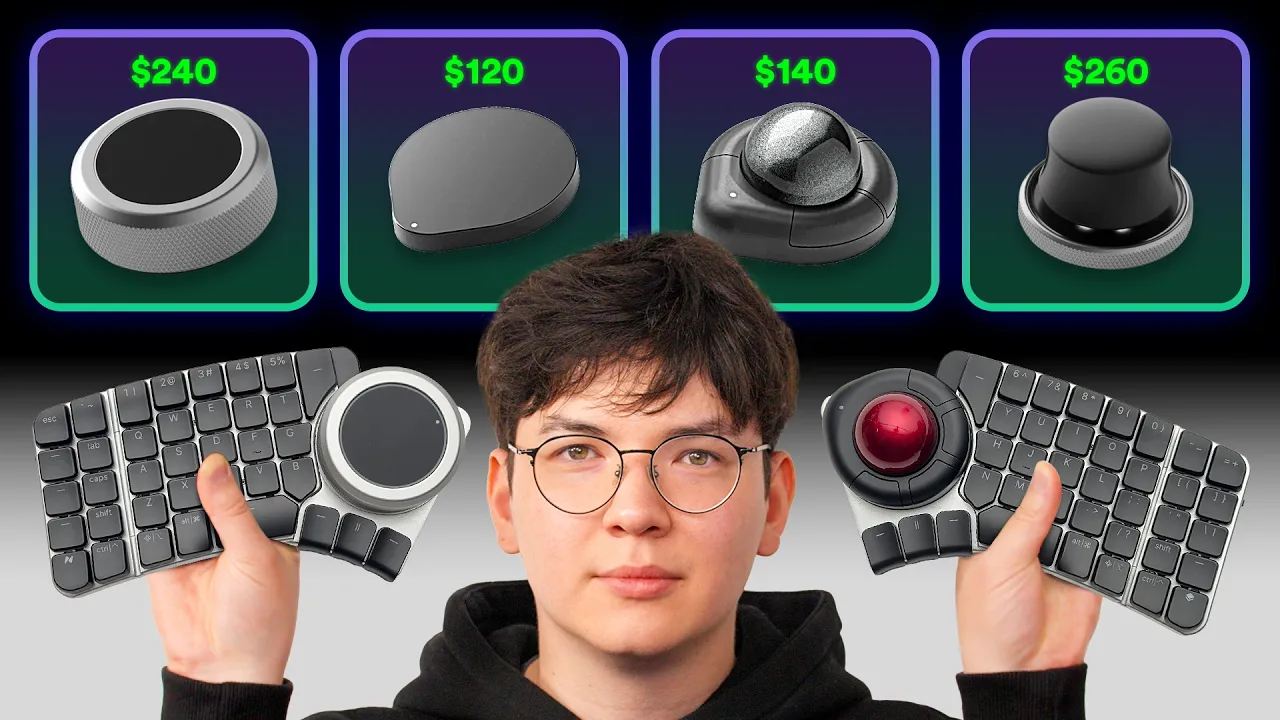
This video presents an in-depth look at the Naya Create ergonomic keyboard, emphasizing its modular design and the promise of a healthier hand position for long editing sessions. The host unboxes the setup, highlighting the left and right keyboard halves, the three included modules, and the intended future fourth module called the float. He explains the hot-swappable switches, proprietary keycaps, and the various hardware options like the tune dial, touchpad, and trackball, discussing how each piece could fit into a video editing or programming workflow. The speaker then dives into the software, detailing layers, FN menus, and how to remap keys for different tasks, while also noting beta software quirks and hardware pre-production caveats. He tests trackball versus touchpad, experiments with the tune module, and attempts a few hands-on editing tasks in Final Cut Pro to gauge precision and ergonomics. Throughout, the host weighs setup flexibility against the learning curve, highlighting the potential benefits for editors and power users while acknowledging personal fit and relearning typing. The video concludes with a candid pricing breakdown and an invitation for viewers to share their own experiences, signaling a strong emphasis on customization and future software maturation. The partnership mentions with UGREEN and Secretlab frame the review as part of a broader tech lifestyle context, including a brief hardware sponsor segment and a teaser to watch related content.
Topics · technology · hardware reviews · ergonomics · video editing · computing · ergonomic peripherals