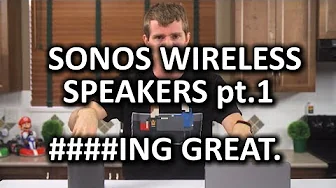
SONOS Wireless HiFi Speaker System Part 1
Your rating
Reactions
Channels and socials
Sonos' software and hardware ecosystem is simple enough that you can be up and running within 5 minutes, and yet so deep that I needed two nearly 10-minute videos to cover it properly! Part 1 focuses on the app and wired operation, while part two throws wireless and speaker grouping into the mix with their Playbar. Sponsor link: linustechtips.com Pricing & discussion: linustechtips.com Support us: linustechtips.com Join our community forum: bit.ly twitter.com @LinusTech Intro Screen Music Credit: Adhesive Wombat -
Check out his channel here: youtube.com Outro Screen Music Credit: Approaching Nirvana - Sugar High youtube.com
AI Overview
Part one of Linus Tech Tips' Sonos review focuses on the setup experience, app functionality, and wired operation of the Sonos ecosystem. The video begins by framing Sonos as an app controlled system that can play music in any room over a home network, highlighting the Play:1 and Play:3 as entry and mid-range options, with mention of Play:5 for larger spaces. The presenter emphasizes how easy the initial setup is: connect the speaker to the router, launch the app on a phone, press a couple of buttons, and you’re up and running in minutes. He contrasts the simplicity of hardware wiring with the more complex experience of managing a music library, noting that the basic mobile app can be laggy when browsing locally stored files. A key discovery is Sonos’ desktop app and folder-based navigation, which helps organize and cue songs beyond simple file tagging, enabling playlist creation and CD-rip derived music to be streamed smoothly even if the phone leaves range or loses battery power. Throughout, the reviewer experiments with multi-room capabilities by adding a second speaker and assigning rooms, then showing how grouping can synchronize playback across spaces for a seamless listening experience as you move about the house. The narrative also touches on streaming services integration, including the later addition of Google Play Music in Canada, and discusses the limitations of the mobile app’s search and Android integration, while remaining enthusiastic about the overall user experience and potential future expansions such as wireless bridges and surround configurations. By the end of part one, the reviewer is convinced that Sonos offers a compelling balance of ease of use and flexible multi-room audio, even as he notes price considerations and some domain-specific quirks in the app and EQ settings. The video underscores the core value proposition of Sonos: quick, reliable setup, strong multi-room synchronization, and the ability to control playback across devices and groups without fighting the system. The presenter repeatedly demonstrates practical benefits like greeting music on return home, bidirectional sync between rooms, and streaming local content through a folder-based navigation system, which helps manage music that is not perfectly tagged. He concludes part one by praising the software-driven experience, noting that it felt intuitive and enjoyable to use throughout the entire recording, which sets up anticipation for the wireless bridge, additional speakers, and a possible Playbar integration in part two. Overall, the video presents Sonos as a user-friendly ecosystem with room for improvement in app search, Android integration, and perceived value at higher price points, while highlighting its transformative potential for home listening. Viewers are left with clear expectations for next steps, including wireless expansion and surround capabilities.
Topics · home audio · wireless speakers · streaming music · smart home technology
Questions answered
- Can you control music in multiple rooms with Sonos and group speakers together?
- Yes, you can assign speakers to rooms and group them so that playback is synchronized across all rooms or play different content in each room.
- How quickly can you set up a Sonos system and start listening?
- Setup is designed to be quick: connect the speaker to your router, open the Sonos app on a mobile device, press a couple of on-screen buttons, and you’re up and running in minutes.





