HomeFeatured videos and new releasesBrowseLatest videos, playlists, and topicsCreatorsYouTube creators and their videosNewsHeadlines from publishers' feedsHistoryResume recently watched videos
Theme
Language
AccountAccountSign in
PrivacyCookiesTermsAboutContactRemovalMethodology
Account
Sign in
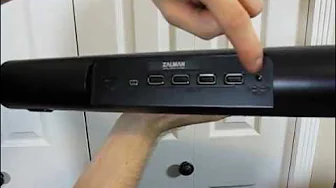
Zalman ZM-NC3500 PLUS Notebook Cooler Unboxing & Test Linus Tech Tips
Video · 0:00

Zalman ZM-NC3500 PLUS Notebook Cooler Unboxing & Test Linus Tech Tips

Linus Tech Tips@LinusTechTips•87.3K views•Oct 31, 2012•9:19

Your rating

Rate this video from 1 to 5

Reactions

Reactions to this video

Share

WhatsAppXReddit
Source
YT
Views
87.3K
Subscribers
16.9M
vs. channel typical
0.2x
Likes per 100
1.0
Comments
288

Description

Zalman's ZM-NC3500 notebook cooling pad gets unboxed... While the baby is sleeping... So shhhhh! CA: ncix.com US: us.ncix.com

Start

AI Overview

The video presents an unboxing and first-impressions look at the Zalman ZM NC3500 Plus notebook cooler. The host highlights the product’s design features, including a large 22 cm cooling fan, built-in stereo speakers, a two-channel USB sound card with volume controls, a USB hub, and an adjustable ergonomic tilt. The review emphasizes practical setup details, such as the rubber grips for stability and the front-facing controls for quick access, and discusses how the cooler is intended to improve comfort and reduce heat during gaming sessions. The host then demonstrates real-world testing by running an MSI GX660R notebook with and without the cooler while gaming, and monitors CPU and GPU temperatures to assess thermal benefits. While there is initial setup and a quiet environment, the testing shows temperature reductions under load, with CPU temperatures dipping into the high 50s Celsius and GPU temperatures peaking near the 68–69°C range when the cooler is active. The final verdict notes that the cooler is most beneficial on laptops that already have adequate ventilation, and that for certain desk setups the ergonomic tilt may be less critical than expected. The video also includes quick observations about the built-in speakers and how the overall sound performance compares to the laptop’s own audio, concluding with a call to subscribe for more unboxings and reviews.

Topics · unboxing · hardware-testing · laptop-cooling · ergonomics · audio · product-review

More from Linus Tech Tips

  • The $40 GTA 6 Gaming Setup is MUCH Better Than You'd Think
    18:45

    The $40 GTA 6 Gaming Setup is MUCH Better Than You'd Think

    534K views•2 days ago
  • My Investment is on SALE
    1:42

    My Investment is on SALE

    305K views•2 days ago
  • You Were Right About my Braces
    15:09

    You Were Right About my Braces

    582.4K views•3 days ago
  • 3 DJI M5T Features That Work Together
    0:55

    3 DJI M5T Features That Work Together

    39K views•3 days ago

Related videos

  • OnePlus cloned the iPad... - OnePlus Pad
    18:23

    OnePlus cloned the iPad... - OnePlus Pad

    829.5K views•4 years ago
  • A little EQ is all you need - Nothing Headphone (a)
    13:34

    A little EQ is all you need - Nothing Headphone (a)

    103.8K views•8 months ago
  • Bluey Phone Review
    4:23

    Bluey Phone Review

    4M views•8 months ago
  • Product RED iPhone 8 Unboxing!
    4:01

    Product RED iPhone 8 Unboxing!

    2.7M views•9 years ago
  • This might ACTUALLY be worth $1,500 - Logitech G X Herman Miller Embody Gaming Chair
    15:43

    This might ACTUALLY be worth $1,500 - Logitech G X Herman Miller Embody Gaming Chair

    1.6M views•6 years ago
  • Buy this if you hate your neighbors - Sony SRS-XV900
    12:24

    Buy this if you hate your neighbors - Sony SRS-XV900

    1.6M views•4 years ago


