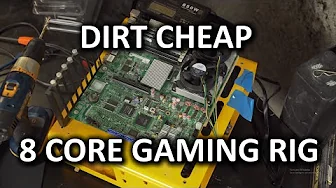
Under $150 Budget Gaming 8 Core CPU, Motherboard & 16GB RAM
Your rating
Reactions
Description
Can you build a badass gaming rig on the cheap using old server hardware? Need for Seat:
Promos
Check out needforseatusa.com and use offer code LINUS50 to save $50 off ANY CHAIR on the site! Corsair link: linustechtips.com Pricing & discussion: linustechtips.com Support us: linustechtips.com Join our community forum: bit.ly twitter.com @LinusTech Intro Screen Music Credit: Title: Laszlo - Supernova Video Link: youtube.com iTunes Download Link: itunes.apple.com Artist Link: soundcloud.com Outro Screen Music Credit: Approaching Nirvana - Sugar High youtube.com
AI Overview
The video presents a unique take on building a budget gaming PC by reusing old server hardware to achieve a capable gaming rig for under 150 dollars, focusing on an 8-core Xeon CPU, a compatible motherboard, and 16 GB of RAM. The host walks through the process of selecting the CPU first, emphasizing the Arc/Xeon 5000 series as a source of affordable, multi-core power, even if those parts are older and less power-efficient than modern desktop CPUs. He compares different CPU options, noting the need to match CPUs for dual-socket server boards and highlighting the tradeoffs between performance and value. The video then shifts to the motherboard, detailing common pitfalls such as mounting hole alignment, IO shield availability, and PCIe slot limitations, which can complicate a DIY build from salvage parts. In the RAM section, the emphasis is on ensuring compatibility with legacy server RAM types like FB-DIMM and ECC DDR2, as well as the importance of checking QVL lists to avoid incompatibilities that would waste money. The host also covers cooling and case considerations, showing how some modifications or nonstandard mounting solutions may be required to fit a server motherboard into a conventional casing. Finally, the host evaluates whether this budget approach is worthwhile by testing gaming performance with a modern GPU like the GTX 980, describing how certain games scale with multi-core CPUs and how settings must be tuned to balance frame rates. The overarching takeaway is that while the build is feasible and yields playable performance at 1080p, it comes with significant caveats such as lack of warranty, upgrade limitations, and the need for creative problem solving to achieve a stable system. The host teases a follow-up exploration of real-world gaming performance and why such a project remains relevant in the context of evolving multi-core support and graphics APIs. The video ends with a plug for sponsor products and a light-hearted sign-off, reinforcing the fun and experimental spirit of budget hardware hacking while acknowledging the practical constraints involved.
Topics · technology · hardware · budget-build · gaming-pc · diy · server-hardware
Questions answered
- What is the main goal of the budget gaming build discussed in the video?
- To assemble a playable gaming PC using old server hardware, aiming for a total of under $150 for the CPU, motherboard, and RAM.
- What are the major compatibility concerns when repurposing server parts for a desktop gaming PC?
- Ensuring matching CPUs for dual-socket boards, mounting and IO shield compatibility, limited PCIe slots, and RAM type/compatibility with server-based memory like FB-DIMM or ECC DDR2.
- How does the video assess the gaming performance of the budget build?
- By pairing the build with a GTX 980 and testing games at 1080p, noting when details must be lowered to achieve smooth frame rates and how some titles scale with multi-core CPUs.






