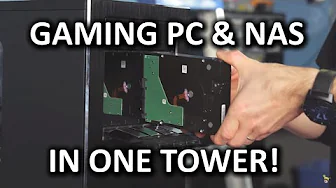
Use your Gaming PC's Extra Power as a NAS Ultimate Guide
Your rating
Reactions
AudioEnglish (original)Auto-dubbed: Dutch, French, German, Spanish, Arabic, Bangla, Hebrew, Hindi, Indonesian, Italian+10 more
Channels and socials
Save money and be a cool badass while doing it! Support us: linustechtips.com Learn more about unRAID and download a trial: bit.ly Join our community forum: bit.ly twitter.com @LinusTech Intro Screen Music Credit: Title: Laszlo - Supernova Video Link: youtube.com iTunes Download Link: itunes.apple.com Artist Link: soundcloud.com Outro Screen Music Credit: Approaching Nirvana - Sugar High youtube.com Sound effects provided by freesfx.co.uk
AI Overview
This video presents a practical application of virtualization on a gaming PC by turning a single high performance rig into both a gaming machine and a network attached storage NAS. The host explains the hardware choices, starting with a Core i7 6700K and a Z170 motherboard to support virtualization, more cores, and ample PCIe lanes for future expansion. He emphasizes the need for sufficient RAM, settling on 16 GB, and discusses why RAM and CPU capabilities matter when running multiple virtual machines or gaming VMs concurrently. The chassis and power supply are chosen to accommodate extra drives and maintain cooling, with a hot swap drive cage added for convenient storage expansion. Storage strategy centers on a mix of SSDs for caching and magnetic hard drives for capacity, configured in a parity option to protect data and simplify recovery after possible drive failures. The setup process covers enabling virtualization in BIOS, creating a bootable unRAID drive, and navigating the unRAID web UI to assign disks to array and cache, set shares, and optimize data protection and performance through cache usage, parity syncing, and scheduled operations. Finally, the video demonstrates creating a Windows 10 VM with GPU pass through, creating and assigning shares for media and games, and configuring the system to auto-start VMs at boot, ending with real-world performance results showing smooth file transfers and playable game experiences from the NAS while maintaining a strong gaming performance on the primary rig.
Topics · technology · hardware · virtualization · network-attached-storage · home-server · gaming
Questions answered
- What is the main purpose of the setup shown in the video
- To run a gaming PC that also serves as a NAS, providing storage, file sharing, and VM capabilities from one machine.
- Which hardware features are highlighted as important for virtualization and NAS tasks
- A multi-core CPU with virtualization support, sufficient RAM (16 GB demonstrated), a motherboard with PCIe lanes for expansion, a capable case with good airflow, and a mix of SSDs for cache plus HDDs for large storage.
- What software is used to manage the NAS functionality in this video
- unRAID is used to manage the virtualization and storage arrays, including parity protection and share configuration.
- What is one of the key benefits demonstrated by the video when a drive fails
- Parity protection allows the data to be rebuilt after a drive failure without losing data when a replacement drive is available.






