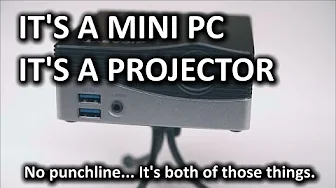
Gigabyte BRIX Projector Mini PC
Your rating
Reactions
Channels and socials
Gigabyte's BRIX line of mini PCs ranges from super tiny, to super powerful, to super versatile and everywhere in between. Today we've got one of the most unique models in the series that actually has a projector integrated into it!! Sponsor link: linustechtips.com Pricing & discussion: linustechtips.com Support us: linustechtips.com Join our community forum: bit.ly twitter.com @LinusTech Intro Screen Music Credit: Adhesive Wombat -
Check out his channel here: youtube.com Outro Screen Music Credit: Approaching Nirvana - Sugar High youtube.com
AI Overview
The Gigabyte BRIX Projector Mini PC is presented as one of the most unique iterations in Gigabyte's BRIX lineup, combining a compact mini-PC chassis with a built-in projector. The host emphasizes the small footprint of the unit, noting that the projector module sits inside the top of the case and uses a 854x480 90-lumen LED lamp, paired with 1.4 W stereo speakers. He walks through the external I/O on the front and back, detailing USB 3 ports, audio, HDMI outputs, mini DisplayPort, Ethernet, and a dedicated mini HDMI input for the projector, which allows the BRIX to act as a projector-enabled PC for other devices or in a classroom or boardroom setting. In terms of internals, he highlights that the machine ships as a barebones unit, with RAM and storage not included, but with upgradeability up to 16 GB of DDR3L RAM and an MSA SSD, plus a replaceable WiFi/Bluetooth module via a mini PCIe slot. The cooling system is explained as an air-cooled design, using a copper heat sink and a blower-style CPU cooler that exhausts directly through the chassis, while the projector itself relies on a straightforward, non-adjustable optical system. The video concludes by comparing the BRIX projector to other mini-projector options, noting that while it is pricey relative to bare projectors, its bundled form factor and versatility may appeal to travelers, educators, or business users who want a compact PC with a built-in projection capability. Viewers are invited to share how they would use a mini PC with a built-in projector, and the host encourages discussion on the Linus Tech Tips forum, along with supporting links and purchase options.
Topics · hardware · home_theater · compact_pc · consumer_electronics
Questions answered
- What are the core hardware specifications of the Gigabyte BRIX Projector Mini PC?
- It uses a 1.7 GHz dual-core Intel Core i3-4010U with integrated HD 4400 graphics, is a barebones unit with upgradable RAM up to 16 GB DDR3L and an MSA SSD, includes a 90 lumen LED projector with 854x480 resolution, and provides HDMI out, mini DisplayPort, and a dedicated mini HDMI input for the projector.
- Can you upgrade or customize the RAM and storage, and what connectivity options are available?
- Yes, RAM up to 16 GB DDR3L and an MSA SSD can be added, with a replaceable WiFi/Bluetooth module via a mini PCIe slot. Connectivity includes HDMI out, mini DisplayPort out, USB 3.0, Ethernet, and a dedicated projector input, plus a headphone/optical audio jack.






