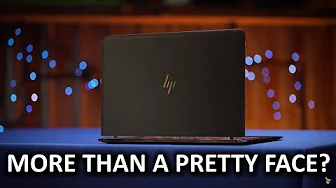
Is Thinner Always Better?? - HP Spectre 2016 Review
Your rating
Reactions
Channels and socials
The new HP Spectre looks GREAT. It's thin, it's light, it's got a "premium" style... But what sacrifices does it make to be so darn visually appealing? Massdrop link: dro.ps Buy an HP Spectre 2016: lmg.gg Purchases made through some store links may provide some compensation to Linus Media Group. Discuss on the forum: linustechtips.com Affiliates, referral programs, & sponsors: linustechtips.com Join our community forum: bit.ly twitter.com @LinusTech Intro Screen Music Credit: Title: Laszlo - Supernova Video Link: youtube.com iTunes Download Link: itunes.apple.com Artist Link: soundcloud.com Outro Screen Music Credit: Approaching Nirvana - Sugar High youtube.com Sound effects provided by freesfx.co.uk
AI Overview
The HP Spectre 2016 is presented as the thinnest notebook in its class at 10.4 mm, emphasizing a blend of top-tier design with practical engineering. The host notes the use of aluminum and carbon fiber construction, a refined logo, and a minimalist aesthetic aimed at a young professional audience, while acknowledging the compromises that come with such a slender form. On the hardware side, the model ships with an Intel Core i5 6200U, 8 GB of LPDDR3 memory, 256 GB PCIe storage, and a 38 Wh battery, with options for higher storage and i7 configurations. The review highlights the keyboard as a strong point, delivering a satisfying actuation and smooth travel despite the device’s slim profile, which stands out against other ultrabooks in terms of typing experience. The display is described as bright with a high-contrast IPS panel that looks better than its 1080p resolution would suggest, while the speakers deliver full-range sound without noticeable distortion. In terms of connectivity, the Spectre uses dual Thunderbolt 3 Type-C ports that can drive 4K displays and chain devices, with USB 3.5 Gbit compatibility, and it includes a traditional headphone jack and a full-size charger. The reviewer discusses cooling via a Hyperbaric cooling system and notes that while idle and light workloads can be quiet, hotter environments can cause noticeable surface temperatures and louder fan activity when pushed, though the CPU remains competent and unthrottled. Overall, the video balances admiration for the Spectre’s premium look and weight-conscious engineering with practical concerns about ports, thermals in hot climates, and the need for adapters, concluding that HP targets a specific style-conscious professional demographic rather than universal usability. Finally, the presenter compares the Spectre to other slim laptops like the LG Gram and Acer’s Spin 7, underscoring the trade-offs between extreme thinness and everyday convenience, and closes by encouraging viewers to explore deals and related products featured in the description. The review is complimented for its polished production, clear hardware breakdown, and thoughtful assessment of design choices against real-world usability, making it a strong resource for potential buyers evaluating form factor against practicality.
Topics · laptops · hardware_design · performance_thermals · ports_connectivity · display_input · design_and_style
Questions answered
- What core specifications define the HP Spectre 2016 reviewed here?
- The Spectre 2016 reviewed uses an Intel Core i5 6200U, 8 GB of LPDDR3 memory, 256 GB PCIe storage, a 38 Wh battery, and optional upgrades up to a higher storage configuration with i7 options.
- How does the review describe the cooling system and thermal behavior?
- The Hyperbaric cooling system keeps idle temperatures quiet, but in hotter environments it can become noticeable with louder fans under load, though the CPU generally does not throttle.






