HomeFeatured videos and new releasesBrowseLatest videos, playlists, and topicsCreatorsYouTube creators and their videosNewsHeadlines from publishers' feedsHistoryResume recently watched videos
Theme
Language
AccountAccountSign in
PrivacyCookiesTermsAboutContactRemovalMethodology
Account
Sign in
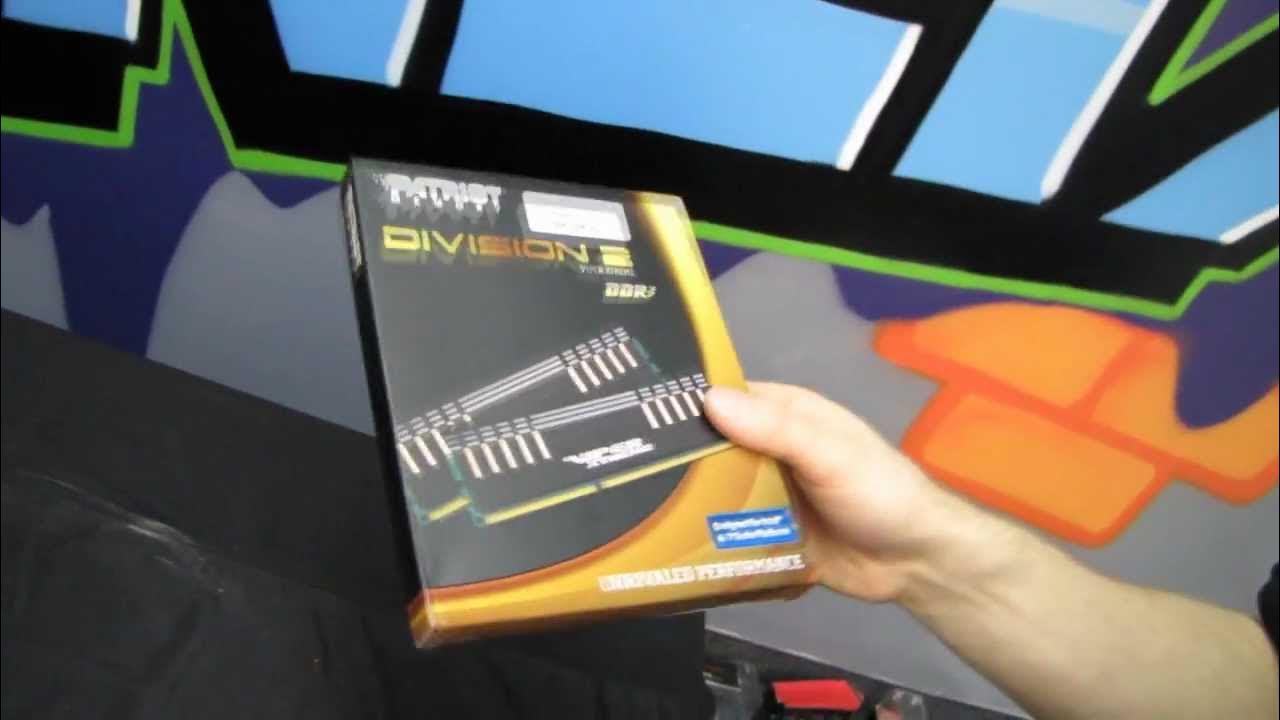
Patriot Viper Xtreme 8GB DDR3 2400MHz 2.4GHz RAM Memory Unboxing & Test Linus Tech Tips
Video · 0:00

Patriot Viper Xtreme 8GB DDR3 2400MHz 2.4GHz RAM Memory Unboxing & Test Linus Tech Tips

Linus Tech Tips@LinusTechTips•58.6K views•May 28, 2012•4:56

Your rating

Rate this video from 1 to 5

Reactions

Reactions to this video

Share

WhatsAppXReddit
Source
YT
Views
58.6K
Subscribers
16.9M
vs. channel typical
0.1x
Likes per 100
2.5
Comments
509

Description

CA: ncix.com US: us.ncix.com High speed Patriot DDR3 is now easier to operate than ever! In this video I unbox the RAM, then show how easy it is to set up in a Z77 board!

Start

AI Overview

The video opens with Linus presenting an unboxing of Patriot Viper Extreme Division 2 DDR3 RAM, highlighting that the 8 GB kit runs at 2400 MHz and uses a 1.65 V design. He walks through the memory’s physical build, noting copper spreaders under aluminum heat shields and the overall aggressive aesthetic, while discussing whether such high-frequency memory is feasible on Sandy Bridge versus Ivy Bridge platforms. Linus then demonstrates a real-world setup on an Ivy Bridge Z77 system, showing how to enable the XMP profile and boot into Windows, with the kit running at advertised specifications once configured. He provides live commentary on POST speed, boot times, and the system recognizing the memory, comparing the experience to Kingston HyperX DDR3 3600 as a reference point. The segment ends with a lighthearted wrap, featuring Slick clearing boxes in the background and a playful Patriot-themed “museum” vibe, followed by a quick call to subscribe. Overall, the video blends unboxing, install steps, and first impressions of the Patriot Viper Extreme Division 2 RAM on a modern Ivy Bridge platform, concluding that high-frequency memory is achievable and easy to enable on the right motherboard and processor combination.

Topics · technology · hardware · pc_hardware · unboxing · computer_science · video_blog · review

Questions answered

What is the advertised speed and voltage of the Patriot Viper Extreme Division 2 8GB RAM kit?
The kit is advertised as 2400 MHz with a voltage of 1.65 V.
How can Ivy Bridge users enable the high-frequency memory on a Z77 board?
By enabling the XMP profile in the motherboard BIOS, which allows the memory to run at its advertised 2400 MHz.”


More from Linus Tech Tips

  • The $40 GTA 6 Gaming Setup is MUCH Better Than You'd Think
    18:45

    The $40 GTA 6 Gaming Setup is MUCH Better Than You'd Think

    534K views•yesterday
  • My Investment is on SALE
    1:42

    My Investment is on SALE

    305K views•yesterday
  • You Were Right About my Braces
    15:09

    You Were Right About my Braces

    582.4K views•2 days ago
  • 3 DJI M5T Features That Work Together
    0:55

    3 DJI M5T Features That Work Together

    39K views•2 days ago

Related videos

  • Google Pixel Unboxing! (Best Android 7.1 Features)
    6:25

    Google Pixel Unboxing! (Best Android 7.1 Features)

    3M views•10 years ago
  • Is this my next laptop? - HP Dev One
    14:52

    Is this my next laptop? - HP Dev One

    1.4M views•4 years ago
  • The Mac Mini Killer - Minisforum UM773
    16:53

    The Mac Mini Killer - Minisforum UM773

    933.5K views•4 years ago
  • THIS is better - PowerColor Red Devil 7900 XTX
    8:10

    THIS is better - PowerColor Red Devil 7900 XTX

    926.8K views•4 years ago
  • I'm in LOVE with this mouse! - Logitech G Pro X Superlight
    14:39

    I'm in LOVE with this mouse! - Logitech G Pro X Superlight

    519.3K views•6 years ago
  • Is this as stupid as it looks? (Yes) - Minisforum MC560 Webcam PC
    11:09

    Is this as stupid as it looks? (Yes) - Minisforum MC560 Webcam PC

    463.2K views•4 years ago

