HomeFeatured videos and new releasesBrowseLatest videos, playlists, and topicsCreatorsYouTube creators and their videosNewsHeadlines from publishers' feedsHistoryResume recently watched videos
Theme
Language
AccountAccountSign in
PrivacyCookiesTermsAboutContactRemovalMethodology
Account
Sign in
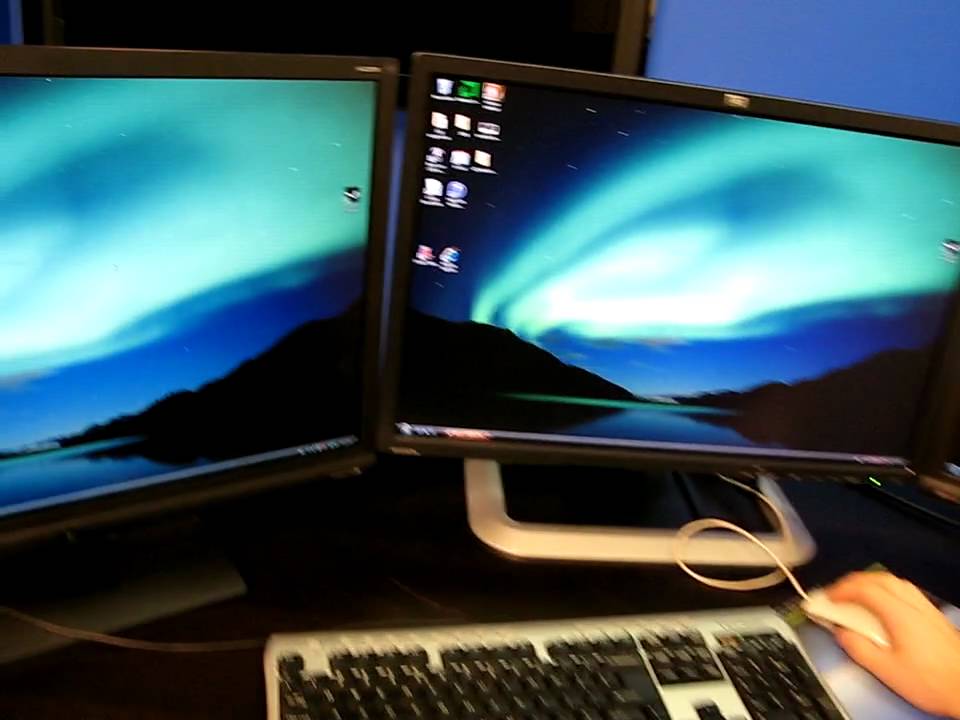
ATI Eyefinity Setup Guide
Video · 0:00

ATI Eyefinity Setup Guide

Linus Tech Tips@LinusTechTips•202.6K views•Sep 25, 2009•1:46

Your rating

Rate this video from 1 to 5

Reactions

Reactions to this video

Share

WhatsAppXReddit
Source
YT
Views
202.6K
Subscribers
16.9M
vs. channel typical
0.4x
Likes per 100
0.4
Comments
289

Description

Step by step I'll walk you through the process of setting up ATI Eyefinity technology for HUGE resolution gaming.

Start

AI Overview

This ATI Eyefinity Setup Guide walks viewers through creating a single seamless desktop across three monitors using ATI Eyefinity. The presenter demonstrates connecting three displays, noting the requirement for a native DisplayPort monitor for Eyefinity to function properly. The steps include initiating a display group to combine the three screens, then switching to the proper group properties to set a high resolution that treats the trio as one large monitor, for example 5760 by 1200. After configuring the resolution, the video shows rearranging the display order so that the taskbar and start menu align correctly with the physical layout. The demonstration concludes with maximizing a program to verify that it stretches across all three screens, confirming the Eyefinity setup is correctly and smoothly utilized for expansive gaming or productivity. Overall, the guide emphasizes practical, step-by-step actions and real-world results, highlighting how a correctly configured Eyefinity setup delivers an ultrawide, continuous desktop experience rather than three separate monitors.

Topics · technology · hardware · gaming · multimonitor_setup

Questions answered

What is the minimum requirement to make Eyefinity work with three monitors?
You must have three monitors with at least one native DisplayPort connection, or use an active DisplayPort adapter for the other displays.


More from Linus Tech Tips

  • I am One Failure Away From Data Loss
    22:44

    I am One Failure Away From Data Loss

    56.2K views•20 hours ago
  • The $40 GTA 6 Gaming Setup is MUCH Better Than You'd Think
    18:45

    The $40 GTA 6 Gaming Setup is MUCH Better Than You'd Think

    534K views•2 days ago
  • My Investment is on SALE
    1:42

    My Investment is on SALE

    305K views•2 days ago
  • You Were Right About my Braces
    15:09

    You Were Right About my Braces

    582.4K views•3 days ago

Related videos

  • Can You Actually Game in 8K? (RTX 3090 Gameplay!)
    16:21

    Can You Actually Game in 8K? (RTX 3090 Gameplay!)

    11.6M views•6 years ago
  • The Handheld PC with No Screen?!
    0:29

    The Handheld PC with No Screen?!

    9.2M views•2 years ago
  • PlayStation 5 Review: Next Gen Gaming!
    16:44

    PlayStation 5 Review: Next Gen Gaming!

    8.2M views•6 years ago
  • Nothing else is even close - Samsung Odyssey G9 Monitor
    10:23

    Nothing else is even close - Samsung Odyssey G9 Monitor

    8.1M views•6 years ago
  • Dope Tech: The Biggest Ultrawide Monitor!
    10:39

    Dope Tech: The Biggest Ultrawide Monitor!

    4.4M views•6 years ago
  • Asus ROG Phone Impressions!
    10:11

    Asus ROG Phone Impressions!

    3.8M views•8 years ago

