HomeFeatured videos and new releasesBrowseLatest videos, playlists, and topicsCreatorsYouTube creators and their videosNewsHeadlines from publishers' feedsHistoryResume recently watched videos
Theme
Language
AccountAccountSign in
PrivacyCookiesTermsAboutContactRemovalMethodology
Account
Sign in
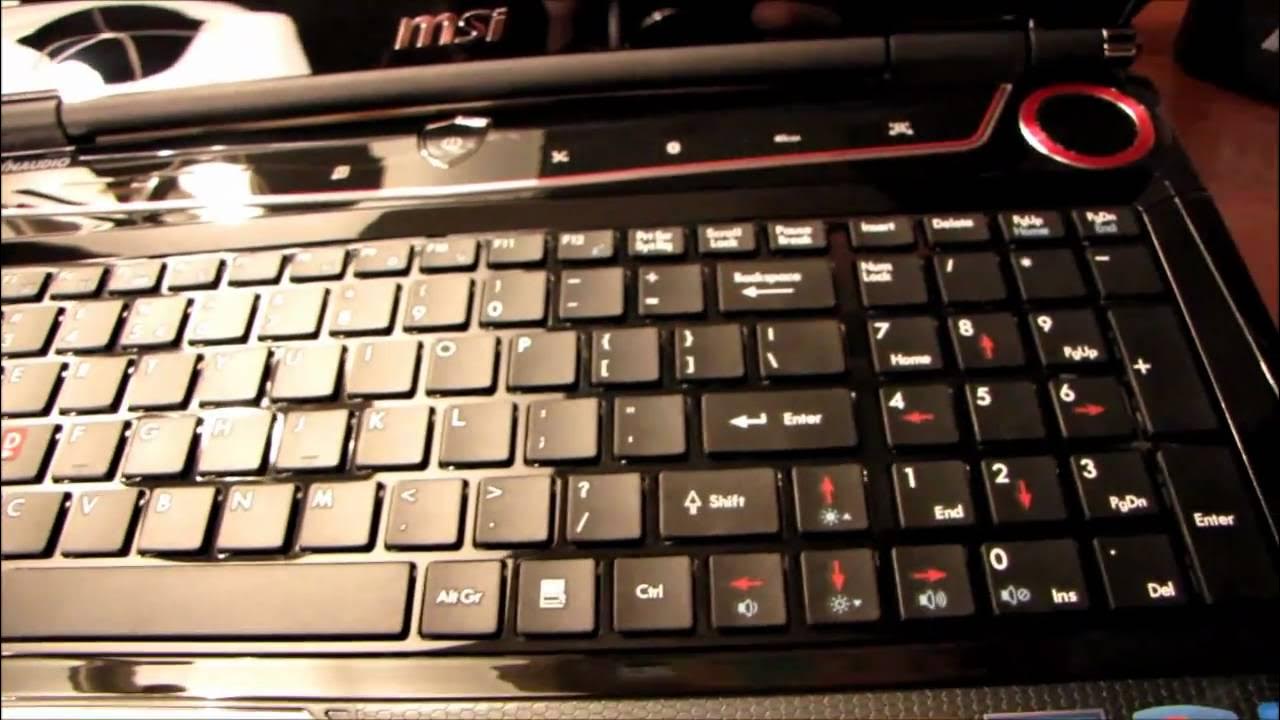
MSI GX660R Core i7 Radeon 5870 Gaming Notebook Unboxing & First Look
Video · 0:00

MSI GX660R Core i7 Radeon 5870 Gaming Notebook Unboxing & First Look

Linus Tech Tips@LinusTechTips•53.6K views•Jan 7, 2011•17:26

Your rating

Rate this video from 1 to 5

Reactions

Reactions to this video

Share

WhatsAppXReddit
Source
YT
Views
53.6K
Subscribers
16.9M
vs. channel typical
0.1x
Likes per 100
1.0
Comments
260

Description

ncix.com By the time I'm here uploading this I've already used the notebook a little bit in my hotel room here in Vegas and so far I'm VERY impressed. It's quiet, feature-filled, and FAST.

Start

AI Overview

The video opens with the host in a Las Vegas hotel room, announcing a surprise unboxing of an MSI GX660R gaming notebook. He outlines the key specifications of the model, highlighting a Core i7 processor, up to 12 GB of DDR3 memory, and a Radeon HD 5870 GPU, while noting features like dual SATA drives in RAID 0 and a 15.6 inch 1080p display. The host inspects the unboxing contents, including the notebook, a large power brick, user manuals, drivers, and a nine cell battery, and comments on the overall build and design aesthetics such as the glossy black chassis with chrome accents. He explains the accessibility of internal components, pointing out easy RAM and drive upgrade access beneath a bottom panel, and discusses potential upgrades like adding an SSD and expanding storage. The video continues with a tour of the ports and inputs on both sides, including USB 3.0, HDMI, VGA, audio jacks, a Blu-ray drive, and the EK of the cooling system, while describing the keyboard layout, touchpad texture, and the attention MSI gives to audio quality with Sound by Dynaudio. The host powers up the notebook, notes the RAID setup in the BIOS, and hints at upcoming follow-up videos exploring overclocking and performance testing, promising to return with long-term impressions after CES. He concludes with reflections on MSI’s shell design, the keyboard and touchpad usability, and the overall potential of the GX660R for gaming and productivity, planning to post further updates after hands-on experience and testing in Las Vegas and back home in Vancouver.

Topics · technology · hardware · unboxing · product_review

More from Linus Tech Tips

  • The $40 GTA 6 Gaming Setup is MUCH Better Than You'd Think
    18:45

    The $40 GTA 6 Gaming Setup is MUCH Better Than You'd Think

    534K views•yesterday
  • My Investment is on SALE
    1:42

    My Investment is on SALE

    305K views•yesterday
  • You Were Right About my Braces
    15:09

    You Were Right About my Braces

    582.4K views•2 days ago
  • 3 DJI M5T Features That Work Together
    0:55

    3 DJI M5T Features That Work Together

    39K views•2 days ago

Related videos

  • This is EMBARRASSING for Google  - iPhone Air
    15:38

    This is EMBARRASSING for Google - iPhone Air

    1M views•last year
  • It’s so cute  ★~(◠‿◕✿) - Framework 12
    15:33

    It’s so cute ★~(◠‿◕✿) - Framework 12

    742.5K views•last year
  • This thing keeps impressing me! - Alienware AW2723DF
    13:35

    This thing keeps impressing me! - Alienware AW2723DF

    734.6K views•4 years ago
  • I Waited 7 Years for a ZERO Battery Smart Lock - Alfred Smart Lock + Wi Charge
    14:36

    I Waited 7 Years for a ZERO Battery Smart Lock - Alfred Smart Lock + Wi Charge

    668.1K views•last year
  • Fastest Mac Mini in the World! [Part 1]
    3:00

    Fastest Mac Mini in the World! [Part 1]

    653.6K views•15 years ago
  • Always wanted a Mac? Try this. - M2 Mac Mini
    11:45

    Always wanted a Mac? Try this. - M2 Mac Mini

    618.1K views•4 years ago


