Your rating
Reactions
Description
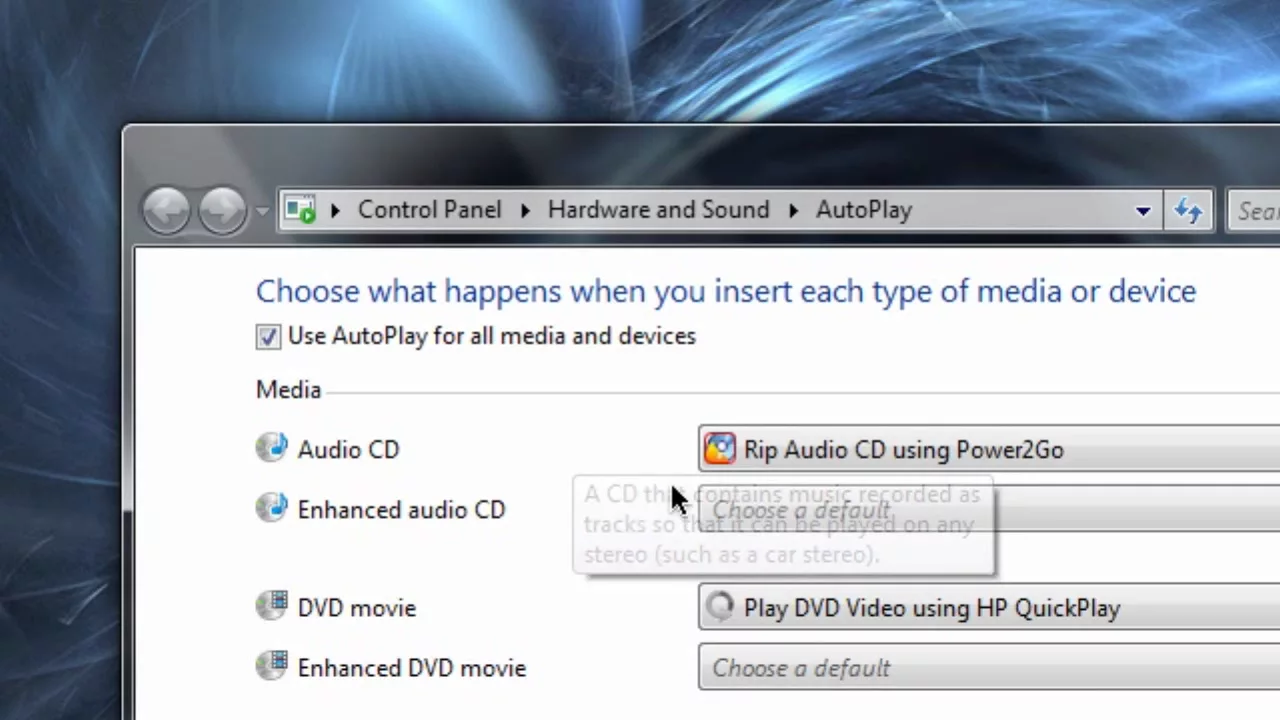
***WATCH IN HD*** In this quick video, I'll show you how to customize what Windows does (whether you're in Vista or XP) when you insert a foreign device, such as a cell phone, USB device, mouse, external HDD, etc. Enjoy - SUBSCRIBE
AI Overview
HD Tutorial: Customizing Autoplay walks viewers through adjusting Windows Autoplay preferences, primarily focusing on Windows Vista and mentioning XP as a reference point. The host demonstrates how to access the Autoplay settings by opening the Start menu, typing autoplay in the search field, and launching the Autoplay control panel that resembles Windows Explorer. The video explains that users can customize what happens when they insert various devices or media, such as audio CDs, USB drives, or external hard drives, choosing actions like automatically opening folders, launching a specific program, or prompting before taking action. Special attention is given to configuring device-specific behavior, illustrated with a practical example of syncing a LG Voyager phone through a predefined program, RapCity, and setting it to manage the device automatically. The tutorial emphasizes the convenience of predefining behaviors for different media types and devices, enabling quick, repeatable outcomes whenever new devices are connected. By the end, viewers should feel confident navigating to Autoplay and customizing default actions for new insertions, reducing repetitive prompts and streamlining media and device handling. The video closes with an invitation to request future tutorials, underscoring a practical, user-centric approach to Windows settings and device management.
Topics · technology · software · howto
Questions answered
- How do you access the Autoplay settings in Windows Vista to customize actions for inserted devices?
- Open the Start menu, type autoplay in the search box, and select Autoplay from the results to open the control panel where you can configure default actions for each media type or device.
- What kinds of actions can you assign to an Autoplay event for a USB drive or external device?
- You can choose to automatically open folders, run a specific program, prompt you each time, or take no action, and you can set device-specific behavior such as syncing a phone with a designated program.




