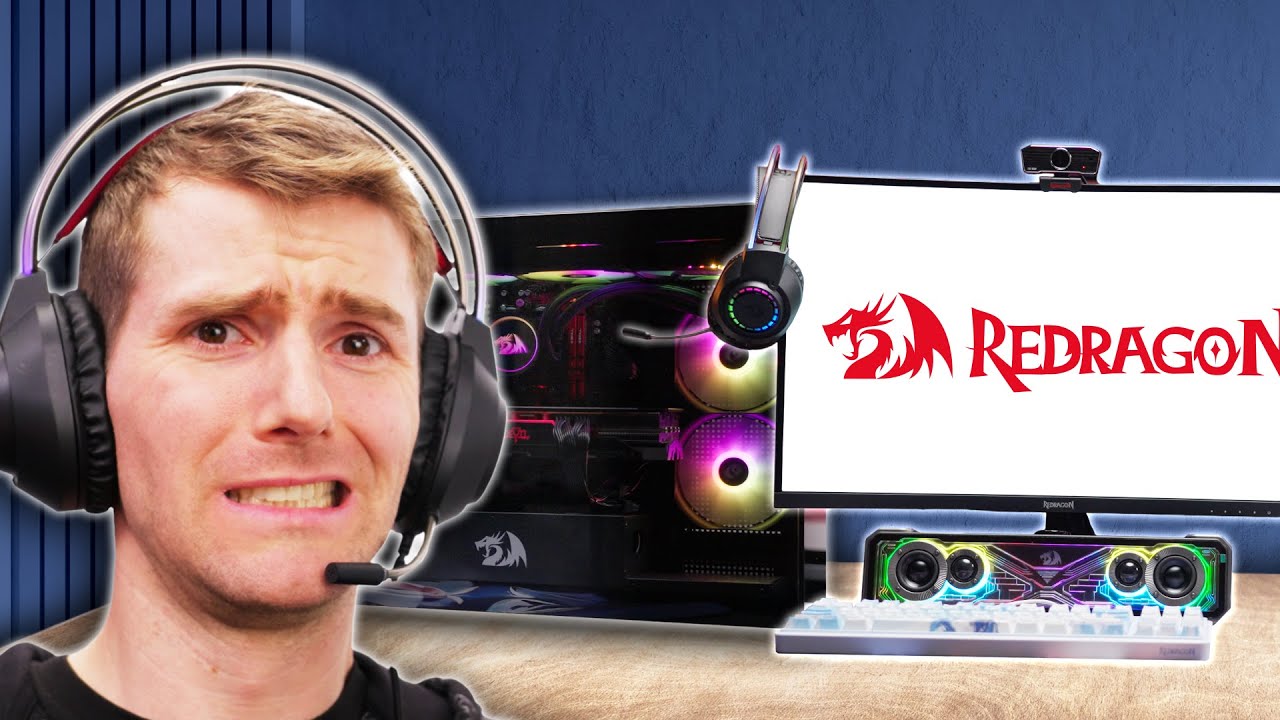
The ALL Redragon Setup is WAY better than I thought
Your rating
Reactions
AudioEnglish (original)Dubbed: ChineseAuto-dubbed: Dutch, French, German, Spanish, Arabic, Bangla, Hebrew, Hindi, Indonesian+11 more
Description
Shop Micro Center’s Monitor Madness Event: micro.center Sign up for a FREE 128gig Flash Drive When Santa Clara Opens: micro.center bit.ly Delete the RGB bloatware and use SignalRGB which controls 100+ brands in one clean interface with hundreds of effects and game integrations. Simplify your setup—download SignalRGB today! Did you know Red Dragon makes more than keyboards? They Make Cases, Mice, Power Supplies and Coolers. And it turns out that some of it may be better than you think. We’re building a complete budget gaming setup, including everything you would need to stream and play all the best games out there. Discuss on the forum: linustechtips.com
Check out the Redragon products: GRINDOR GC218M-DF M-ATX PC Case: geni.us CCW-3014 ARGB 360mm AIO Cooler: lmg.gg PSU007 850W 80+ Gold PSU: geni.us Coral II 27" 1440P 180Hz Monitor: geni.us STAR BLADE K707 PRO Mechanical Keyboard: geni.us K1NG M918 Wireless Gaming Mouse: geni.us SCREAM Gaming Headset: geni.us SURGE GS817 Frostbite Sound Bar: geni.us HITMAN Webcam: geni.us P046L Mouse Pad: geni.us
Promos
Check out the other products from the setup: AMD Ryzen 7 5800X3D CPU: geni.us ASUS B450M-DRAGON Motherboard: tidd.ly G.Skill Ripjaws V 2600MTs CL15 2x16GB DDR4 RAM: geni.us ADATA XPG SX8100NP 512GB M.2 NVMe SSD: geni.us PowerColor Red Devil Radeon RX 5700 XT Graphics Card: geni.us ► GET OUR MERCH: lttstore.com ► GET EXCLUSIVE CONTENT ON FLOATPLANE: lmg.gg ► GET A VPN: piavpn.com ► SPONSORS, AFFILIATES, AND PARTNERS: lmg.gg Purchases made through some store links may provide some compensation to Linus Media Group. CHAPTERS --------------------------------------------------- 0:00 Intro 0:52 Sponsor (SignalRGB) 1:13 Non-Redragon core PC parts 2:29 Redragon case overview 3:20 Redragon AIO cooler 4:56 Redragon PSU overview 5:59 GPU and final PC build 6:43 Redragon Coral monitor 7:40 Turning on the PC 8:10 Anime-themed peripherals 9:00 Mouse impressions 9:32 Keyboard impressions 10:55 Audio accessories and webcam 11:58 Webcam test 12:22 Gaming impressions 13:48 Price breakdown 14:15 Final thoughts 15:24 Sponsor (Microcenter) 16:11 Credits
AI Overview
This video explores a full budget gaming setup centered around Redragon components, challenging the notion that affordable gear is necessarily low quality. The host walks through a mix of Redragon cases, cooling, power supplies, and peripherals, while also incorporating non-Redragon core parts to complete the build. Early on, the sponsor segment highlights SignalRGB, a unified lighting control platform that supports many brands, setting the stage for a cohesive, attractive aesthetic. The discussion then shifts to a first look at a Redragon GC218M case and HL360 ARGB cooler, underscoring design choices like tempered glass panels, dual-fan units, and easy cable routing, followed by a candid critique of the website experience and regional availability. As the build comes together, the host assesses the Coral monitor, Star Blade mechanical keyboard, K707 Pro mouse, and various audio and webcam accessories, weighing build quality against price. The video culminates with a practical price breakdown and final verdict, concluding that the overall Redragon ecosystem offers surprisingly solid value for a budget setup, albeit with some caveats around build quality and regional availability. Throughout, the host emphasizes real-world usability and a balanced mix of positive impressions and humorous scrutiny, delivering a thorough budget-focused PC desk setup that aims to be both functional and affordable.
Topics · technology · pc_build · budget_gaming · peripherals · monitoring · gaming_accessories
Questions answered
- What is the overall value proposition of the Redragon setup in this video?
- The video argues that a complete Redragon-based setup, paired with selective non-Redragon core parts, can deliver solid performance and cohesive aesthetics at a budget price, with an approximate total around $690 for all Redragon components covered.
- Which components stood out as particularly good value?
- The Star Blade K707 Pro keyboard and the K707 Pro mouse are highlighted as strong value options, offering features like multiple connection modes and reasonable performance for the price, along with the Coral monitor for a budget 1440p/180Hz target.






