HomeFeatured videos and new releasesBrowseLatest videos, playlists, and topicsCreatorsYouTube creators and their videosNewsHeadlines from publishers' feedsHistoryResume recently watched videos
Theme
Language
AccountAccountSign in
PrivacyCookiesTermsAboutContactRemovalMethodology
Account
Sign in
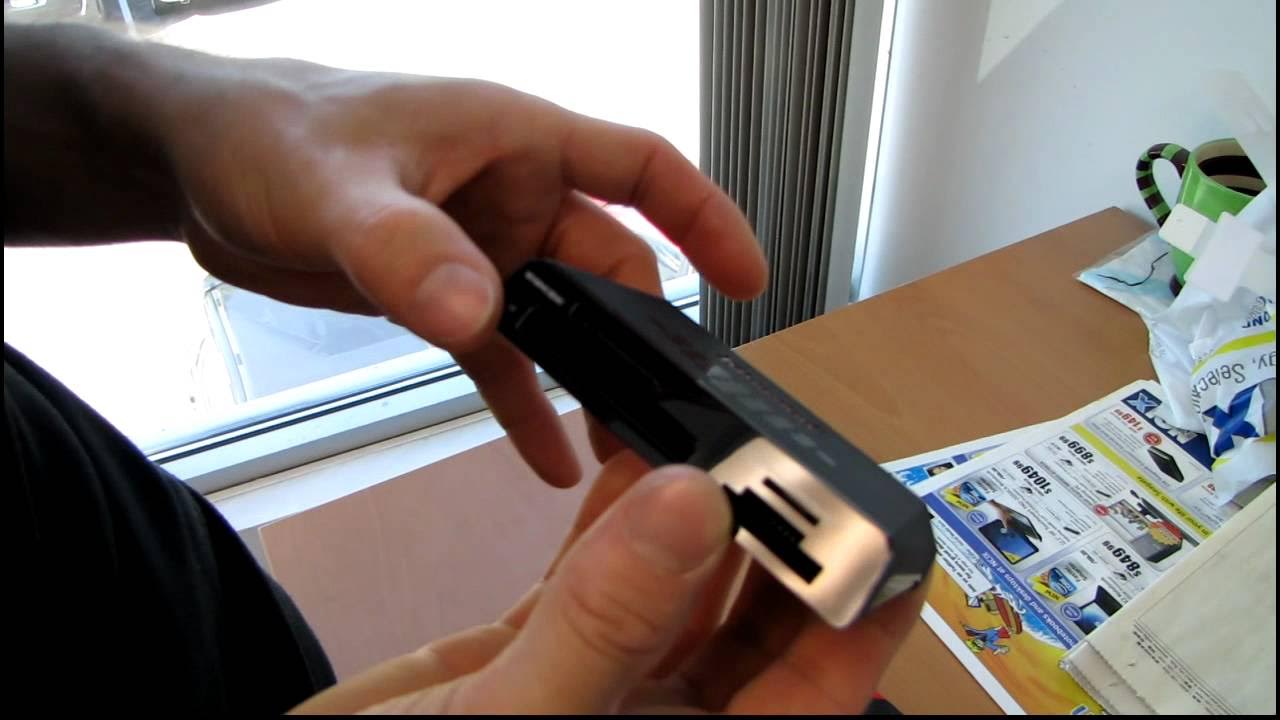
Kingston USB3 Multi Card Reader Unboxing & First Look Linus Tech Tips
Video · 0:00

Kingston USB3 Multi Card Reader Unboxing & First Look Linus Tech Tips

Linus Tech Tips@LinusTechTips•15.2K views•Aug 3, 2011•2:29

Your rating

Rate this video from 1 to 5

Reactions

Reactions to this video

Share

WhatsAppXReddit
Source
YT
Views
15.2K
Subscribers
16.9M
vs. channel typical
0.0x
Likes per 100
1.5
Comments
51

Description

This is useful because it allows you to take advantage of the extra bandwidth provided by USB3 when reading flash cards :)

Start

AI Overview

This video presents an unboxing and first look at the Kingston USB3 Multi Card Reader. The host highlights the reader’s USB 3.0 interface and explains that it takes advantage of the higher bandwidth offered by USB 3 when accessing flash cards, such as SD, SDHC, SDXC and MicroSD family formats, as well as compact flash and MS Duo cards. The device design is shown with its glossy bottom finish and a compact, angled form that keeps card access reachable even when plugged in. The presenter demonstrates how the USB 3 port provides extra power and faster transfer speeds thanks to the additional pins available in USB 3 hardware, and he notes that USB 3 is backward compatible with USB 2.0 ports. Packaging is described as difficult to open, a minor nuisance given the timing of the unboxing, and the included USB 3 cable is shown. In closing, the video confirms the Kingston FCR HS3 USB 3 card reader as the product being reviewed and invites viewers to subscribe to Linus Tech Tips for more unboxings, reviews, and computer videos.

Topics · technology · hardware · unboxing · computer-peripherals

Questions answered

What card formats does the Kingston USB3 Multi Card Reader support?
The reader supports SD, SDHC, SDXC, MicroSD, MicroSDHC, MicroSDXC, Memory Stick Duo and Compact Flash formats.
Does the Kingston USB3 card reader include a USB 3.0 cable and is USB 3 backward compatible?
Yes, it includes a USB 3.0 cable and USB 3.0 is backward compatible with USB 2.0 ports.
What is the primary benefit of using USB 3 with this card reader?
USB 3 provides higher bandwidth and additional pins, enabling faster read and write speeds for compatible cards compared to USB 2.0.


More from Linus Tech Tips

  • The $40 GTA 6 Gaming Setup is MUCH Better Than You'd Think
    18:45

    The $40 GTA 6 Gaming Setup is MUCH Better Than You'd Think

    534K views•2 days ago
  • My Investment is on SALE
    1:42

    My Investment is on SALE

    305K views•2 days ago
  • You Were Right About my Braces
    15:09

    You Were Right About my Braces

    582.4K views•3 days ago
  • 3 DJI M5T Features That Work Together
    0:55

    3 DJI M5T Features That Work Together

    39K views•3 days ago

Related videos

  • This keyboard has a WORLD’S FIRST! - Angry Miao AM AFA
    12:41

    This keyboard has a WORLD’S FIRST! - Angry Miao AM AFA

    344.1K views•4 years ago
  • Mac Pro Unboxing & Second Impressions: The Power is Back!
    11:33

    Mac Pro Unboxing & Second Impressions: The Power is Back!

    5.1M views•7 years ago
  • Google Pixel Unboxing! (Best Android 7.1 Features)
    6:25

    Google Pixel Unboxing! (Best Android 7.1 Features)

    3M views•10 years ago
  • RED Hydrogen One Unboxing! (Houdini Edition)
    6:42

    RED Hydrogen One Unboxing! (Houdini Edition)

    2.7M views•8 years ago
  • I've never held so much graphics POWAHHH - NVIDIA RTX 3080
    8:39

    I've never held so much graphics POWAHHH - NVIDIA RTX 3080

    1.8M views•6 years ago
  • I’m impressed so far!! - Apple M1 MacBook Air
    11:33

    I’m impressed so far!! - Apple M1 MacBook Air

    1.7M views•6 years ago

