HomeFeatured videos and new releasesBrowseLatest videos, playlists, and topicsCreatorsYouTube creators and their videosNewsHeadlines from publishers' feedsHistoryResume recently watched videos
Theme
Language
AccountAccountSign in
PrivacyCookiesTermsAboutContactRemovalMethodology
Account
Sign in
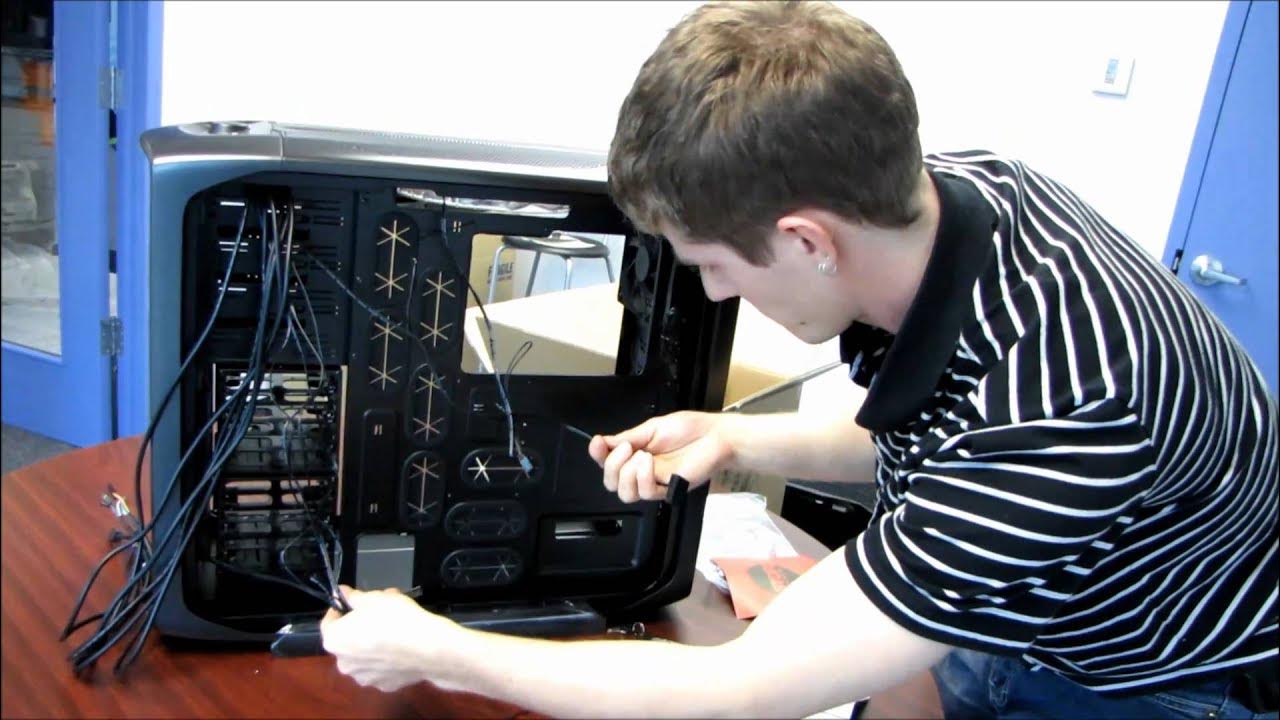
Corsair Graphite Series 600T Gaming Computer Case Unboxing & First Look Linus Tech Tips
Video · 0:00

Corsair Graphite Series 600T Gaming Computer Case Unboxing & First Look Linus Tech Tips

Linus Tech Tips@LinusTechTips•263K views•Oct 13, 2010•10:29

Your rating

Rate this video from 1 to 5

Reactions

Reactions to this video

Share

WhatsAppXReddit
Source
YT
Views
263K
Subscribers
16.9M
vs. channel typical
0.5x
Likes per 100
0.5
Comments
512

Description

ncix.com By popular demand...

Start

AI Overview

The video opens with Linus describing the Corsair Graphite Series 600T, noting its design language and the packaging. He proceeds with an unboxing sequence, carefully removing the box and presenting the case in its full glory, while highlighting the outside features such as the dust filtered mesh front, top USB and audio ports, and a robust external fan controller. Linus emphasizes Corsair's focus on cooling, mentioning the two 200 mm fans on top and front, the integrated cable routing system, and the tool-free drive bays that promise easy maintenance and clean cable management. After removing the side panels, he examines the interior with a detail-oriented tour of the backplate cutout, rubber grommets, and the eight PCI expansion slots, all designed to support large power supplies and even XL ATX motherboards. He also showcases the included accessories, such as screws, zip ties, and a locking mechanism for the side panel, and explains how the cable routing channels on the back of the motherboard tray help keep cables tidy and out of sight. The presentation culminates with a practical assessment of the overall build quality, the removable dust filters, and the panel that can be taken off for cleaning, concluding with a reminder to subscribe for more Linus Tech Tips content and a note on off-camera discoveries that enhance the user experience of this case.

Topics · technology · hardware · unboxing · pc-case · computer-science

More from Linus Tech Tips

  • The $40 GTA 6 Gaming Setup is MUCH Better Than You'd Think
    18:45

    The $40 GTA 6 Gaming Setup is MUCH Better Than You'd Think

    534K views•yesterday
  • My Investment is on SALE
    1:42

    My Investment is on SALE

    305K views•yesterday
  • You Were Right About my Braces
    15:09

    You Were Right About my Braces

    582.4K views•2 days ago
  • 3 DJI M5T Features That Work Together
    0:55

    3 DJI M5T Features That Work Together

    39K views•2 days ago

Related videos

  • Mac Pro Unboxing & Second Impressions: The Power is Back!
    11:33

    Mac Pro Unboxing & Second Impressions: The Power is Back!

    5.1M views•7 years ago
  • Why Does the M2 Mac Pro Exist?
    11:19

    Why Does the M2 Mac Pro Exist?

    3M views•3 years ago
  • Google Pixel Unboxing! (Best Android 7.1 Features)
    6:25

    Google Pixel Unboxing! (Best Android 7.1 Features)

    3M views•10 years ago
  • RED Hydrogen One Unboxing! (Houdini Edition)
    6:42

    RED Hydrogen One Unboxing! (Houdini Edition)

    2.7M views•8 years ago
  • I've never held so much graphics POWAHHH - NVIDIA RTX 3080
    8:39

    I've never held so much graphics POWAHHH - NVIDIA RTX 3080

    1.8M views•6 years ago
  • I’m impressed so far!! - Apple M1 MacBook Air
    11:33

    I’m impressed so far!! - Apple M1 MacBook Air

    1.7M views•6 years ago


