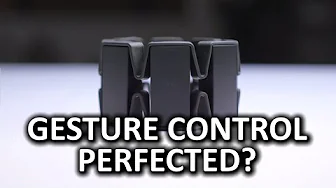
Myo Arm Band - Gesture Control for any Device
Your rating
Reactions
Channels and socials
The Myo Arm Band is a new, interesting way to control your devices with the use of gestures... Is it the next big thing in device control? XSplit link: xsplit.com Sponsor link: linustechtips.com Pricing & discussion: linustechtips.com Support us: linustechtips.com Join our community forum: bit.ly twitter.com @LinusTech Intro Screen Music Credit: Title: Laszlo - Supernova Video Link: youtube.com Outro Screen Music Credit: Approaching Nirvana - Sugar High youtube.com
AI Overview
The video presents the Myo Arm Band as a novel gesture based controller intended to manipulate devices and applications through arm movements and finger gestures. It starts with an enthusiastic overview of the Myo hardware, highlighting the armband design, the teal Bluetooth adapter, and the included micro USB cable. The host details the hardware specs such as the arm cortex M4 processor, multiple EMG sensors, and a 9 axis IMU containing a gyroscope, accelerometer, and magnetometer, along with dual LEDs and a haptic feedback motor. Setup is described as straightforward: install the software, perform a firmware update, name the device, and place the band around the forearm, then wait for sensor heating before syncing gestures. The discussion then covers the software ecosystem, including native support for apps like PowerPoint, Adobe Reader, Netflix, VLC, and community hooks for Windows Media Player and a multi-browser controller, while noting that some hooks do not work well yet and a few gaming integrations feel impractical. In actual use, gesture mappings are explained with left wave as back, right wave as forward, finger spread for start/stop, and making a fist for actions like volume control or in-game interactions, with the practical concern of how everyday hand movements could trigger inputs. The reviewer also emphasizes the importance of a reliable lock/unlock gesture to avoid accidental inputs during normal activities, sharing personal experiments that showed inconsistent behavior and unintended inputs. The verdict is cautious optimism: the Myo is a compelling first generation product that sparks interest in future firmware, software updates, and potential hardware iterations, but the current experience is hampered by unreliable gesture recognition and lock mechanics. The host suggests potential improvements such as a two-stage lock, or alternative authentication like voice control or a hardware button to prevent unwanted inputs, while acknowledging the device’s appeal for enthusiasts and early adopters. Overall, the video blends excitement about the concept with practical critique, concluding that Thalmic Labs has captured attention but must refine gesture reliability and day-to-day usability to fulfill the promise of a truly seamless arm-mounted motion controller.
Topics · technology · wearables · gesture-control · hardware-review
Questions answered
- What hardware components make up the Myo Arm Band?
- The Myo Arm Band includes an arm cortex M4 processor, multiple EMG sensors, and a 9 axis IMU with a 3 axis gyroscope, a 3 axis accelerometer, and a 3 axis magnetometer, plus dual LEDs and a haptic feedback motor.
- What are the main gesture controls described and their typical uses?
- Left wave typically acts as a back or rewind, right wave as forward or next, spreading fingers serves as a start/stop signal, and making a fist can control actions like volume or in-game interactions.






