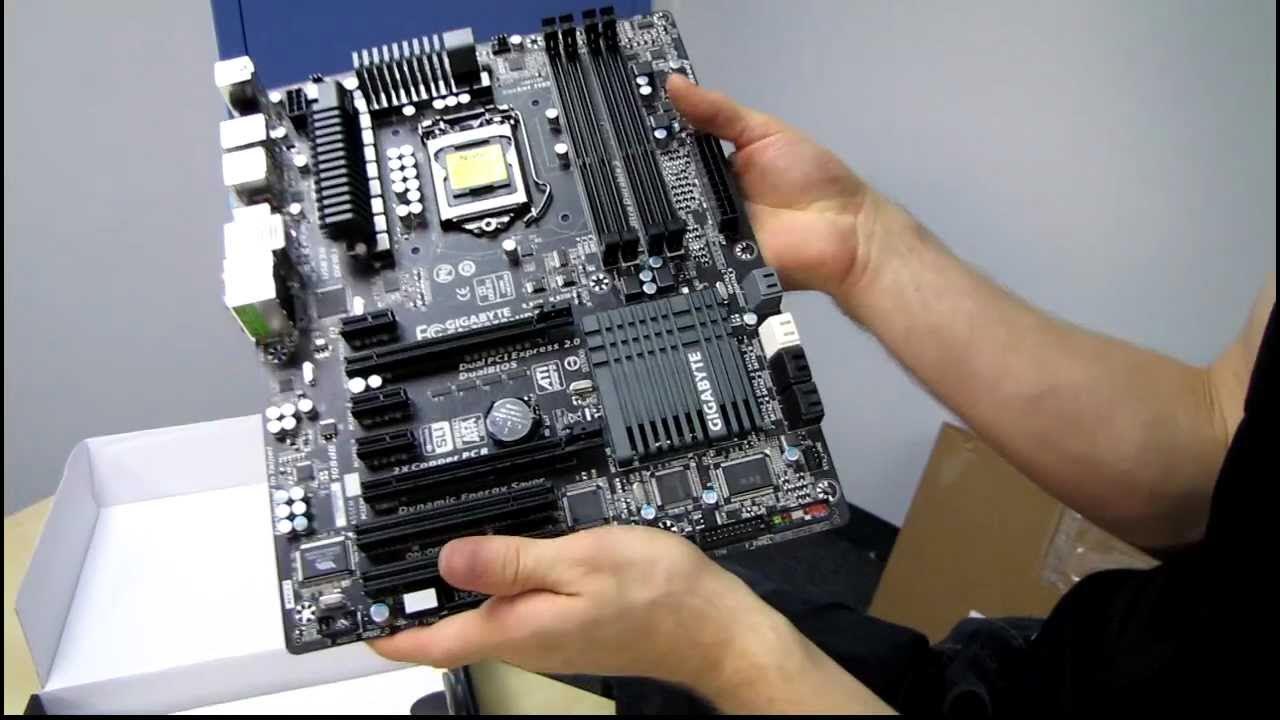
Gigabyte Z68XP-UD3P Z68 Motherboard Unboxing & First Look Linus Tech Tips
Your rating
Reactions
Description
ncix.com This board looks great, delivers outstanding value, and is surprisingly well-built
AI Overview
The video provides a thorough unboxing and first look at the Gigabyte Z68XP-UD3P Z68 motherboard, focusing on value, build quality, and feature set. The host explains several key technologies included on the board, starting with Easy Smart Response, Gigabyte's implementation of Intel Smart Response Technology that enables HDD caching with a small SSD to boost overall system responsiveness. He highlights Hybrid EFI support for 3 TB hard drives and notes that the platform is Ivy Bridge ready, with Native PCI Express 3.0 support anticipated for future graphics cards. The discussion covers practical hardware design choices, such as a robust 8-pin power connector, a three-channel layout of PCIe slots, and a low-profile chipset heatsink to avoid interference with large GPUs. The unboxing portion itemizes included accessories, including HDMI to DVI adapter, IO shield, SLI bridge, multiple SATA cables, and a driver DVD, while advising viewers to download the latest drivers from Gigabyte’s website. The presenter emphasizes dual BIOS as a safety feature that mitigates the risk of bricking the board during BIOS updates, and offers quick guidance on SRT setup using the Gigabyte utility, including a simple two-step process to install the OS first and add the SSD later. The overall impression is positive: the board looks slick in all black with blue accents, and appears to offer a strong balance of features, power delivery, and expandability in a value-oriented package. The host invites viewers to subscribe for more Linus Tech Tips content, including unboxings and in-depth reviews, and signals enthusiasm for continuing coverage of this platform. In the later part of the video, the host walks through the board layout in detail, highlighting the eight SATA ports, dual BIOS capability, front panel USB options, and a thoughtful arrangement of fan headers and PCIe lanes. He comments on the physical design, noting the beefy power delivery and the decision to position the 24-pin connector for convenient cable management. The video also touches on practical considerations such as ensuring good contact between MOSFETs and heat sinks, and the board’s compatibility with Intel HD Graphics when a dedicated GPU is not installed. The discussion provides a balanced view of the Z68XP-UD3P, including potential future-proofing with PCIe 3.0 support and Lucid Virtue switchable graphics, while reiterating its value and ease of use for builders who want solid performance without paying a premium. By the end, the viewer gains a clear sense of what makes this motherboard stand out in its class, along with practical tips for setup and maintenance, and a call to action to check out related videos and guides.
Topics · technology · hardware · unboxing · motherboard · computer_hardware · consumer_electronics
Questions answered
- What is Intel Smart Response Technology and how does it benefit a system using the Z68XP-UD3P?
- Intel Smart Response Technology is a caching solution that uses a small SSD to accelerate a larger HDD, improving system responsiveness and boot times without needing a large SSD capacity.
- Why is dual BIOS considered important on this motherboard?
- Dual BIOS provides a safety net by allowing the system to recover or restore a working BIOS if a flash or update fails, reducing the risk of bricking the board.
- What PCIe feature is highlighted as future-ready on the Z68XP-UD3P?
- The motherboard supports native PCI Express 3.0, enabling improved bandwidth for upcoming graphics cards.






