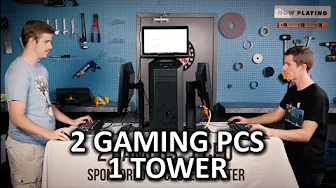
2 Gaming Rigs, 1 Tower - Virtualized Gaming Build Log
Your rating
Reactions
Channels and socials
Ever thought to yourself - My computer is so powerful that it could conceivably run TWO copies of this game.. How would I do that? Well, here's the answer, friends! Component List and Discussion: linustechtips.com Support us: linustechtips.com Join our community forum: bit.ly twitter.com @LinusTech Intro Screen Music Credit: Title: Laszlo - Supernova Video Link: youtube.com iTunes Download Link: itunes.apple.com Artist Link: soundcloud.com MUSIC CREDITS: Title: Stephen Walking - One Man Moon Band Video Link: youtube.com iTunes Download Link: itunes.apple.com Label Channel: youtube.com Title: Stephen Walking - The Difference Between Us And The Aliens Video Link: youtube.com iTunes Download Link: itunes.apple.com Label Channel: youtube.com Outro Screen Music Credit: Approaching Nirvana - Sugar High youtube.com
AI Overview
The build begins with the unboxing of a Cooler Master Master Case Pro 5, a V850 PSU, and a Neptune 240 M water cooler, followed by the installation of an Asus SUSEX 99 Deluxe motherboard that houses an Intel Core i7‑5960X CPU, 32 GB Corsair Vengeance LPX RAM, and two 480 GB SSDs. The system is configured for AHCI mode, with the SSDs set as cache drives and the two 3 TB Seagate HDDs as parity/disks, and Unraid is installed from a FAT32 USB drive. Virtualization is enabled via VT‑D and VT‑X in the BIOS, and the web UI is accessed at http://tower, where the server is named “unlinus” and a static IP is set. Three shares are created: ISO (VM installation), VDisk (SSD boot drives), Docker (applications), and VDiskArray (HDD mass storage). The VM manager is enabled, ISO library set to the isos folder, and the bridge set to br0. Two VMs are created: one for Windows 10 (8 virtual cores, 12 GB RAM, 200 GB VDisk, 1 TB array VDisk, GPU Titan X, network bridge br0, peripherals). The VM boots from the ISO, installs drivers, and the storage devices appear. After drivers for SSD and NVIDIA graphics card are installed, a second virtual machine is created with different CPU cores. High‑performance mode is enabled, fast boot, sleep, and hibernation are disabled, and a registry hack from the Guru 3D forums is applied for audio. Both VMs start automatically at boot, allowing Windows 10 to run on one computer. After boot, Star Wars Battlefront Beta runs at 1080p ultra on two VMs: 106 fps on one, 104 fps on the other. The system uses a 5960x CPU with three physical cores for one VM and a 5930k CPU with six cores for the other, achieving 120 fps average on the 5960x VM and 102.5 fps average on the 5930k VM. Links to hardware and Unraid are in the description, and viewers can support the channel via affiliate links.
Topics · gaming · review · pc · tech · linus · computer · nvidia · performance
What viewers said
Viewers praise the build’s comprehensive coverage and the clear step‑by‑step instructions, with several comments highlighting the high frame rates achieved on both VMs and the overall value of the system. Many commenters request a 2022 or 2023 edition, and a few note the importance of the VT‑D and VT‑X settings for virtualization. The community also appreciates the detailed links and affiliate support, indicating strong engagement and a positive reception of the video’s content.
Questions answered
- What hardware components are included in the build?
- The build uses a Cooler Master Master Case Pro 5, a V850 PSU, a Neptune 240 M water cooler, an Asus SUSEX 99 Deluxe motherboard, an Intel Core i7‑5960X CPU, 32 GB Corsair Vengeance LPX RAM, two 480 GB SSDs, two 3 TB Seagate HDDs, two GPUs (GTX Titan X and GTX 780 Ti), and a 9500 GS for Unraid.
- How is virtualization enabled in the BIOS?
- Virtualization is enabled via VT‑D and VT‑X in the BIOS, allowing the system to run two virtual machines simultaneously.
- What performance metrics are reported for the VMs?
- The first VM runs at 120 fps average on the 5960x CPU, while the second VM runs at 102.5 fps average on the 5930k CPU.
- Where can viewers access the Unraid web UI?
- The Unraid web UI is accessed at http://tower, where the server is named “unlinus” and a static IP is set.






