Your rating
Reactions
Channels and socials
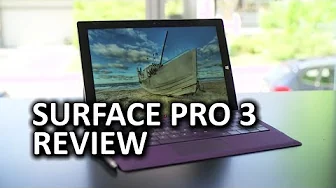
My review of the Surface Pro 3 from Microsoft will leave some of your nodding in agreement and others shaking your heads furiously... But to find out which camp you fall into, I guess you'll have to watch... Sponsor link: linustechtips.com Pricing & discussion: linustechtips.com Support us: linustechtips.com Join our community forum: bit.ly twitter.com @LinusTech Intro Screen Music Credit: Adhesive Wombat -
Check out his channel here: youtube.com Outro Screen Music Credit: Approaching Nirvana - Sugar High youtube.com
AI Overview
The video presents Linus Tech Tips' review of the Microsoft Surface Pro 3, exploring whether the device lives up to its concept of combining a tablet and a full Windows PC. The host starts by outlining the Surface Pro 3 as a product he wanted to love, acknowledging past Surface attempts and the need for x86 compatibility, better performance, and lower pricing. He then shares his first impressions after unboxing, noting that the device feels lighter and premium with a satin metal back, and that the included accessories and keyboard layout contribute to a strong initial impression. Throughout the early segments, he critiques the touchpad accuracy, palm rejection, and the missing stylus slot, while praising the keyboard travel and overall build quality as a standout achievement for a thin device. The summary of specifications emphasizes a capable Core i5 option with 8 GB RAM, a 256 GB SSD, a 12-inch 2160x1440 display, long battery life, and a full set of modern I/O including a USB 3 port and Mini Display Port, arguing that these features position the Surface Pro 3 as a versatile Windows machine rather than a pure tablet. The host then moves into real-world usage scenarios, recounting a four-day business trip where the device demonstrated strong battery life, practical file offloading via USB 3, and the ability to run full Windows applications, while also highlighting ergonomic and usability tradeoffs like the kickstand and typing angle on planes. He acknowledges the Surface Pro 3's appeal for productivity and flexibility but remains critical about aspects such as the stand ergonomics, the absence of a stylus slot, and concerns about Windows 8.1 text scaling, which can blur some UI elements. In closing, the reviewer contrasts the Surface Pro 3 with alternatives like the Dell XPS 12 and MacBook Air, ultimately arguing that while the Surface Pro 3 excels in certain productivity roles, it may not be the ideal device for everyone, especially those prioritizing traditional clamshell laptop usability over convertible tablet form factors. He invites viewers to share their opinions and directs them to sponsor and affiliate links, finishing with a call to subscribe for more content.
Topics · hardware review · computer hardware · tablet-pc · windows-compatibility · ultrabook · consumer-electronics
Questions answered
- What are the key strengths of the Surface Pro 3 according to the review?
- The review highlights strong build quality, a capable CPU and RAM configuration, long battery life, a versatile Windows 8.1 environment, and full-size USB connectivity that make it a strong productivity device in a compact form factor.
- What are the main criticisms raised in the video?
- Criticisms include the palm rejection and touchpad precision of the keyboard, the lack of a stylus slot, backlight bleed on the display, suboptimal front speaker placement, and text scaling issues in Windows 8.1 that affect UI clarity.
- How does the reviewer compare the Surface Pro 3 to alternative devices?
- The reviewer compares it to the Dell XPS 12 and the MacBook Air, noting that while the Surface Pro 3 is versatile and powerful for Windows users, some may prefer a traditional notebook experience or other thinner options depending on the priority given to touch, keyboard ergonomics, and overall weight.






