Your rating
Reactions
Description
Get an unrestricted 30-day free trial of FreshBooks at freshbooks.com
Promos
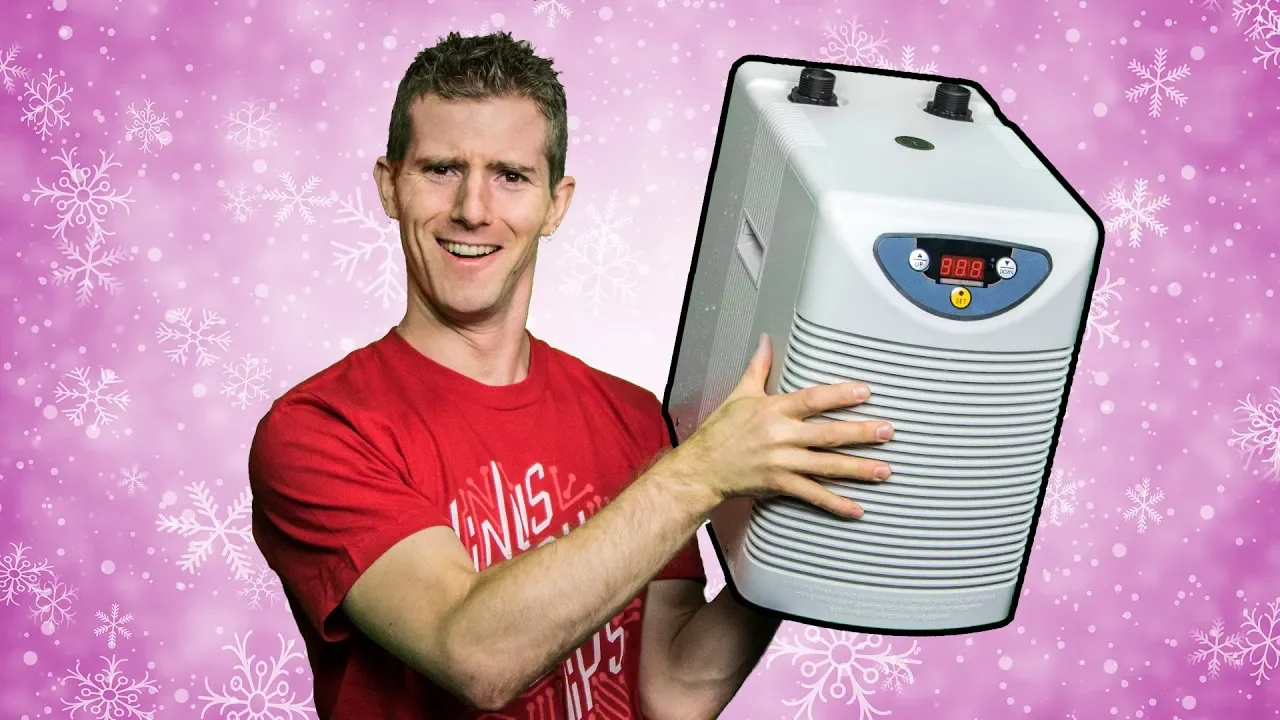
Check out ORIGIN PC’s EVO15-S, powered by NVIDIA GTX 1070 Max-Q: bit.ly Lots of cores means lots of heat... but we've got a janky solution. Buy Hydroponic Cooler On Amazon: geni.us Buy Threadripper 2 On Amazon: geni.us On Newegg: geni.us Discuss on the forum: linustechtips.com Our Affiliates, Referral Programs, and Sponsors: linustechtips.com Linus Tech Tips merchandise at designbyhumans.com Linus Tech Tips posters at crowdmade.com Our Test Benches on Amazon: amazon.com Our production gear: geni.us Twitter - twitter.com Facebook - @LinusTech Instagram - @linustech Twitch - twitch.tv Intro Screen Music Credit: Title: Laszlo - Supernova Video Link: youtube.com iTunes Download Link: itunes.apple.com Artist Link: soundcloud.com Outro Screen Music Credit: Approaching Nirvana - Sugar High youtube.com Sound effects provided by freesfx.co.uk
AI Overview
This video documents an audacious hardware experiment where Linus Tech Tips explores chilling a Threadripper 2 CPU using a compact all-in-one water chiller from ActiveAqua. The hosts begin by describing the unusual setup, transitioning from a typical boardroom to a kitchen laboratory, and acknowledge the sub-zero cooling goal for the 32-core Threadripper. They unbox the chiller and assemble a cooling loop using fittings, tubing, a pump, and a reservoir, debating the best placement and securing components with zip ties and duct tape. Throughout the session they repeatedly test booting the system, switch between motherboards, and attempt BIOS updates to get the CPU to POST, all while managing condensation risk and hardware stability. The narrative moves from initial hesitations about leak potential to a more aggressive overclocking stance, culminating in a cinebench stress test that peaks around 500 watts, followed by reflections on practicality, noise, and potential future integrations into a dedicated system. As the bench setup evolves, the team confronts multiple obstacles: getting a post, stabilizing the BIOS for a Threadripper 2, and finding a reliable mount that minimizes condensation on the CPU socket and VRMs. They swap boards, flash a new BIOS, and adjust thermal compound application, humorously acknowledging the delicate nature of Threadripper mounting. When the system finally posts, they run a Cinebench stress test to gauge power draw and thermal response, observing sustained load near 250 watts and occasional spikes above 500 watts. The results reveal that while the cooling solution is compact and surprisingly effective, moisture management remains the biggest risk, and they acknowledge the precarious balance between performance gains and hardware safety. In the conclusion, the presenters summarize the main takeaways: the sub-zero water cooling approach is highly compact and capable of cooling the Threadripper 2 effectively, albeit with significant condensation challenges and a noisy pump in the initial setup. They hint at future possibilities, including integrating the chiller into a full system build, and invite viewers to share whether they’d like to see the project cannibalized into a complete custom PC. The segment also features sponsor plugs and an invitation to explore affiliate links, merchandise, and community forums. Overall, the video blends hands-on hardware tinkering with troubleshooting drama, delivering both entertaining content and practical lessons on unconventional cooling methods for high-core CPUs.
Topics · hardware · overclocking · cooling · modding · systems integration · bench testing
Questions answered
- What is the main cooling method used for the Threadripper 2 in this video?
- A compact all-in-one water chiller is used to sub-zero cool the Threadripper 2 through a custom cooling loop.
- Did the team achieve a successful system boot and stable operation during testing?
- They faced multiple BIOS and mounting challenges and had to try different boards and BIOS versions before obtaining a POST, with ongoing stability concerns noted during the tests.
- What were the notable performance indicators during Cinebench stress testing?
- The system showed peak loads around 500 watts with Cinebench, and idle power around 140 watts, indicating significant cooling demands and high power consumption under load.
- What safety concerns are highlighted with sub-zero cooling in this build?
- Condensation and moisture management near the socket and VRMs are highlighted as major risks that require careful insulation and monitoring.






