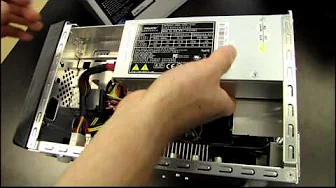
Shuttle SH61R4 Barebones Mini PC Unboxing & First Look Linus Tech Tips
Your rating
Reactions
AudioEnglish (original)Auto-dubbed: Dutch, French, German, Spanish, Bangla, Hebrew, Hindi, Indonesian, Italian, Japanese+9 more
Description
ncix.com This thing is way more awesome than I thought it was at first. It has DUAL DVI!! That's perfect for a small, energy efficient office PC. Throw a Core i3, small SSD, and 4GB RAM in there and for next to nothing, your office PC is fast, silent and energy efficient!
AI Overview
The video provides a detailed unboxing and first look at the Shuttle SH61R4 barebones Mini PC. The host explains the product positioning as a compact, energy-efficient office PC with dual DVI outputs, highlighting the value-focused design and the ability to support current Intel Core i3, i5, and i7 processors on an LGA 1155 platform. He walks through the core specifications, including dual-display capability via DVI, two memory slots with up to 8 GB of DDR3, a 250 W power supply, and two PCIe expansion slots that offer flexible upgrade paths for small form factor builds. The exterior is praised for its aluminum chassis with a brushed finish and a front panel that accommodates a 5.25 inch bay, USB 2.0 ports, and audio jacks, while the back showcases multiple connectivity options such as USB 3.0, gigabit ethernet, and a clear SEOS button. In addition to outline specs, the presenter emphasizes the ease of assembly and the Shuttle design philosophy, noting that many cables and pre-wired components are already routed for a quick setup. He demonstrates the cooling strategy which uses three heat pipes feeding an 80 mm exhaust fan and explains how the design keeps VRM and RAM in close proximity to ventilation. The video transitions to practical assembly guidance, covering required components like CPU, memory, drives, and optional graphics, and explains the benefits of using purely digital video connections for optimal image quality. The host concludes by underscoring the potential for a quiet, compact office or light-duty gaming setup, and invites viewers to check related Shuttle build guides and a separate tutorial on building a Shuttle PC with these barebones units.
Topics · technology · unboxing · build-quality · small-form-factor · pc-components · cooling · workflow
Questions answered
- What does the Shuttle SH61R4 include out of the box for a minimal build?
- The SH61R4 includes the barebones unit itself consisting of a case, a motherboard, and a 250 W power supply, along with front-panel wiring already pre-installed for easy assembly.
- Can you upgrade the SH61R4 with a discrete graphics card and what are the limits?
- Yes, you can add a PCIe graphics card through one of the expansion slots, but due to the 250 W power supply and H61 chipset limitations, high-end GPUs should be avoided and overclocking is not supported.






