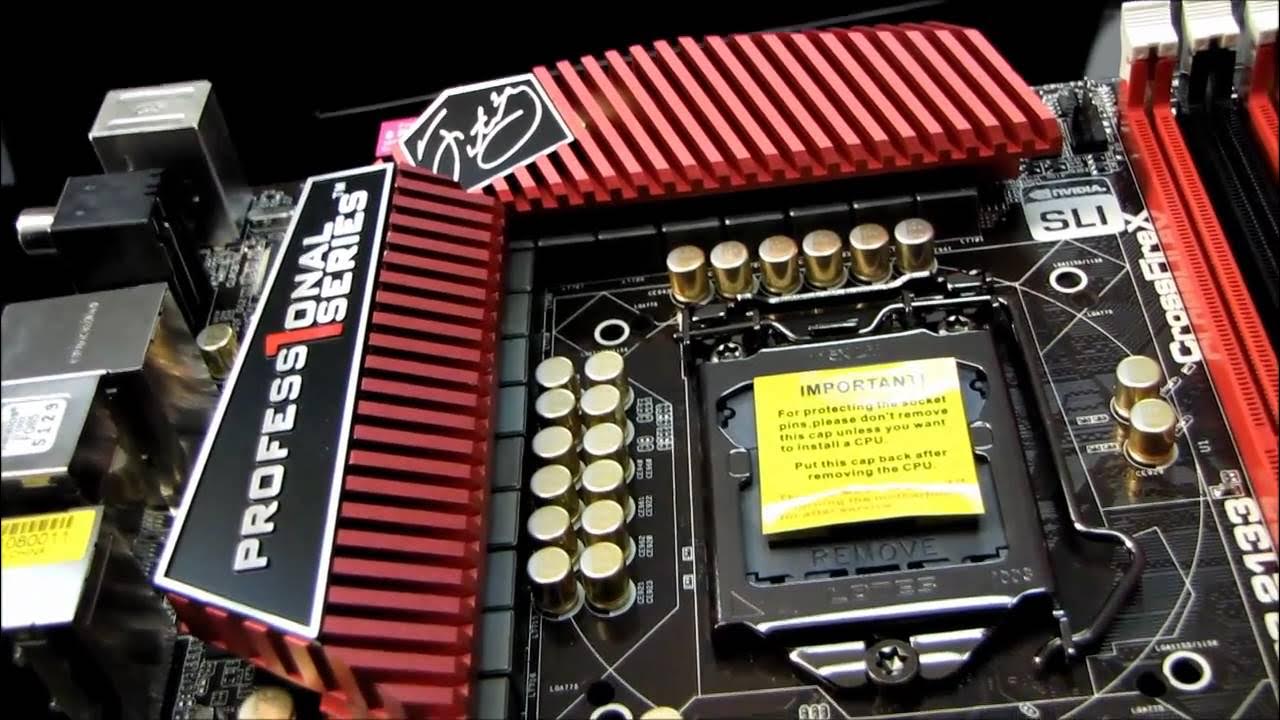
Asrock Fatal1ty P67 Professional Series Motherboard Unboxing & First Look Linus Tech Tips
Your rating
Reactions
Description
ncix.com The Asrock Fatal1ty motherboard is a pretty schmexy looking P67 board. Watch the video to find out more about it.
AI Overview
The video presents an in-depth unboxing and first look at the Asrock Fatal1ty P67 Professional Series motherboard. The host highlights the board’s design language, featuring a red and black color scheme, gold-plated capacitors, and a dual-channel DDR3 layout built around the LGA 1155 socket. Early on, the presentation emphasizes the board’s physical features, such as its 16 plus 2 phase digital PWM power design, the Fatality Mouse Port, and the extensive cooling solution that uses heat pipes to keep the chipset cool while allowing a compact, flat layout for easy GPU installation. The host also reviews the included accessories, such as the front USB 3.0 adapters, a well-labeled IO shield, a clear installation guide in multiple languages, and a detailed driver/pinout diagram, noting the usefulness of these materials during assembly. Overall, the unboxing frames the Fatal1ty P67 as a well-equipped high-end motherboard aimed at enthusiasts who want solid power delivery, robust connectivity, and flexible installation options for dual-GPU setups. Throughout the tour, the host walks through the board’s layout in detail, starting with the LGA 1155 socket and 16+2 phase power design, and then moves to the four DIMM slots and standard 24-pin power header. He explains the PCIe topology, pointing out a PCIe x16 slot, an x4 slot wired for PCIe, and two x1 slots, totaling five usable PCIe lanes for a dual-GPU or mixed-compatibility build. The cooling strategy is praised for keeping high-profile heatsinks out of the way of large graphics cards, with heat pipes linking the chipset coolers to ensure centralized cooling. He also notes onboard features like power and reset buttons, a post-code LED, a front panel connector bank, and an abundance of fan headers that enable extensive cooling setups. In closing, he recaps the back panel connectivity, including dual Gigabit Ethernet, USB 3.0 and USB 2.0 ports, optical/coaxial audio, PS2, FireWire, and multi-channel audio, and confirms that the box includes everything needed to get a first test build running, inviting viewers to download the latest drivers from the manufacturer’s site. By the end of the video, the host ties the unboxing experience to practical build considerations, like boot drive placement on the SATA ports, the handy documentation, and the option to mount a high-end CPU with the featured power delivery and cooling system. He acknowledges the board’s target audience,enthusiasts seeking strong overclocking potential and robust multi-GPU support,while underscoring the overall premium look and feel of the Fatal1ty branding. The conclusion reinforces the value of the package for quick-start builds and for viewers who want to compare this P67 board against contemporaries, while also teasing future reviews and other Linus Tech Tips content.
Topics · hardware · pc_components · unboxing · gaming · technology
Questions answered
- What chipset does the Asrock Fatal1ty P67 Professional Series motherboard use?
- Intel P67 chipset.
- How many USB 3.0 ports are available on the board and how are they arranged?
- Six USB 3.0 ports in total, with three on the back panel and a front panel option providing additional connectivity.
- What is notable about the motherboard’s power delivery design?
- It uses a 16 plus 2 phase digital PWM power design for stable CPU power delivery.
- Does this motherboard support dual-GPU configurations, and if so, which standards?
- Yes, it supports Crossfire X and SLI configurations for dual-GPU setups.






