Antec Spot Cool Computer Fan Unboxing Linus Tech Tips
Your rating
Reactions
Description
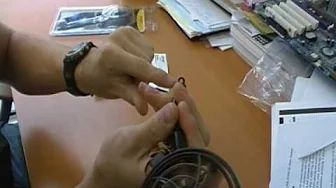
So the spot cool has been around a long time, but I thought I'd take a couple minutes and show our viewers the "what's what" about this neat little device. Basically it's for "cooling a spot"
AI Overview
The video is an unboxing and quick hardware overview of the Antec Spot Cool, a compact cooling accessory designed to target a specific hotspot on a PC. The host walks through the packaging and contents, noting that the manual is a tiny folded sheet and that the device mounts in flexible ways to direct airflow exactly where needed. He demonstrates mounting flexibility by showing how the Spot Cool can be attached to motherboard screws or PCI brackets, and explains that it can be aimed at components like RAM or a video card to improve cooling. The product features include a compact form factor with four blue LEDs that provide a glow, a three-pin power connector, and an adjustable arm that allows the user to position the fan for optimal airflow. The host also explains the device’s low, medium, and high speed settings labeled low, medium, and high, and emphasizes that the cooling solution is meant for targeted, spot cooling rather than broad case cooling. In summary, the video presents the Spot Cool as a versatile, install-anywhere cooling accessory with simple operation and configurable airflow suitable for RAM, PCI slots, or other hot spots in a computer build.
Topics · technology · computing · hardware · unboxing · pc-cooling
Questions answered
- What mounting options does the Antec Spot Cool offer and where can it be attached in a PC case?
- The Spot Cool can mount using a screw in a case hole, allowing placement near RAM or other spots, and it can also be mounted above PCI brackets for cooling around cards.
- What connectors and speed settings does the Spot Cool provide?
- It uses a three-pin connector that can plug into a standard fan header, and offers low, medium, and high speed settings labeled low, medium, and high.
- What is the main purpose of the Antec Spot Cool according to the video?
- The main purpose is to provide targeted cooling for specific hotspots in a computer, such as RAM or a PCI slot, rather than cooling the entire case.






