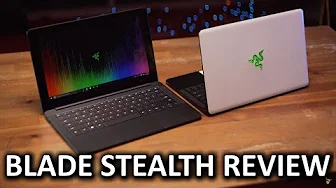
Razer Blade Stealth Review - My new daily driver?
Your rating
Reactions
Channels and socials
I have been using the Blade 14 from Razer as my daily driver for a WHILE now... Can the smaller, updated spec Stealth finally knock it off the throne? dbrand link: dbrand.com Intel link: linustechtips.com Pricing & discussion: linustechtips.com Support us: linustechtips.com Join our community forum: bit.ly twitter.com @LinusTech Intro Screen Music Credit: Title: Laszlo - Supernova Video Link: youtube.com iTunes Download Link: itunes.apple.com Artist Link: soundcloud.com Outro Screen Music Credit: Approaching Nirvana - Sugar High youtube.com Sound effects provided by freesfx.co.uk
AI Overview
The video begins with Linus presenting the Razer Blade Stealth 2016 as a potential new daily driver, positioning it as a slim, non-gaming ultrabook inside a familiar Blade design language. He highlights the changes from the Blade 14, including a thinner, lighter form factor, a redesigned keyboard with RGB backlighting, and a gesture-enabled touchpad that replaces traditional left and right mouse buttons. The host walks through a full hardware tour, covering the chassis, ports, and how the Stealth fits into a mobile workflow, noting the Thunderbolt 3 USB-C port and the compact power adapter. A core portion of the review weighs the trade-offs: a high-resolution display option, battery life under real-world loads, and how the improved keyboard and new backlighting affect daily typing and productivity. He then tests practical performance, acknowledging the Core i7-6500U, 8GB of soldered RAM, and NVMe storage configurations, and shares impressions on everyday use, including multitasking and light gaming expectations. The verdict considers whether the Blade Stealth can compete with mainstream ultrabooks like the MacBook Air, praising the overall value for the price and the non-gaming emphasis, while acknowledging some compromises such as keyboard feel and display choices. The video closes with a nod to customization via dbrand skins and a recap that the Blade Stealth represents a compelling, more affordable alternative in the ultrabook space, especially for power users who want portability without sacrificing essential performance. The overall takeaway is that Razer succeeds in delivering a stylish, well-built ultrabook that can serve as a daily driver for many users, with caveats to consider before purchase.
Topics · technology · laptops · hardware · review · ultrabook
Questions answered
- What is the main design change in the Razer Blade Stealth compared to the Blade 14?
- The Blade Stealth is thinner and lighter, with a redesigned keyboard, gesture-enabled touchpad, and RGB backlighting, emphasizing portability over gaming focus.
- What are the key trade-offs highlighted in the review for this ultrabook?
- Trade-offs include display configuration decisions (high resolution vs battery life), keyboard feel differences, and the absence of gaming-oriented graphics performance in favor of portability.






