AMD Bulldozer FX-8150 Overclocking Guide & Tutorial Linus Tech Tips
Your rating
Reactions
Description
ncix.com Not bad results overall. It was tested further after this video and found to be stable for 24 hours of Prime 95 at 4.7GHz.
AI Overview
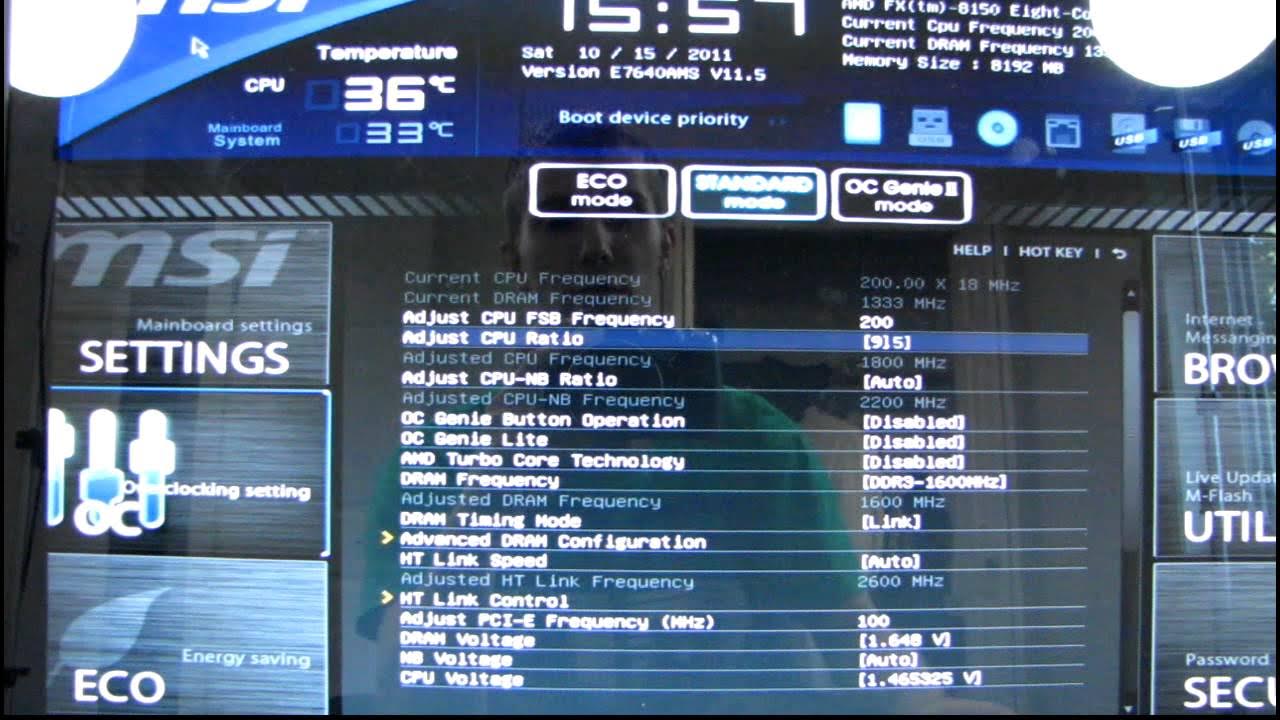
In this Linus Tech Tips tutorial, the host explores overclocking the AMD FX-8150 Bulldozer CPU on a high-end cooling setup, starting with the stock performance baseline and moving into manual tuning of the CPU multiplier, voltage, and memory settings. The video emphasizes turning off automated overclocking features like OC Genie and Turbo Core to achieve controlled, repeatable results. Early attempts reach a stable 4.4 GHz with a voltage around 1.45 V, followed by iterative adjustments to the multiplier and bus speed to probe the chip's stability envelope. A key lesson shown is the importance of using stored overclock profiles so you can quickly recover from instability or failed attempts without reconfiguring every setting from scratch. The host also experiments with multiple motherboards and BIOS interfaces, noting how the BIOS layout and navigation affect the OC workflow, and he highlights practical steps like lowering memory speed to isolate CPU stability factors. As testing progresses, the video documents trial-and-error outcomes, including attempts to push toward 4.8 GHz and even higher with elevated voltages and bus speeds, while warning about real temperature monitoring challenges on the FX platform. The walkthrough culminates in a realistic assessment that around 4.4–4.8 GHz is a practical, reachable range for this chip given the cooling and motherboard context, with a brief look at extreme 5 GHz attempts and the tradeoffs involved. Viewers are reminded to exercise caution with voltages and temperatures and to subscribe for more content in this OC series.
Topics · Technology · Computers · Hardware · Overclocking · Guides
Questions answered
- What is the initial overclock target and what settings are adjusted first?
- The initial target is to raise the CPU multiplier from stock toward higher frequencies, while disabling OC Genie and Turbo Core. The first adjustments focus on setting the CPU multiplier (ratio) and observing stability with a conservative voltage, then iterating with higher multipliers and voltage as needed.
- Why does the creator test across multiple BIOS and boards, and what does that reveal about OC stability?
- Testing across different BIOS interfaces and motherboards shows how BIOS navigation, voltage reporting, and platform differences affect overclock stability and the ease of recovery. It demonstrates that what works on one board may not on another, reinforcing the use of profiles and careful monitoring to maintain stability.






