HomeFeatured videos and new releasesBrowseLatest videos, playlists, and topicsCreatorsYouTube creators and their videosNewsHeadlines from publishers' feedsHistoryResume recently watched videos
Theme
Language
AccountAccountSign in
PrivacyCookiesTermsAboutContactRemovalMethodology
Account
Sign in
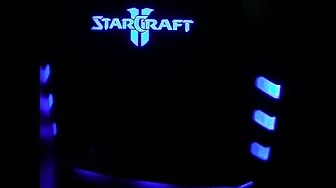
Razer Heart of the Swarm Peripherals Unboxing
Video · 0:00

Razer Heart of the Swarm Peripherals Unboxing

Linus Tech Tips@LinusTechTips•49.1K views•Apr 9, 2013•5:20

Your rating

Rate this video from 1 to 5

Reactions

Reactions to this video

Share

WhatsAppXReddit
Source
YT
Views
49.1K
Subscribers
16.9M
vs. channel typical
0.1x
Likes per 100
3.5
Comments
285

Channels and socials

This includes the Banshee, Spectre, and Marauder gaming peripherals from Razer. If you get the matching set you've got yourself covered for mouse, keyboard, AND headset. Read more & join our community forum: bit.ly twitter.com @LinusTech Buy it now at NCIX: ncix.com

Start

AI Overview

Razer’s Heart of the Swarm edition peripherals are showcased in this batch unboxing featuring the Marauder keyboard, the Banshee headset, and the Spectre mouse. The host notes that these devices are tailored for RTS play, highlighting the Marauder’s elevated key travel and on-the-fly macro recording, which eliminates the need to open software to assign macros. An interesting feature across all three devices is the APM lighting system, which shifts the lighting scheme based on actions per minute, adding a dynamic, game-aware aesthetic. Box art is mentioned as primarily purple, though the keyboard ships with a blue default scheme, with the ability to customize to match StarCraft 2 branding through Synapse 2.0. The Spectre mouse is described as ambidextrous with broad, easily targetable buttons and a 24-click scroll wheel, which is presented as beneficial for binding quick actions. The mouse also offers adjustable click force on the left and right buttons with three sensitivity settings, allowing users to tailor the feedback to their preference. The Banshee headset is shown plugged in for its lighting effects, featuring large, soft ear pads and a wide, cushioned headband for comfort; controls for microphone volume and mute are accessible on the headset. The presenter reiterates that color schemes can be synchronized across devices via Synapse 2.0, enabling a cohesive setup, and closes with thanks and a reminder to subscribe for more unboxings and tech content.

Topics · technology · gaming peripherals · unboxing · RTS gaming · customization

More from Linus Tech Tips

  • The $40 GTA 6 Gaming Setup is MUCH Better Than You'd Think
    18:45

    The $40 GTA 6 Gaming Setup is MUCH Better Than You'd Think

    534K views•2 days ago
  • My Investment is on SALE
    1:42

    My Investment is on SALE

    305K views•2 days ago
  • You Were Right About my Braces
    15:09

    You Were Right About my Braces

    582.4K views•3 days ago
  • 3 DJI M5T Features That Work Together
    0:55

    3 DJI M5T Features That Work Together

    39K views•3 days ago

Related videos

  • Don’t step on this keyboard… - MelGeek Pixel Keyboard
    12:56

    Don’t step on this keyboard… - MelGeek Pixel Keyboard

    323.2K views•4 years ago
  • Am I Ready to Upgrade? - Logitech Pro X Superlight 2c
    14:13

    Am I Ready to Upgrade? - Logitech Pro X Superlight 2c

    135.4K views•last year
  • Samsung Galaxy Fold Unboxing: Magnets!
    5:04

    Samsung Galaxy Fold Unboxing: Magnets!

    23.5M views•8 years ago
  • Apple iPhone X Unboxing!
    5:44

    Apple iPhone X Unboxing!

    19.4M views•9 years ago
  • iPhone 12 Unboxing Experience + MagSafe Demo!
    11:27

    iPhone 12 Unboxing Experience + MagSafe Demo!

    13M views•6 years ago
  • I Spent $40,000 to Unbox a Sealed Original iPhone!
    13:24

    I Spent $40,000 to Unbox a Sealed Original iPhone!

    11.2M views•4 years ago


