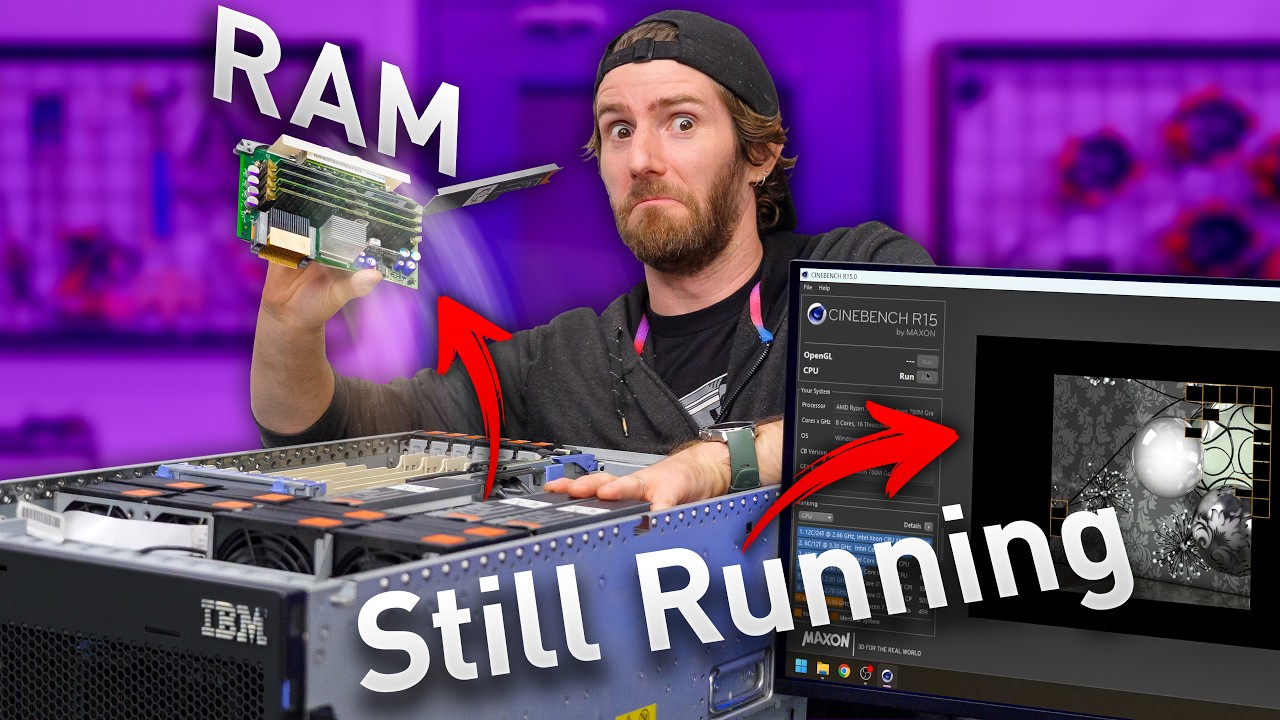
I’ve never seen this before (and it’s 20 years old.)
Your rating
Reactions
Description
Get a free 15-day trial of Odoo’s all-in-one business solution and see how it can make your life easier! Check it out at odoo.com We bought a 20-year-old enterprise server, upgraded it to maximum power, and found some things we’ve never seen in person before. Did you know you could hot swap MEMORY?! Discuss on the forum: linustechtips.com IBM 39Y7256 Voltage Regulator Module: geni.us IBM 38L5916 / 39M5811 DDR2 ECC Server Memory (2GB): geni.us IBM X-Series Processor Heatsink (39M2608 / 26K8805): geni.us IBM eServer X-Series Processor Heatsink (26K8805): geni.us
Channels and socials
Check out our Channel Partners: Secretlab - Grab a TITAN Evo ergonomic gaming chair: lmg.gg - Grab an ATLAS ergonomic office chair: lmg.gg PIA - Get the VPN of our choice: piavpn.com dbrand - Buy a "Circuit" series skin for your device: dbrand.com ► SHOP LTT PRODUCTS: lttstore.com ► GET EXCLUSIVE CONTENT ON FLOATPLANE: lmg.gg ► DIVE DEEPER ON THE LTT LABS WEBSITE: lmg.gg ► SPONSORS, AFFILIATES, AND PARTNERS: lmg.gg Purchases made through some store links may provide some compensation to Linus Media Group. Affiliate links powered in part by affilimate.com Linus Sebastian is an investor in Framework Computer, Inc and HexOS by Eshtek. CHAPTERS --------------------------------------------------- 0:00 Intro 2:30 How did you do that? 5:20 Oops? 8:22 Blinkenlights & Storage 10:39 Power & Expansion 17:00 A ton of copper 18:30 Xeon time 20:41 It's still good! 21:14 We need a montage 22:34 This isn't gonna go well. 25:40 credits
AI Overview
The video examines an IBM X3800 series enterprise server from the early 2000s, a machine presented with eight processor cores, 16 threads, and 32 GB of RAM. Its standout feature is memory mirroring, which keeps duplicate copies of data across paired memory banks. That redundancy lets the presenters remove and reinsert a memory bank while the server continues running. The system also uses indicator lights to identify memory faults, including lights near individual modules. The demonstration shows how the server was designed to keep operating through some component failures and maintenance. The teardown explores other hot-swappable and redundant components, including fans and power supplies. The server can increase fan speed when a fan fails, and its front panel reports conditions involving power, RAID, PCI, and fans. Its storage uses 15,000 RPM SAS hard drives, which spin faster than the 7,200 RPM drives discussed for comparison. The presenters explain that SAS can support access to a drive through two controllers, a feature useful for resilient server storage. They also describe RAID parity calculations and battery backups that preserve data waiting to be written during a power loss. The expansion hardware includes PCI-X and early PCIe slots, along with a RAID controller and modular management card. The presenters note that the PCIe slots are marked for up to 25 watts, below the 75 watts they say is normally associated with PCIe slots. They open the machine to reveal four Xeon processors, large copper heatsinks, and a Socket 604. The processors use a front-side bus to communicate with memory, while the memory controller is on the northbridge rather than integrated into the CPU. The server could support multi-processor configurations, but adding CPUs required additional voltage regulator modules. After upgrading the server and configuring its RAM for 32 GB of addressable memory, the presenters try adding a graphics card using a PCIe riser. They install an older Radeon R9 390, but the server does not identify it as a working display adapter. They suggest the slot's 25-watt power limit or the age difference between the hardware could explain the failure. The experiment illustrates that PCIe generations can be compatible in principle without guaranteeing that this particular card will work in this server. The teardown concludes with the contrast between the server's unusual enterprise features and the limits of adapting it to newer hardware.
Topics · enterprise · server · teardown · science & technology · vintage · hot swap ram
Questions answered
- How can the IBM X3800 server keep running when a memory bank is removed?
- Memory mirroring keeps duplicate copies of memory across paired banks, so the system can continue using the remaining copy when one bank is removed.
- What does memory mirroring mean in the IBM X3800?
- It is a redundant memory setup compared to RAID 1, with paired banks holding duplicate copies of data.
- What kind of storage drives does the IBM X3800 use?
- The server uses SAS hard drives that spin at 15,000 RPM.
- Why does the IBM X3800 have a battery on its RAID controller?
- The battery keeps the controller powered through a power loss so it can write in-flight data to the drives after the system starts again.
- What processor and socket does the IBM X3800 use?
- The server has four Intel Xeon processors in Socket 604.
- Did the Radeon R9 390 work in the IBM X3800?
- No. The server did not detect it as a working display adapter; the presenters suggested the slot's 25-watt limit or the age difference between the hardware could be factors.