Your rating
Reactions
Channels and socials
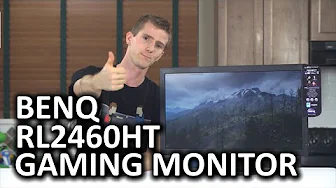
BenQ's RL2460HT is the follow-up to their widely popular RL2455HM. Is the RL2460HT another success, or are they marketing it as a "gaming" monitor to mask some otherwise glaring flaws? Sponsor link: linustechtips.com Pricing & discussion: linustechtips.com Support us: linustechtips.com Join our community forum: bit.ly twitter.com @LinusTech Intro Screen Music Credit: Adhesive Wombat -
Check out his channel here: youtube.com Outro Screen Music Credit: Approaching Nirvana - Sugar High youtube.com
AI Overview
The BenQ RL2460HT is a 24-inch gaming-focused monitor that inherits its predecessor’s emphasis on fast response and a price-conscious TN panel. The reviewer opens by questioning whether the product is genuinely optimized for gaming or simply marketed as such, highlighting the ongoing tension between marketing language and real performance. The core specifications are then laid out: a 24-inch 1920 by 1080 TN panel running at 60 Hz with a flicker-free DC LED backlight and 1 millisecond GTG response times, which helps minimize smearing in fast-paced games. Ergonomics are improved over the earlier model with full adjustability including tilt, swivel, height, and even pivot, making it easier to view the screen straight-on from diverse setups and carrying scenarios. Input options include dual HDMI with auto-select, DVI, and VGA, plus an HDMI pass-through that can route a source directly to a second display to avoid capture latency, which is useful for streaming or tournament setups. On-screen display options are thorough, offering full RGB selectivity for PCs, preset image profiles, motion blur compensation, and multiple scaling modes, though navigation can feel slow and a bit cumbersome compared to higher-end models. The video concludes that while the RL2460HT is not the top choice for color accuracy or viewing angles, it remains a strong option for console gamers or those prioritizing ergonomics and practical features at a compelling price, with caveats about its TN limitations.
Topics · technology · consumer_electronics · gaming_hardware · display_technology · monitors
Questions answered
- What are the key specifications of the BenQ RL2460HT and how do they impact gaming performance?
- The RL2460HT uses a 24-inch 1920x1080 TN panel at 60 Hz with a flicker-free DC LED backlight and 1 ms GTG response time. This setup minimizes motion smear and ensures quick pixel transitions, which is beneficial for fast-paced games. However, the TN panel has limitations in color reproduction and viewing angles compared to IPS or VA panels, which can affect image quality in non-gaming tasks.
- Does the RL2460HT include DisplayPort, and how does its inputs support different gaming setups?
- The monitor includes HDMI, DVI, and VGA inputs with auto-select HDMI and a pass-through HDMI feature for direct source-to-monitor routing. DisplayPort is not listed among the inputs, so DP is not available on this model. The pass-through can reduce latency when streaming or tournament play and supports setup scenarios with multiple displays.






