HomeFeatured videos and new releasesBrowseLatest videos, playlists, and topicsCreatorsYouTube creators and their videosNewsHeadlines from publishers' feedsHistoryResume recently watched videos
Theme
Language
AccountAccountSign in
PrivacyCookiesTermsAboutContactRemovalMethodology
Account
Sign in
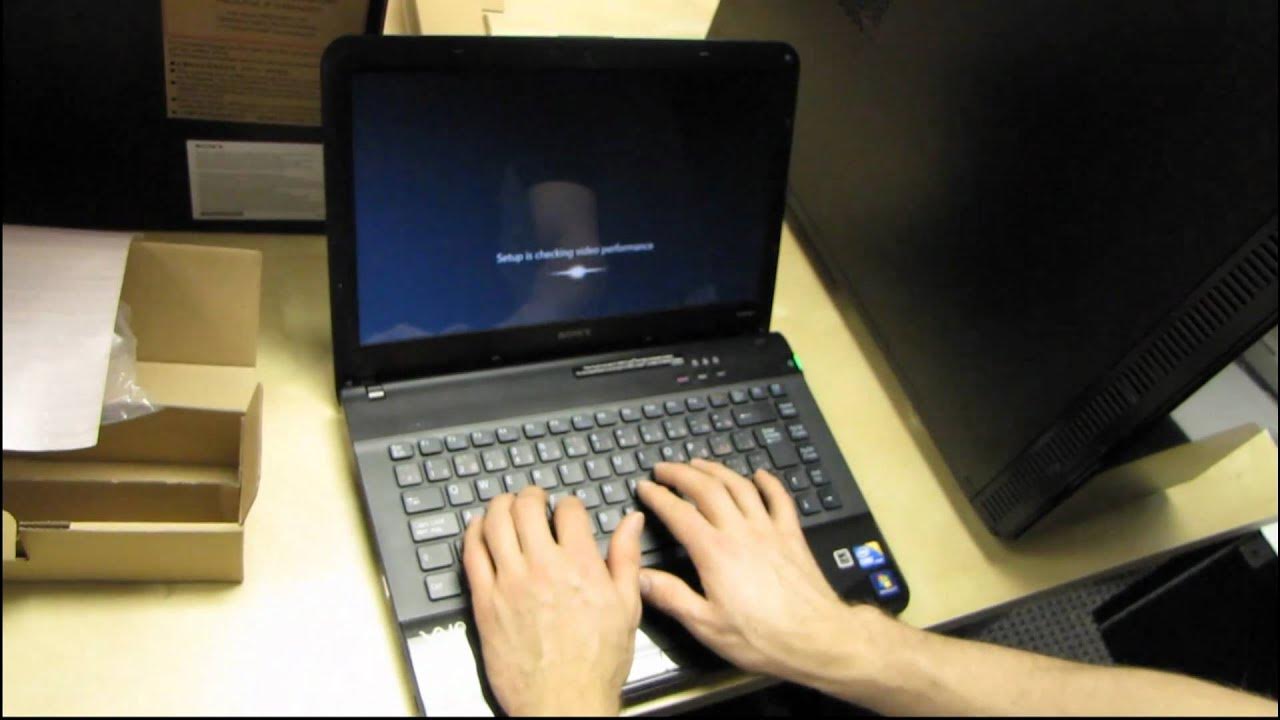
Sony VAIO EA33FD Intel Core i3 14" Notebook Unboxing & First Look Linus Tech Tips
Video · 0:00

Sony VAIO EA33FD Intel Core i3 14" Notebook Unboxing & First Look Linus Tech Tips

Linus Tech Tips@LinusTechTips•54K views•Nov 29, 2010•11:01

Your rating

Rate this video from 1 to 5

Reactions

Reactions to this video

Share

WhatsAppXReddit
Source
YT
Views
54K
Subscribers
16.9M
vs. channel typical
0.1x
Likes per 100
0.7
Comments
183

Description

ncix.com Grabbed one of these for a family member of mine. I hope she doesn't see it before Christmas...

Start

AI Overview

In this Linus Tech Tips unboxing video, Linus walks through the Sony VAIO EA33FD 14 inch notebook, detailing what comes in the box and the initial impressions of the device. He notes the model, processor, memory, drive size, display resolution, and integrated graphics, highlighting a Core i3 370m, 4 GB of RAM, and a 500 GB hard drive as the core specs that informed his purchase decision on a Black Friday sale. The packaging is described as environmentally friendly with minimal foam, and Linus demonstrates the battery, adapter, and the unusual battery hinge installation, making note of the weight and build quality. He inspects the keyboard layout, screen glare, ports including VGA, HDMI, USB, and ExpressCard, and comments on the chassis rigidity, touchpad texture, and overall feel of the laptop when opened and tested. The video ends with a quick software overview of what’s pre-installed, his general verdict on the build quality, and a closing plug to subscribe for more tech content, unboxings, and reviews.

Topics · technology · unboxing · laptops · hardware

Questions answered

What are the key specs of the Sony VAIO EA33FD inside this video?
Core i3 370m processor, 4 GB RAM, 500 GB hard drive, 14 inch display with 1366x768 resolution, Intel HD graphics, Windows 7 Home Premium.
What are the standout design elements highlighted for this notebook?
Solid chassis with minimal flex, a textured touchpad, a bilingual keyboard layout, a hinge that feels sturdy, and a mix of legacy and modern ports including VGA and HDMI, plus an SD and ExpressCard slot.


More from Linus Tech Tips

  • I am One Failure Away From Data Loss
    22:44

    I am One Failure Away From Data Loss

    56.2K views•19 hours ago
  • The $40 GTA 6 Gaming Setup is MUCH Better Than You'd Think
    18:45

    The $40 GTA 6 Gaming Setup is MUCH Better Than You'd Think

    534K views•2 days ago
  • My Investment is on SALE
    1:42

    My Investment is on SALE

    305K views•2 days ago
  • You Were Right About my Braces
    15:09

    You Were Right About my Braces

    582.4K views•3 days ago

Related videos

  • I’m impressed so far!! - Apple M1 MacBook Air
    11:33

    I’m impressed so far!! - Apple M1 MacBook Air

    1.7M views•6 years ago
  • Is this my next laptop? - HP Dev One
    14:52

    Is this my next laptop? - HP Dev One

    1.4M views•4 years ago
  • Don't buy the Wrong MacBook like me...  - M4 MacBook Pro
    13:06

    Don't buy the Wrong MacBook like me... - M4 MacBook Pro

    1.1M views•2 years ago
  • Thin.... but not dumb! - ASUS Zenbook S 13 OLED
    16:17

    Thin.... but not dumb! - ASUS Zenbook S 13 OLED

    839.5K views•4 years ago
  • It’s so cute  ★~(◠‿◕✿) - Framework 12
    15:33

    It’s so cute ★~(◠‿◕✿) - Framework 12

    742.5K views•last year
  • Corsair actually killed it - Corsair Voyager A1600
    15:08

    Corsair actually killed it - Corsair Voyager A1600

    732.6K views•4 years ago

