Your rating
Reactions
AudioEnglish (original)Dubbed: Spanish, Portuguese
Promos
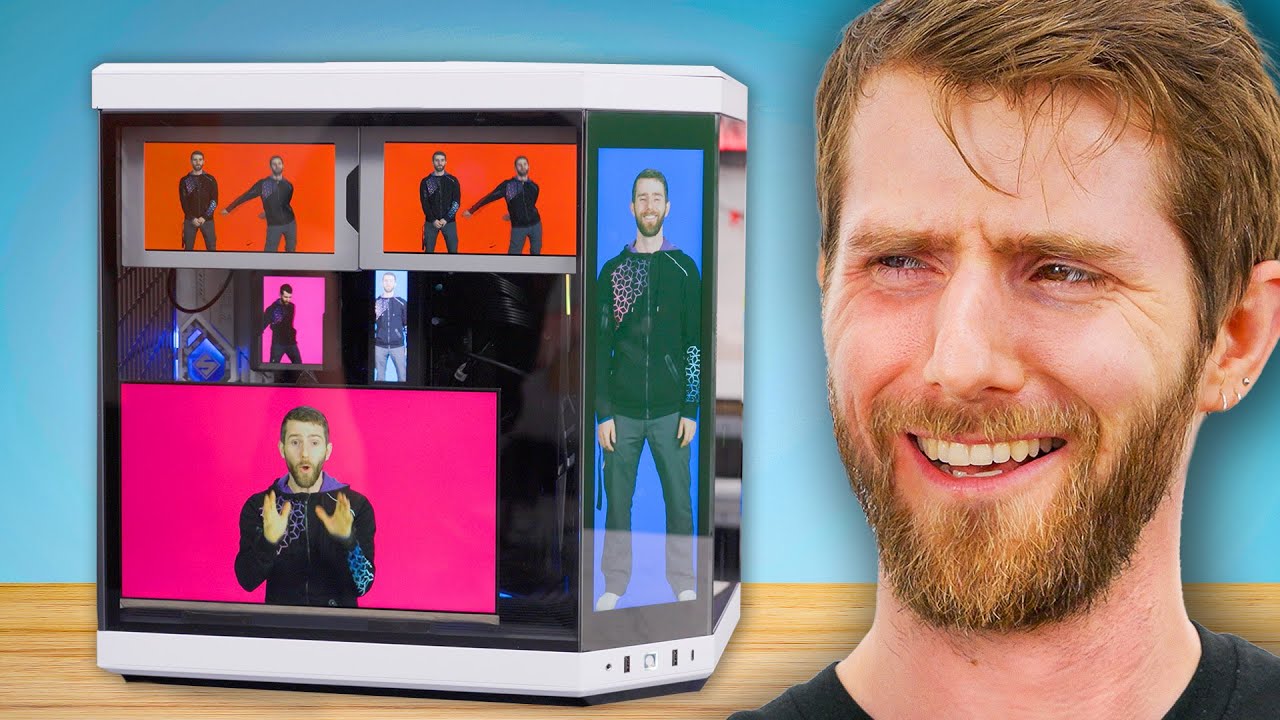
Have you ever wanted less performance but a cooler looking computer? Well we have just the computer for you! It wasn't easy (it took a year) but we finally got the All-Screen PC up and running for you to enjoy and never build yourself! Discuss on the forum: linustechtips.com Links to Products! Buy a ASRock Z790 Steel Legend WiFi Motherboard: geni.us Buy a ASRock 13.3" Side Panel Display: lmg.gg Buy a Intel Core i9-13900K CPU: geni.us Buy a Corsair Vengeance 5200MHz 2x16GB DDR5 RAM: geni.us Buy a Crucial P3 Plus 500GB NVMe M.2 SSD: geni.us Buy a HYTE Y70 Touch Mid-Tower ATX Case: lmg.gg Buy a GIGABYTE Aorus P1200W 80+ Platinum PSU: geni.us Buy a Lian Li Uni Fan TL LCD Case Fans: lmg.gg Buy a ASUS ROG Ryujin 2 360 AIO Cooler: lmg.gg Buy a NZXT Internal USB Hub: lmg.gg Buy a Thermaltake Pacific R2 Ultra Memory LCD Monitor Kit: geni.us Buy a Colorful iGame Vulcan OC-V GeForce RTX 4090: lmg.gg Buy a EKWB EK-Quantum Lumen 7" LCD Screen: geni.us Buy a HXSJ J500 Wired Gaming Mouse: lmg.gg Buy a SteelSeries Apex Pro TKL Mechanical Keyboard: lmg.gg Buy a Elgato Stream Deck Mini: geni.us Buy a Elgato Stream Deck XL: lmg.gg Buy a Elgato Stream Deck +: geni.us Buy a Keebmonkey Display Bar: lmg.gg Purchases made through some store links may provide some compensation to Linus Media Group. ► GET MERCH: lttstore.com ► GET EXCLUSIVE CONTENT ON FLOATPLANE: lmg.gg ► SPONSORS, AFFILIATES, AND PARTNERS: lmg.gg ► EQUIPMENT WE USE TO FILM LTT: lmg.gg ► OUR WAN PODCAST GEAR: lmg.gg FOLLOW US --------------------------------------------------- Twitter: twitter.com Facebook: @LinusTech Instagram: @linustech TikTok: @linustech Twitch: twitch.tv MUSIC CREDIT --------------------------------------------------- Intro: Laszlo - Supernova Video Link: youtube.com iTunes Download Link: itunes.apple.com Artist Link: soundcloud.com Outro: Approaching Nirvana - Sugar High Video Link: youtube.com Listen on Spotify: spoti.fi Artist Link: youtube.com Intro animation by MBarek Abdelwassaa @mbarek_abdel Monitor And Keyboard by vadimmihalkevich / CC BY 4.0 geni.us Mechanical RGB Keyboard by BigBrotherECE / CC BY 4.0 geni.us Mouse Gamer free Model By Oscar Creativo / CC BY 4.0 geni.us CHAPTERS --------------------------------------------------- 0:00 Intro 1:26 Starting the Build 5:05 First Problem Already 6:05 More parts with more screens 7:16 Assembling the Radiator 7:52 Disappointed Linus 8:14 Continue Build 8:56 Running out of USB Headers 10:22 Ram Screen 11:06 Way too many Cables 11:33 Linus torments Elijah 12:13 CPU Cooler Screen 12:28 GPU Install 13:52 More Internal Displays 14:53 Jank Assembly 15:41 Case Screen 15:55 Mounting the EK Screens 17:04 EDP Screen 18:17 Finished Build 20:06 Trying to Close the Side Panel 21:10 Peripherals with Screens 27:10 Gaming 29:39 Outro
AI Overview
The video titled The All-Screen PC takes viewers on a detailed, often humorous, build journey where Linus and his team attempt to assemble a PC with displays on nearly every component. The opening sequence frames the challenge as a playful experiment, counting screens and pondering the practicality of a screen-dense machine. Early on, the crew explains their mission to place a 13.3 inch side panel display inside the case, powered through the motherboard header via an ASRock Z790 Steel Legend based on its embedded display port connection. The narrative emphasizes that this project is more about novelty and show than raw performance, acknowledging the inevitable compromises in cost, thermals, and software coordination. The team discusses choosing high-end parts such as the Intel Core i9-13900K and low-profile DDR5 memory to accommodate the extra displays, while admitting a year-long process to get everything to cooperate. Throughout, the video interleaves technical challenges with spirited banter, including on-camera humor about cables, mounts, and the quirks of integration, culminating in a dramatic assembly that seeks to prove the concept, even if it isn’t practical for most builds.
Topics · technology · hardware · pc_build · display_technology · gaming
Questions answered
- What is the purpose of the all-screen PC build?
- To demonstrate a concept of integrating multiple displays into a PC, primarily for novelty, monitoring, and meme-worthy visuals rather than performance gains.
- Which motherboard enables the embedded display option for this build?
- ASRock Z790 Steel Legend WiFi.
- What challenge does the team face with USB and display integration?
- Coordinating power, data, and front-panel connections across multiple hubs and adapters so that all screens and inputs function simultaneously.
- Which GPU is featured in the build?
- Colorful iGame Vulcan OC-V GeForce RTX 4090.






